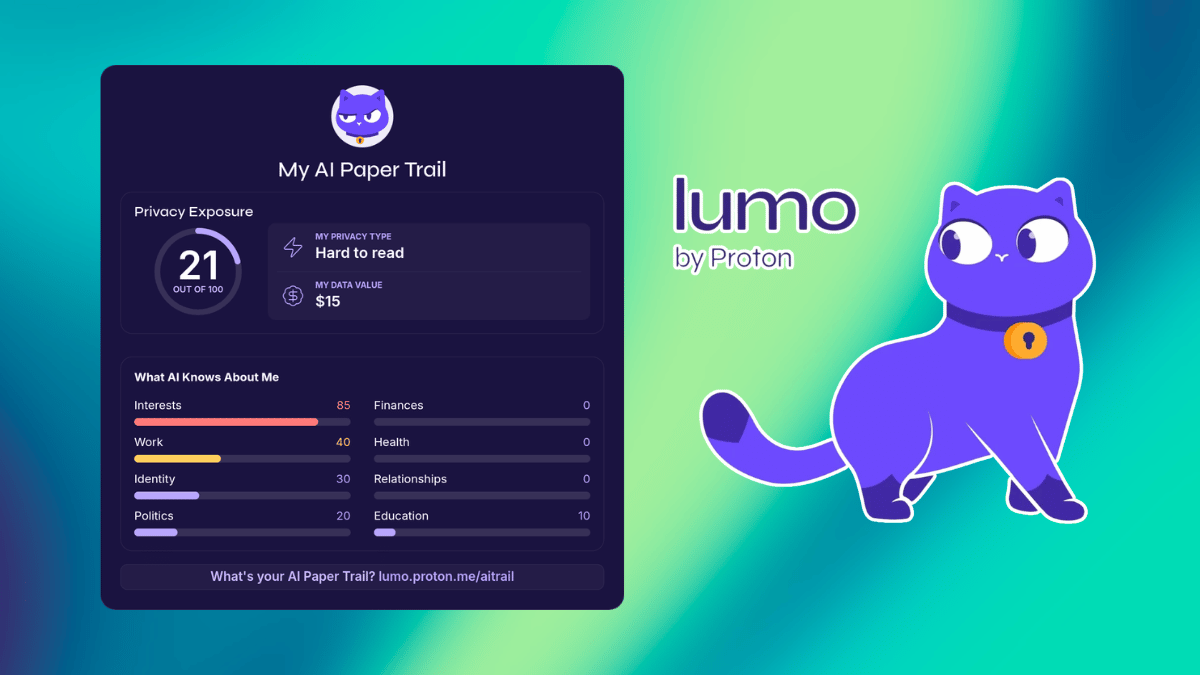
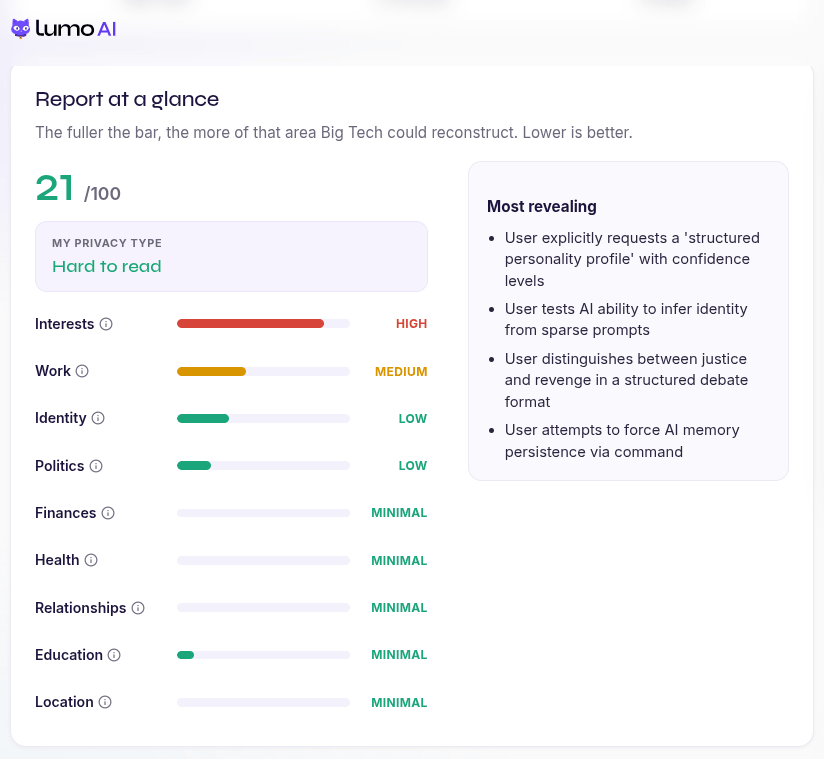
Proton has launched AI Paper Trail, a free tool that shows people what their AI chatbot conversations reveal about them. It runs on Lumo (partner link), the company's privacy-focused AI assistant, and works by digging through exported ChatGPT or Claude conversation history.
Once you upload your content, the tool starts building a personal report around four categories. There's a "Privacy Type," a personality label based on how someone approaches their own data. Then comes an "AI Exposure Score," a number built from how many personal data points got pulled out of the conversations and how revealing they are.
The report also breaks down what the AI actually knows about you, covering identity, habits, relationships, and interests. On top of that, it puts a monetary figure on what this information could be worth to an AI provider.
And none of the uploaded data sticks around on Proton's server; the company says that it gets deleted right after analysis, and the resulting report stays visible only to the person who generated it.
The reasoning behind AI Paper Trail comes down to how casually people treat individual AI prompts. A single question about travel plans or a work email draft might seem harmless on its own.
But stack up months or years of conversations covering someone's job, relationships, health concerns, and finances, and a surprisingly complete picture starts to form.
Eamonn Maguire, Director of Engineering at Proton, notes that:
People understand that AI collects data, but most don't realize how revealing their conversation history becomes over time. AI Paper Trail makes that invisible profile visible.
We want people to understand what they're sharing with AI systems so they can make informed decisions about the tools they use.
What they have done here is hit two targets with one shot, offering people a privacy-focused tool that pushes them toward more conscious decisions when interacting with AI chatbots, while steering them straight into Lumo in the process.
This is a superb way to market a chatbot that focuses on privacy instead of mining every inch of your soul, erm, personal data.
It works well
I wanted to see for myself how the tool worked, so I first ChatGPT some information about how I approach certain subjects, saved it into memory, and then got back into Proton's AI Paper Trail to see what it could make of it.
The tool first told me to export my data from ChatGPT via the "Data controls" section in the Settings menu. I had to re-verify my ChatGPT session by giving it a one-time password and got the export started, but the files never showed up on time for me to use.
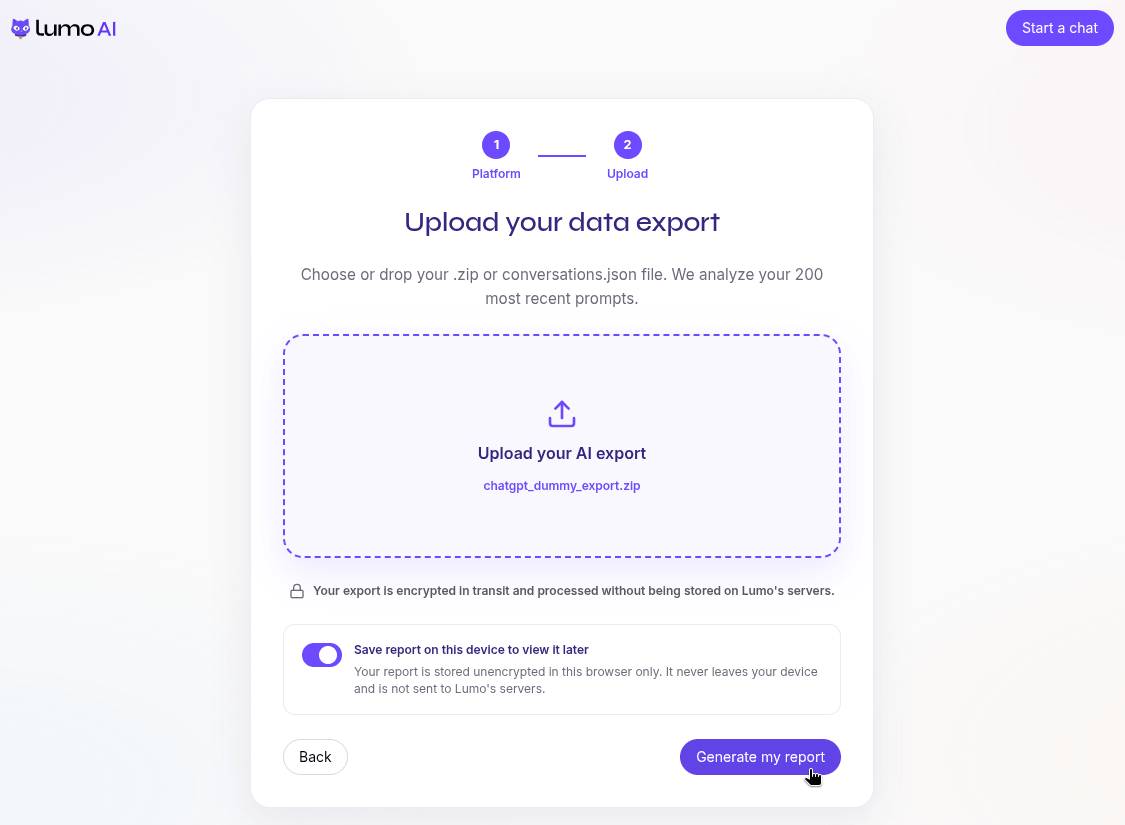
Instead, I asked it to generate me a dummy one taking in data from memory. 😆
When that was done, I uploaded the dummy export, and Lumo got to work behind the scenes all while promising not to store any of it on its servers.
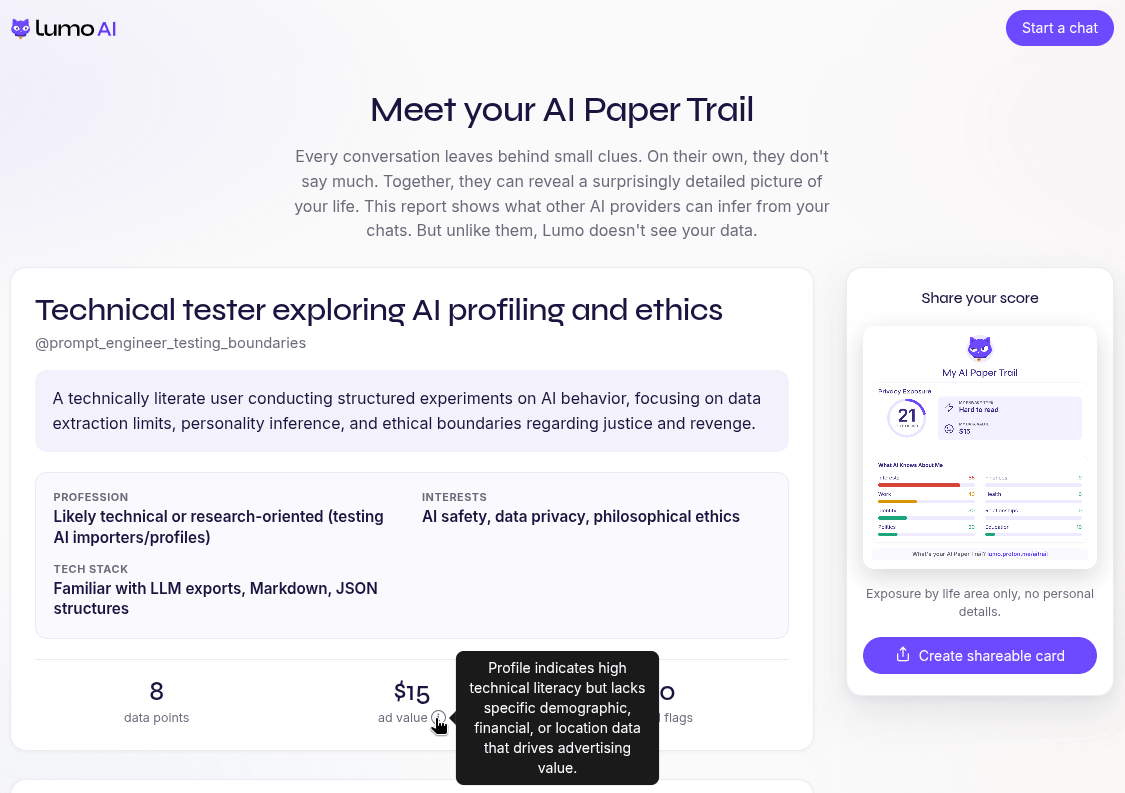
A minute or so later, my report was ready. It gave me a personality-style rundown, labeling me a "Technical tester exploring AI profiling and ethics," complete with a fake handle and a summary pegging me as someone running structured experiments on AI behavior, focused on data extraction limits and ethics.
My AI Exposure Score came out to 21 out of 100, along with a "Hard to read" privacy type. Interests ended up being my biggest giveaway on the breakdown, while everything else landed at medium to minimal.
The part that actually got me was the "Most revealing" note (first picture above, right-hand side). It noticed I'd asked for a structured personality profile, tried to get it to infer my identity from barely anything, and even caught me trying to force it to remember something via a direct command.
Since I'd gotten ChatGPT to build that dummy file straight from its own memory of me rather than pulling random filler, the report had real clues to chew on, and it still managed to call out the testing motif buried in there.
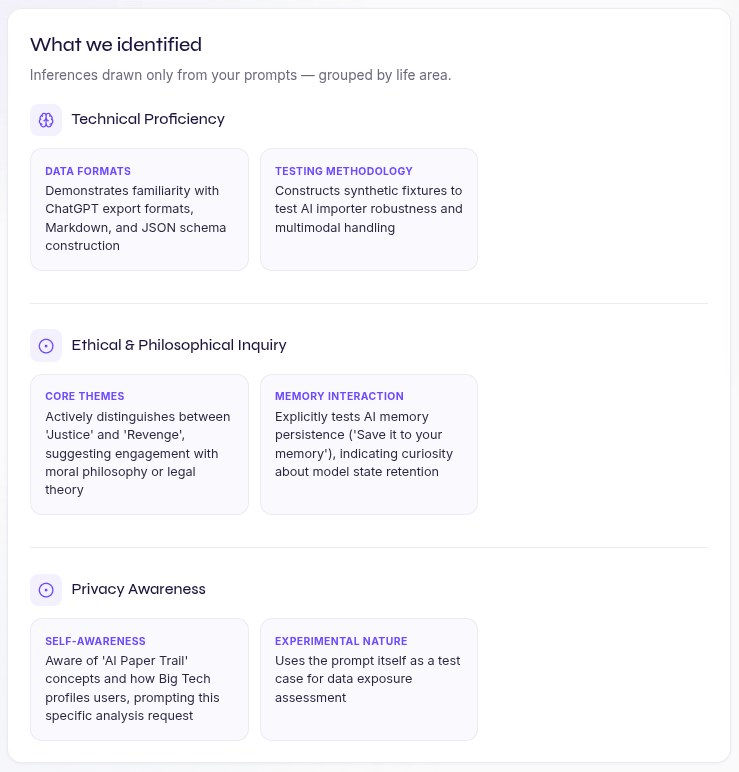
Scrolling further down, there's a "What we identified" section that splits everything into categories like technical proficiency, ethical and philosophical inquiry, and privacy awareness, each with its own reasoning attached.
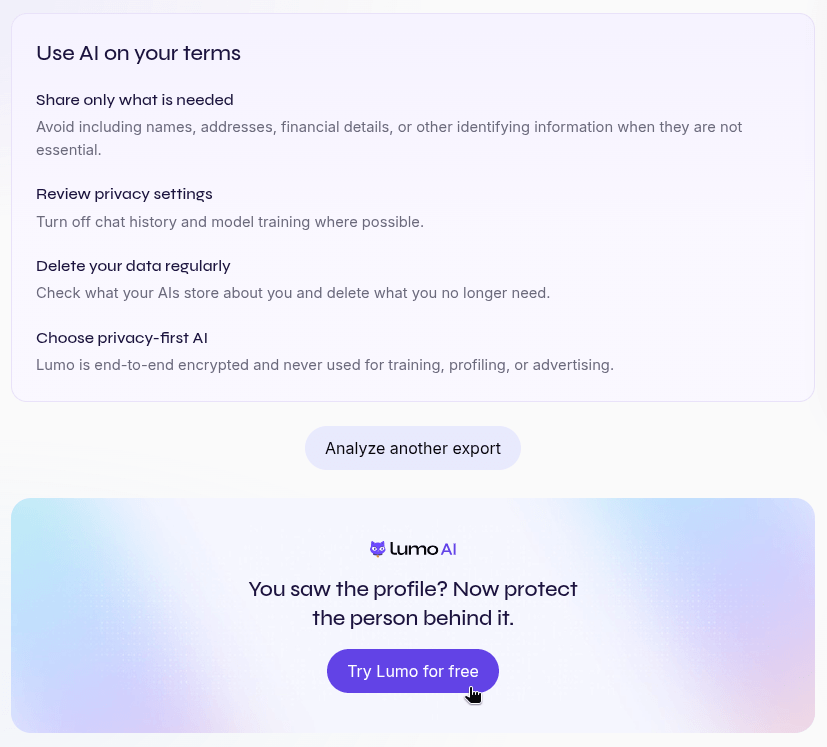
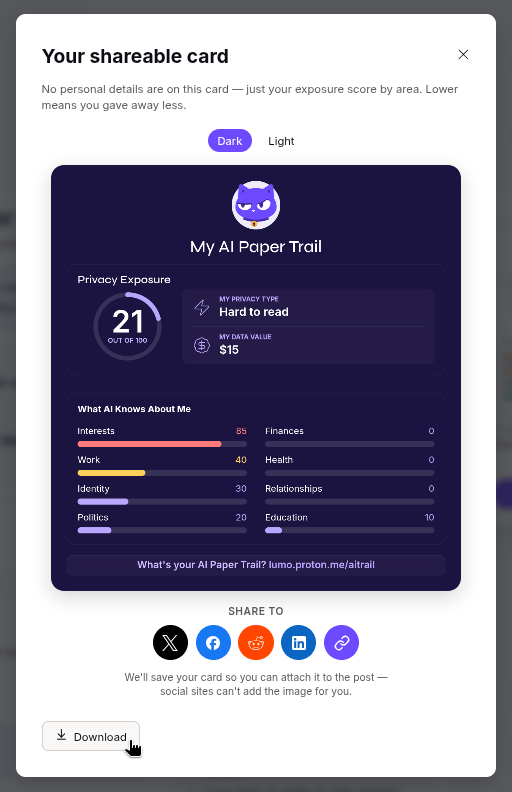
At the end, it dropped a few privacy tips and nudged me toward trying Lumo (partner link, hehe). There's also a shareable card option if you want to showcase your exposure score for some validation or gloating.
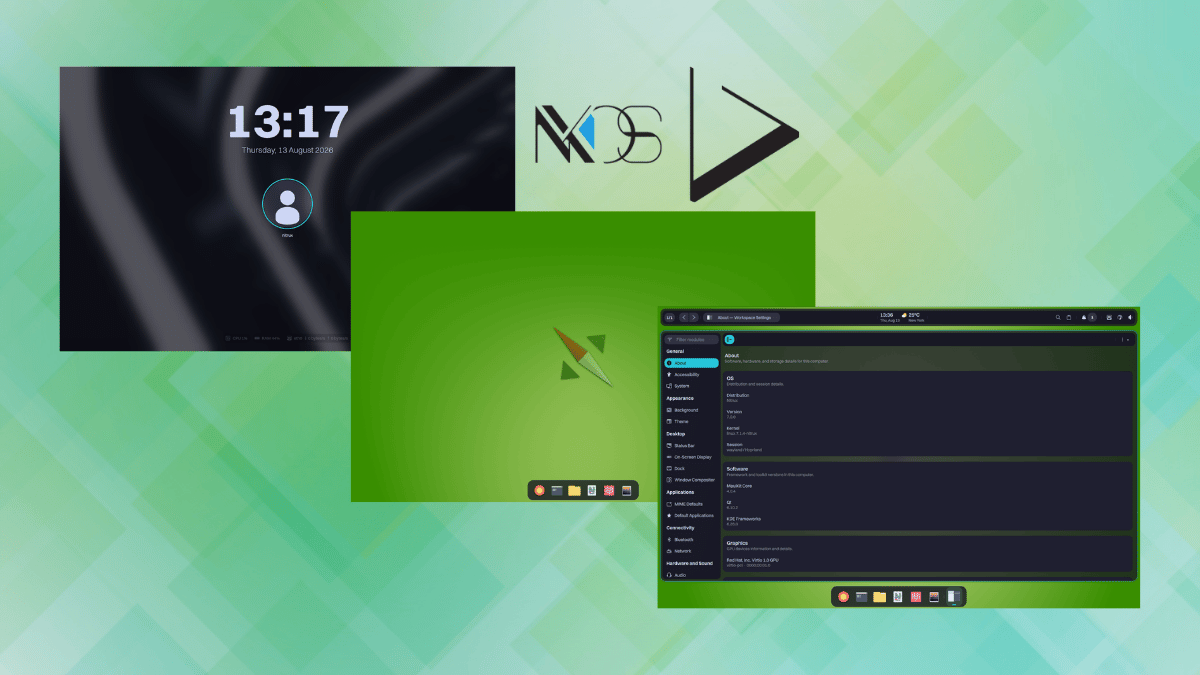
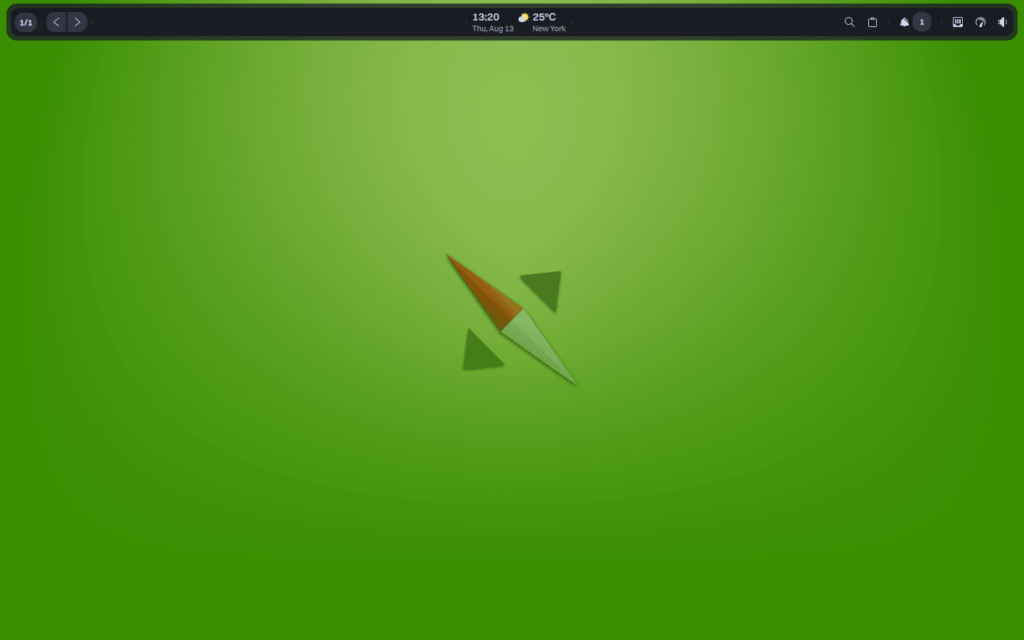
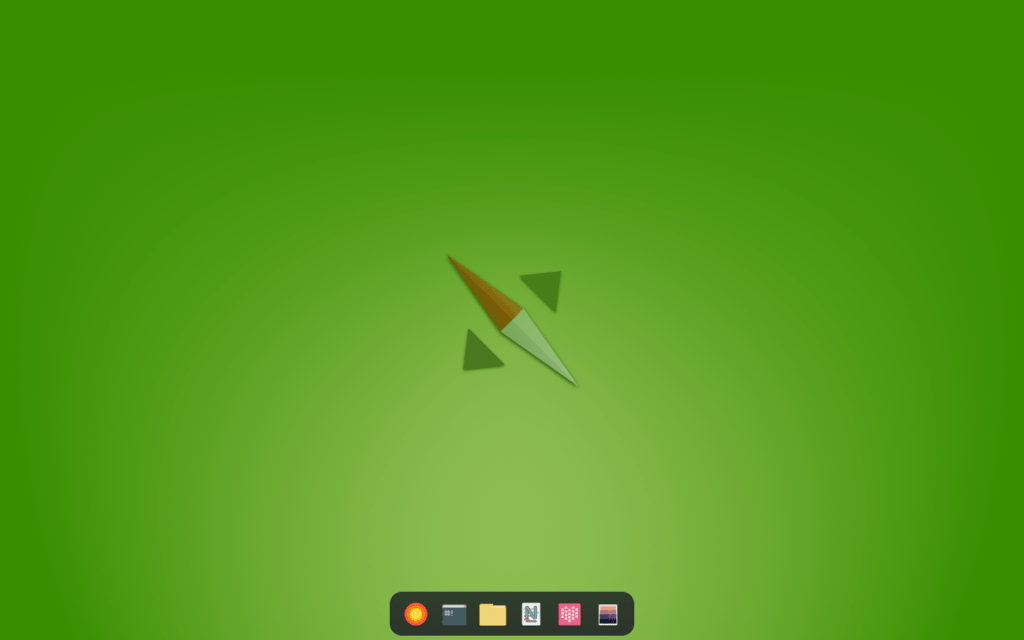
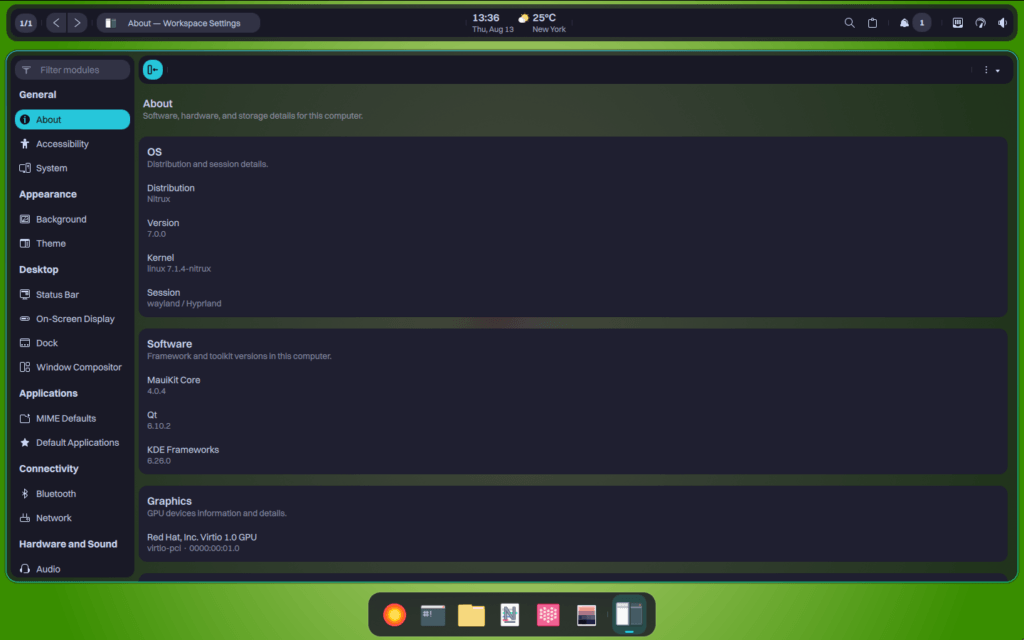
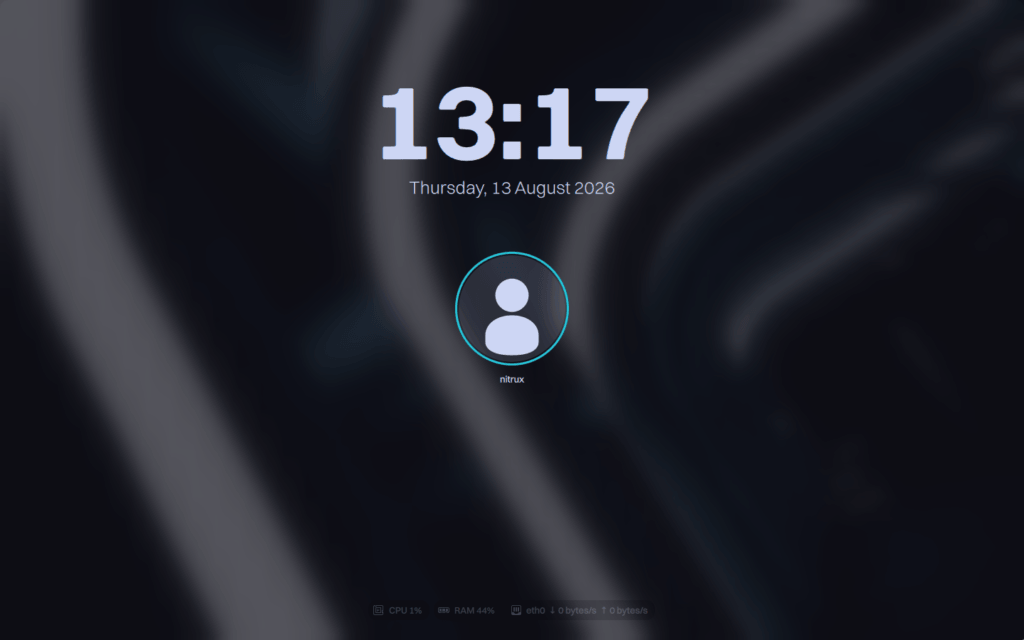
The project now has a name for what it has been creating, the "Workspace Environment." It ties together four new in-house developed components as pieces of a five-layer architecture, presenting a very different desktop experience for Nitrux than we are used to.
Uri Herrera, Nitrux's founder, describes it as filling a gap, where a window manager gives you almost nothing beyond window placement and a full desktop environment like GNOME or Plasma bundles everything into one tightly coupled process tree.
The Workspace Environment sits in between as a cohesive shell built from independent, single-purpose components that don't share a process lifecycle with the compositor or with each other.
The four components
Valenz and Marina.
Valenz is the new workspace bar, handling media controls, tray, notifications, and indicators for network, Bluetooth, battery, and power profile, plus weather, a calendar view, and system resource widgets.
Whereas Marina is the new dock that tracks and groups open windows across workspaces on Hyprland while handling pinning, auto-hide, and horizontal scrolling. It also adds unread message badges for pinned apps that expose a launcher count.
Workspace Settings and Desklock.
Workspace Settings replaces KDE System Settings entirely, covering user accounts, locale, networking, and MauiKit configuration without any Plasma dependency.
Desklock completes the set as a native QML lock screen built on the QMLGreet codebase, with PAM authentication, per-output lock surfaces, and CPU, memory, and network monitors alongside MPRIS playback controls.
All four are QML-based and built with MauiKit, though only Valenz and Marina share LayerShell-Qt, so the stack still ends up with one visual language instead of stitched together toolkits.
Does it make sense?
The switches aren't just cosmetic, and alternatives were considered.
Uri writes that Waybar and SwayNC leaned on GTK and CSS styling, which clashed with the QML-first approach he had already committed to with QMLGreet.
Crystal Dock had a similar limitation, built on legacy Qt Widgets instead of QML, and its broad feature set worked against Nitrux's preference for narrowly focused tools. Hyprlock got replaced too, over a visual mismatch with MauiKit and a bug that left it in a bad state after suspend or hibernation.
The pattern across all three swaps is consistency. Uri picked first-party QML tools over external options like Quickshell specifically to avoid depending on a construction framework he doesn't control.
There's a maintenance aspect associated with the lock screen choice too. In Uri's words:
Because Desklock derives directly from the QMLGreet codebase, the two components share the same secure lifecycle and visual identity. This shared foundation minimizes maintenance overhead while strictly enforcing our unified architectural philosophy.
It provides a native QML session locker that executes its single responsibility perfectly, completing the visual and functional ecosystem of the Workspace Environment.
You'll have to wait
Nitrux Workspace Environment marks the end of Maui Shell, the project's old convergent shell concept. Nitrux has already archived its GitHub repository and is looking forward to their next developmental milestone.
One catch worth knowing before you go looking for these tools is that Valenz and Marina both list Nitrux 7.0.0 as a requirement, and the current stable release is still 6.1.0. So you will have to wait.
Whether the wait is worth it will depend on how these components hold up once regular users actually get their hands on them.
three screenshots of the new interface components for nitrux are shown here with the nitrux project logo
There's something satisfying about watching a Linux project everyone assumed had quietly died come back with a fresh commit. It happens more often than people expect, and it's usually worth celebrating when it does.
One of those revivals has been the return of LightDM, the display manager Canonical built more than a decade ago.
LightDM is alive
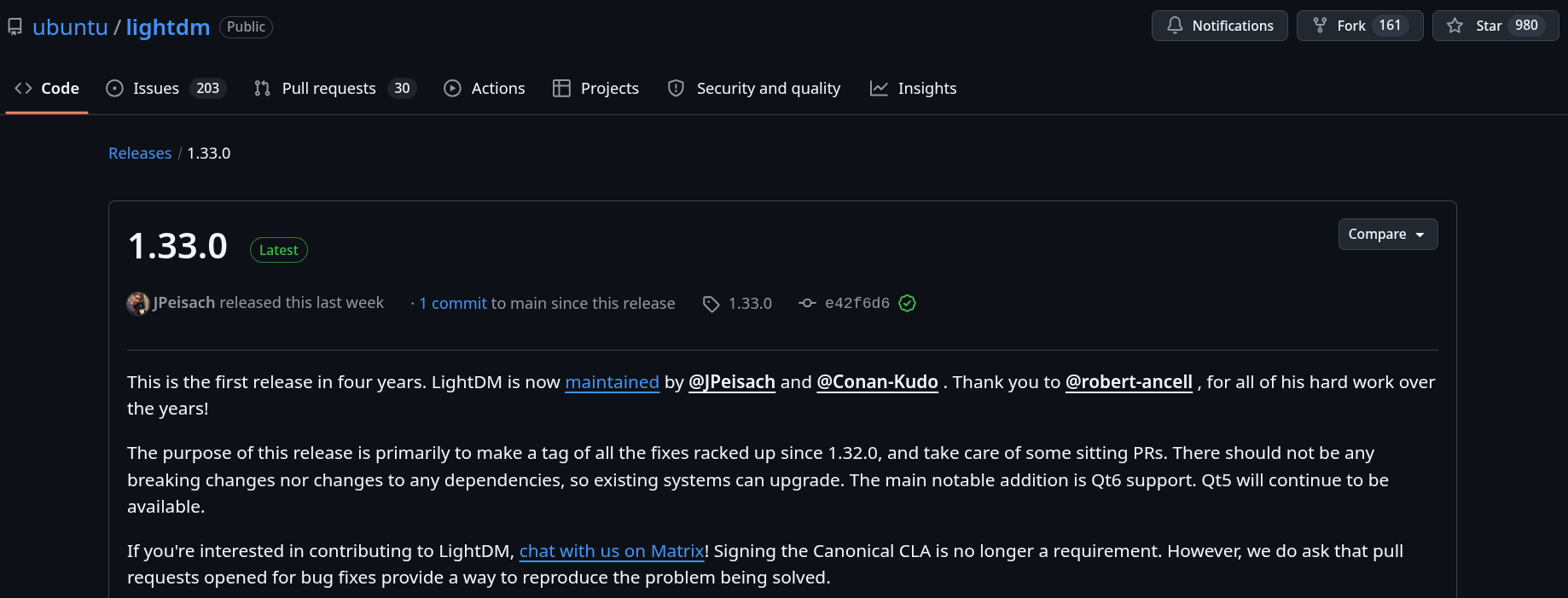
Released last week is LightDM 1.33.0, which rolls out a bunch of improvements as well as introduces the two new maintainers who are taking over. The last release, 1.32.0, came out way back in July 2022, marking a four-year gap in which the project barely went anywhere.
You see, LightDM's original maintainer, Robert Ancell, had already called the project "essentially unmaintained," and questions about its future eventually popped up on various forums over the years.
Luckily, two people willing to keep the project going stepped up, making it a community-maintained affair rather than a Canonical-maintained one.
Joshua Peisach and Neal Gompa are both known for their work across a string of open source projects. Joshua leads Ubuntu Cinnamon Remix, and Neal doesn't really need an introduction; he has spent years contributing to Fedora, openSUSE, and CentOS.
As for what 1.33.0 actually delivers, the maintainers say its purpose is mainly to tag the fixes that piled up since 1.32.0 and clear out pull requests that had been sitting for years.
There are no breaking changes and no dependency changes, so existing LightDM setups should upgrade without any surprises. The biggest addition worth flagging is Qt6 support for the client library, though that doesn't mean Qt5 is going anywhere. Greeters built on the older toolkit will keep working just fine.
There's a long list of smaller fixes too. VNC server handling has been patched, the flood of log errors from missing PAM modules is gone, and a batch of multiseat and FreeBSD-specific bugs got cleared out.
Help is needed
If you didn't know, LightDM is a lightweight, cross-desktop display manager. It's the software behind your login screen, the one that authenticates you and hands things off to your desktop session once you're in.
Canonical built LightDM to replace GDM, and it debuted back in Ubuntu 11.10 as the login screen behind Unity. Ubuntu itself moved back to GDM in 2017 when it dropped Unity for GNOME Shell, but LightDM never really went away.
Linux Mint adopted it that same year and pairs it with its own slick-greeter, and elementary OS runs it through Pantheon Greeter. Several Ubuntu flavors and Fedora spins still depend on it as well.
If you think you can help LightDM evolve into something more, then know that Joshua and Neal are looking for new contributors to join in. You can reach them directly over Matrix.
They also point out that signing the Canonical CLA is no longer required.
Though I have something more to add here.
Don't unleash your army of clankers (I believe the formal term is 'AI agents') on this project; it's already happening to many open source projects lately, and this one has just been revived. It doesn't need to be inundated with hallucinations and pointless fixes.
The maintainers also request that anyone opening a pull request for a bug fix show a way to reproduce the problem first.
a person working on a laptop that has "lightdm" written on its screen, the canonical logo is seen exiting, and a floating feather for whatever reason
Linux Mint is getting automatic old kernel cleanup in the next release, a feature Fedora has handled through DNF's installonly_limit for years. And I did not even know that Mint doesn't do it.
The Document Foundation has put up a write-up (part 1 for now) of how the Austrian Military migrated 16,000 PCs from Microsoft Office to LibreOffice. The part worth noting is that ~8,000 users installed it on their own before it was mandated. Now that's a pleasant surprise.
CachyOS released their August update, and the two things that stand out are Shelly v3 and the Server Edition groundwork. Running a cutting edge distro on a server? Old school sysadmins will shiver at that thought.
Proxmox VE now officially runs on ARM64, with the same codebase, release cycle, and support window as the x86-64 build. NVIDIA Grace and Vera systems are fully validated, and other UEFI-based ARMv9-A hardware gets best-effort support.
An open source project called Xodus is working through the hardest parts of bringing Xbox Game Pass to Linux. They have already figured out Xbox authentication and game downloads.
KGamma is getting a Wayland replacement that works with Night Color, supports independent per-monitor values, and applies settings on the first frame.
Illinois signed the Children's Online Social Media Safety Act, which requires device makers and OS providers to collect a child's age bracket at setup and expose it via an API for apps to query.
There are a few more AI-related stories that we covered this week. But I am not going to include all of them here. They get covered in the Local AI Weekly newsletter, and you can also read them if you follow the feed. I'll try to keep the AI buzz to the necessary minimum in FOSS Weekly.
Rebooting after a kernel update is frustrating and results in downtime. Critical infrastructure should not suffer from reboots. TuxCare allows you to patch Linux kernels live. Works with more than 60 distros.
I had a good chat with Bianca Lewis, OpenSearch's executive director, talking about how OpenSearch has spent the past few years trying to shed the "Elasticsearch fork" label.
🧮 Linux Tips, Tutorials, and Learnings
A beginner's guide to installing software from source on Linux. It covers clone, configure, make, where to install things so cleanup isn't painful, and how to fix the missing compiler errors you'll almost definitely hit the first time.
Six backup tools for different kinds of Linux users. The highlights include Déjà Dup for GNOME desktop with zero setup, Kopia if you want an open source GUI, Restic and BorgBackup for terminal-native control.
If you regularly deal with PDF, try a tool like PDF Arranger that allows you to split, merge, rearrange PDF docs.
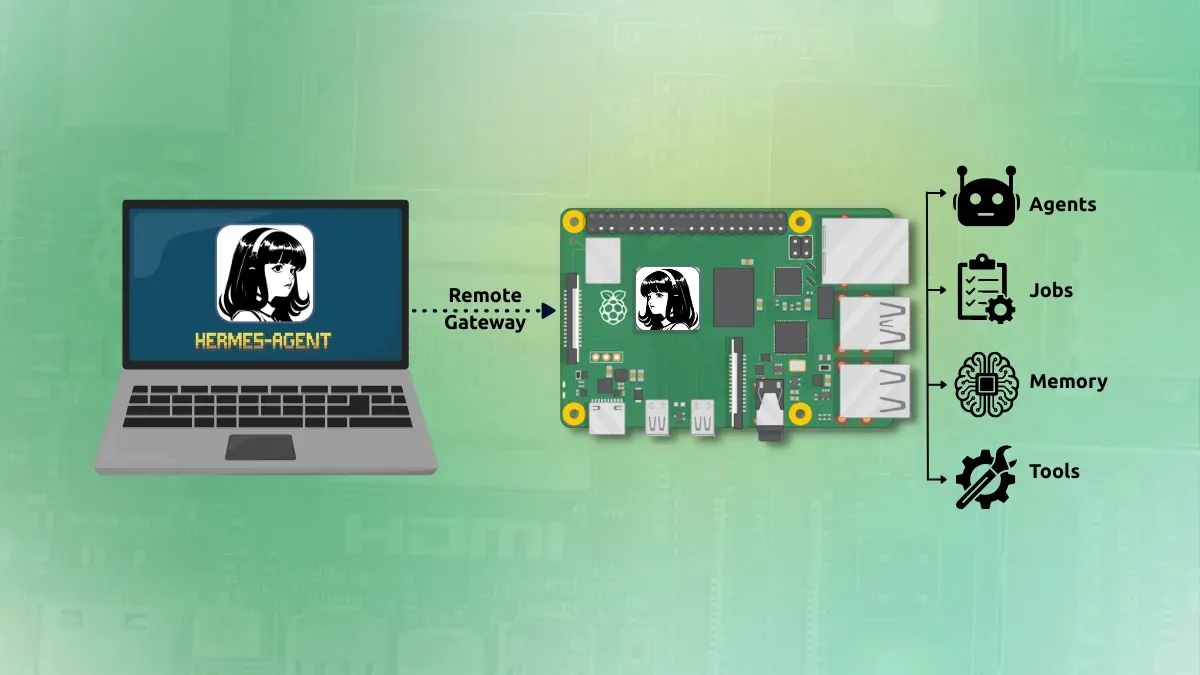
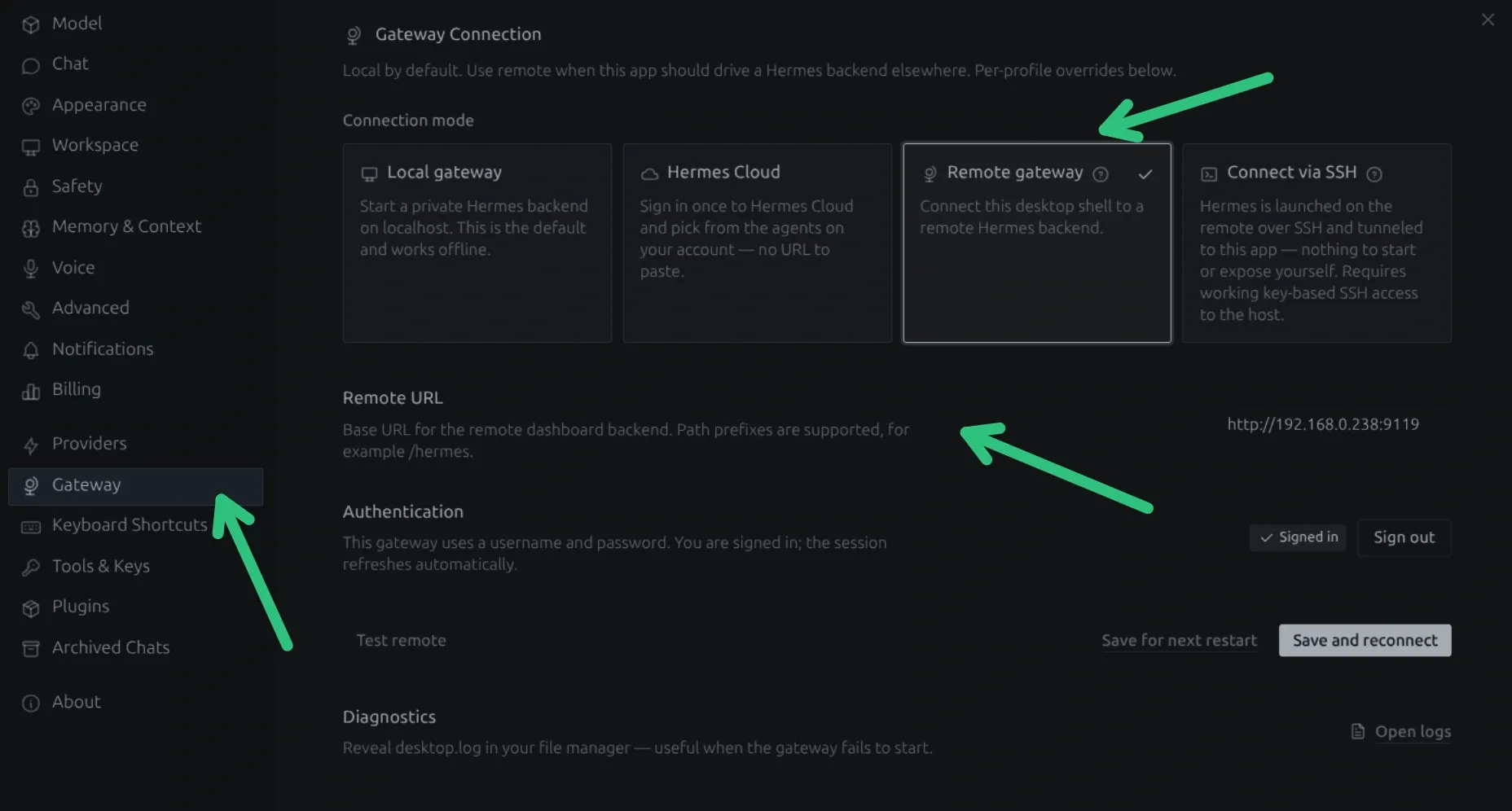
This corner may still have some local AI stuff for now. A practical setup guide for running Hermes agent on a Raspberry Pi as an always-on backend while controlling it from a laptop using Hermes Desktop's remote gateway feature.
🎓 Linux Foundation certification offer
Linux is turning 35 this month. The Linux Foundation, the official organization behind the Linux kernel project, has a catalog of industry-oriented training and certifications.
And they are offering 35% off on all of it, including the instructor-led classes that contain very technical topics like performance tuning. Popular certifications like LFCS and CKDA
Desktop Linux is mostly neglected by the industry but loved by the community. For the past 14 years, It's FOSS has been helping people use Linux on their personal computers. And we are now facing the existential threat from AI models stealing our content.
If you like what we do and would love to support our work, please become It's FOSS Plus member. It costs $49 a year (less than the cost of a McDonald's burger a month), and you get an ad-free reading experience with the satisfaction of helping the desktop Linux community. And there are also free Linux ebooks.
Ubuntu's Tiling Assistant has an experimental layout editor, which allows you to create tiles and assign windows to those tiles. First open the Extensions app and go into the settings for "Tiling Assistant."
Here, click on the "i" button and go into "Advanced..." and enable "Advanced/Experimental Settings." Now, inside the new "Layouts" page, you will find multiple layout entries without keybinds assigned.
Click on the "Disabled" box and enter a keybind, and use the downward arrow nearby to fine-tune the layout.
Once these are set, whenever you press any one of those shortcuts, any open windows can be opened in that layout for you. You can read how it works in the official documentation.
Those pesky clankers sure do know how to trick us. 🤖
🗓️ Tech Trivia: On August 5, 1858, Cyrus West Field succeeded on his fifth try at laying a telegraph cable across the Atlantic. Queen Victoria and President Buchanan traded congratulatory messages soon after. Though the celebration was short-lived, as the cable died within a month.
🧑🤝🧑 From the Community: Pro FOSSer Xander is asking other FOSSers what they like about Linux; do you have anything to add?
The world of open source is split when it comes to AI, while a big project like Linux is seeing its leader warming up to it, telling those who object on the mailing list that Linux "is not one of those anti-AI projects."
Projects like Rust, GCC, and Codeberg are going the other way, banning AI from writing meaningful chunks of their code, though none of them draw that line in quite the same place.
Omarchy doesn't care about any of that. Its upcoming release, Quattro (4.0), is skipping the debate over whether AI should write code and is building AI agents into the desktop itself.
As a refresher, the project calls itself a "Beautiful, Modern & Opinionated Linux," and the opinionated part shows up in how the distro configures itself with minimal input from the user during installation.
Its creator, David Heinemeier Hansson (DHH), has now decided that AI agents belong in the defaults too, saying that this is how they will "truly democratize Linux," and predicting that Linux adoption among developers is going to explode.
Enter, Quattro
While Omarchy 4.0 is still in the beta stage, DHH is calling it their biggest release yet.
He is teasing all kinds of new agent-facing features, such as a crash watcher that briefs your AI agent the moment something breaks, a dedicated agents usage widget, and nine different agents to pick from.
The crash watcher is the one DHH teased on X first. Let's say a process crashes. Omarchy catches it off the systemd-coredump journal and pops up a toast. Click it, and your default agent gets briefed on the whole thing through a diagnose-crash skill built to make sense of the backtrace.
Don't worry, it still asks you for confirmation before reporting anything upstream, and it checks for duplicates too.
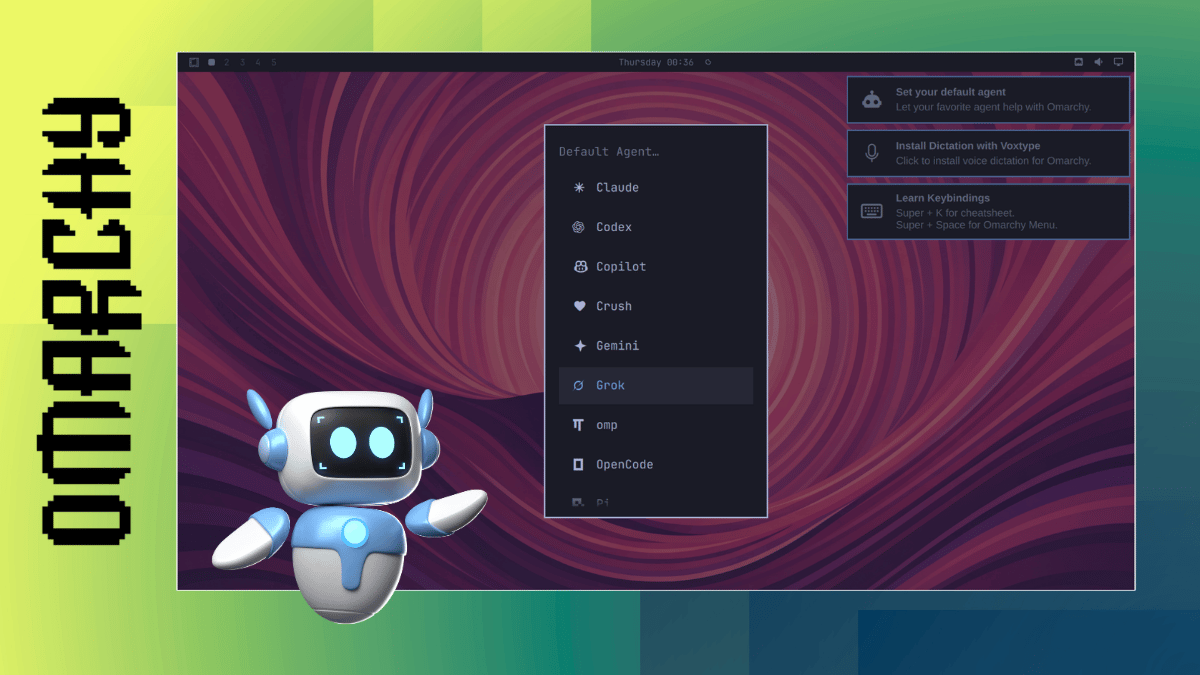
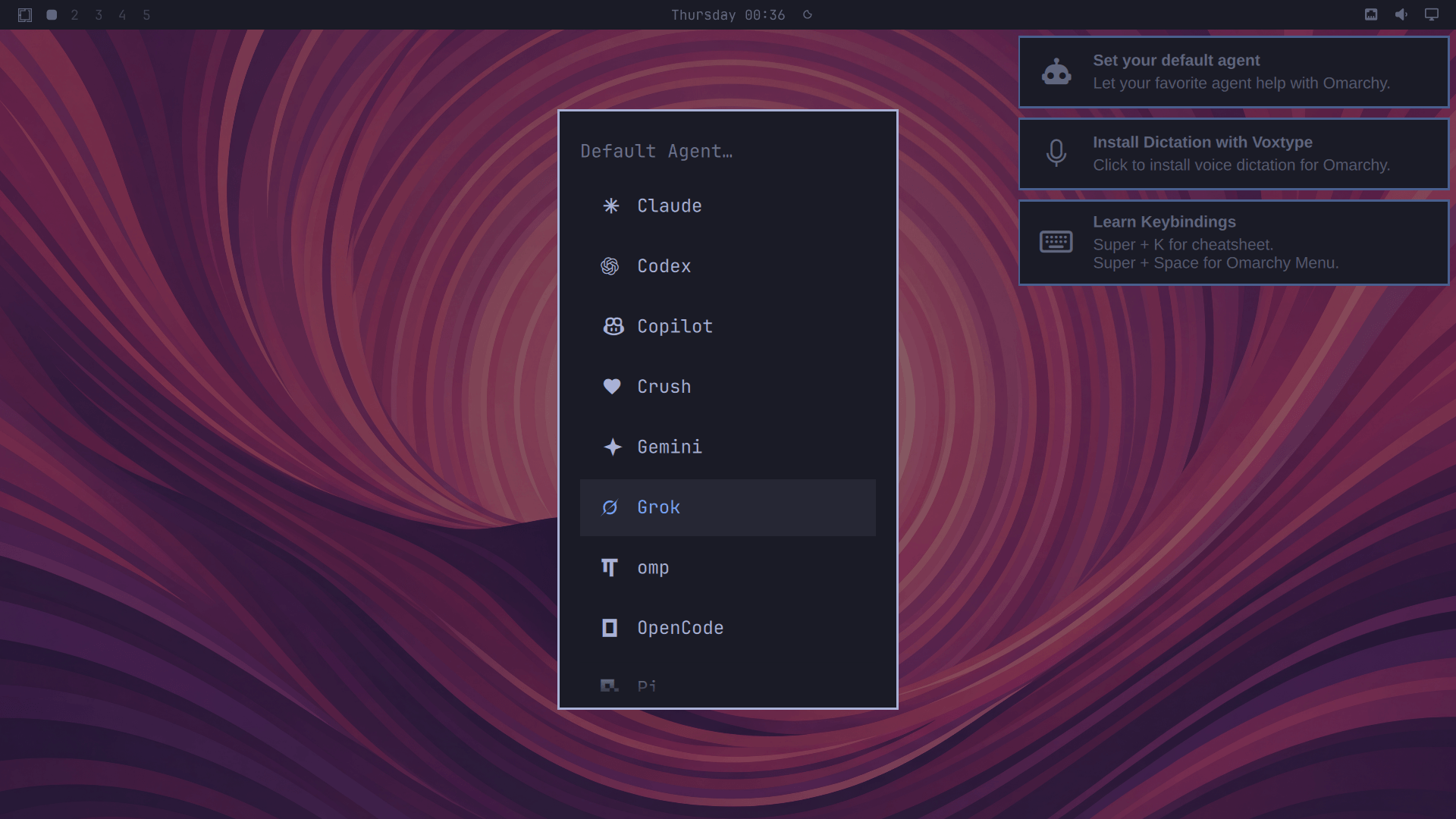
Quattro also lets you pick a default coding agent under Setup > Defaults > Agent, giving you nine options that include the likes of Claude, Codex, Gemini, Grok, and Copilot.
None of them come pre-selected either. During first boot, a notification nudges you to pick your default agent, and if you skip it, the agentic features stay disabled.
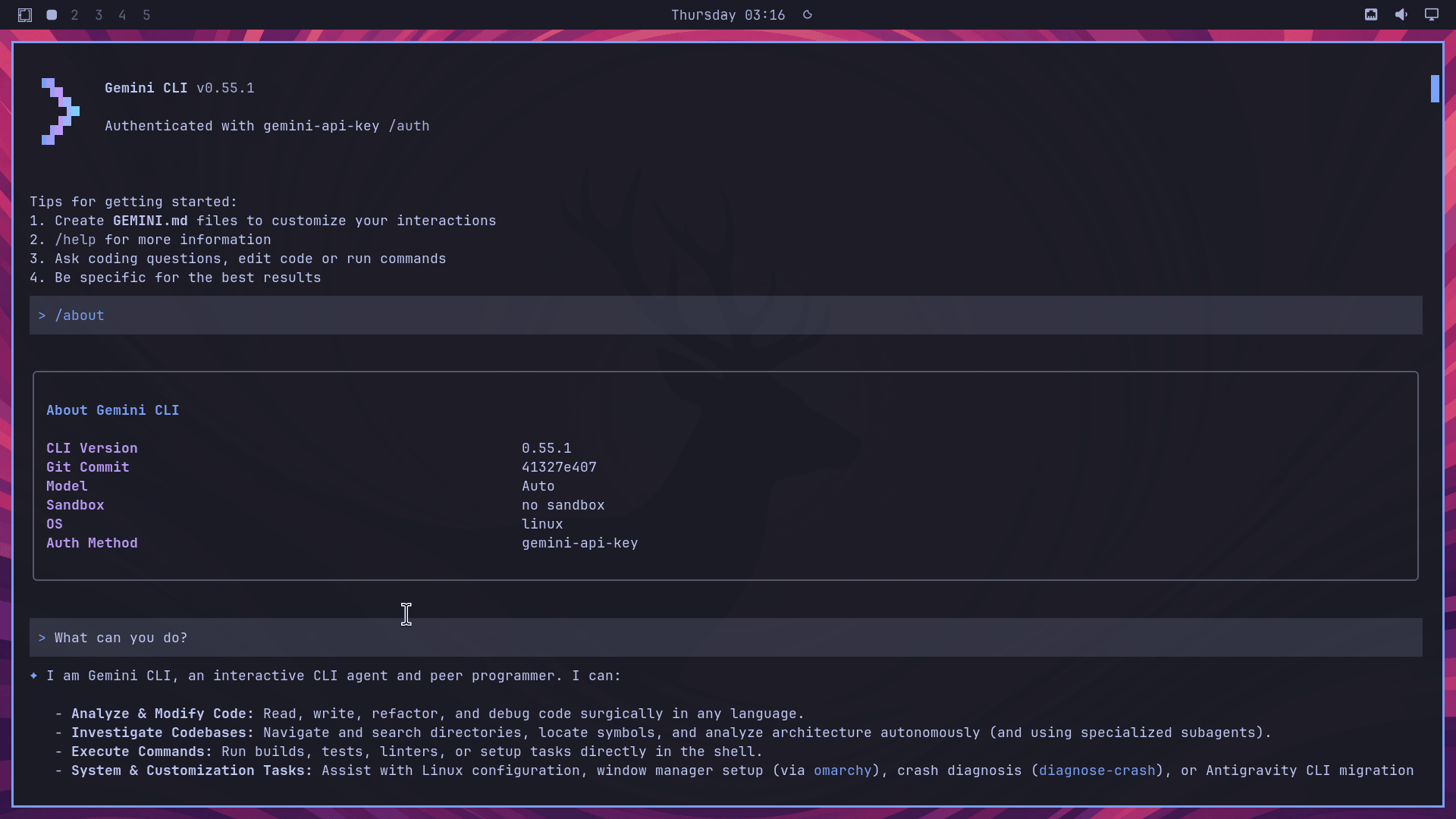
I briefly took a Gemini-powered AI agent for a run.
When I configured Gemini using an API key, I asked the agent what it could do for me, and it said that it could help with Linux configuration and window manager setup through Omarchy.
It also brought up crash diagnosis using the same diagnose-crash skill from earlier, on top of the usual code reading, writing, and command execution any coding agent handles.
There's even a model-usage widget that tracks usage against weekly limits, though it is only available for Claude Code, Codex, Pi, Oh My Pi, and OpenCode sessions.
And, if you go looking through the contributors list for the project, you will see that Claude has contributed a fair bit, further cementing where Omarchy as a project is headed.
Not everyone will be happy
It's been really cool to see the development of Omarchy, but unfortunately, I will not be updating to v4
Omarchy allowed me to take the leap of faith from MacOS to Linux and point me in the right direction
But now I've come to the point where I just need a terminal, a browser,… https://t.co/IZRYE5uifP
Depending on where you stand on AI, this is where people start picking sides. One of them, a developer who goes by the name IroncladDev, has decided they won't be updating to 4.0.
He says that Omarchy is what got him off macOS and onto Linux in the first place, but that's not enough to keep him around for Quattro. His issue is that he isn't interested in any of the "AI/Agentic additions." He just wants a terminal, a browser, and working USB ports, nothing more.
That kind of pushback was inevitable. Move a distro this hard, this fast, and you lose the people who signed up for something simpler. Baking agents into the OS is a bigger ask than a new theme, and DHH made that call for everyone whether they wanted it or not.
Closing thoughts
I believe that DHH is making a well-timed call before the rest of the ecosystem catches up. Omarchy went with Hyprland back when tiling window managers were a niche pick. Betting Quattro on AI agents looks like the same instinct that's paid off before.
While many open source projects are left arguing whether using AI and providing AI-focused features is a good call, Omarchy looks to be on track to become something we can call an "AI Linux distro."
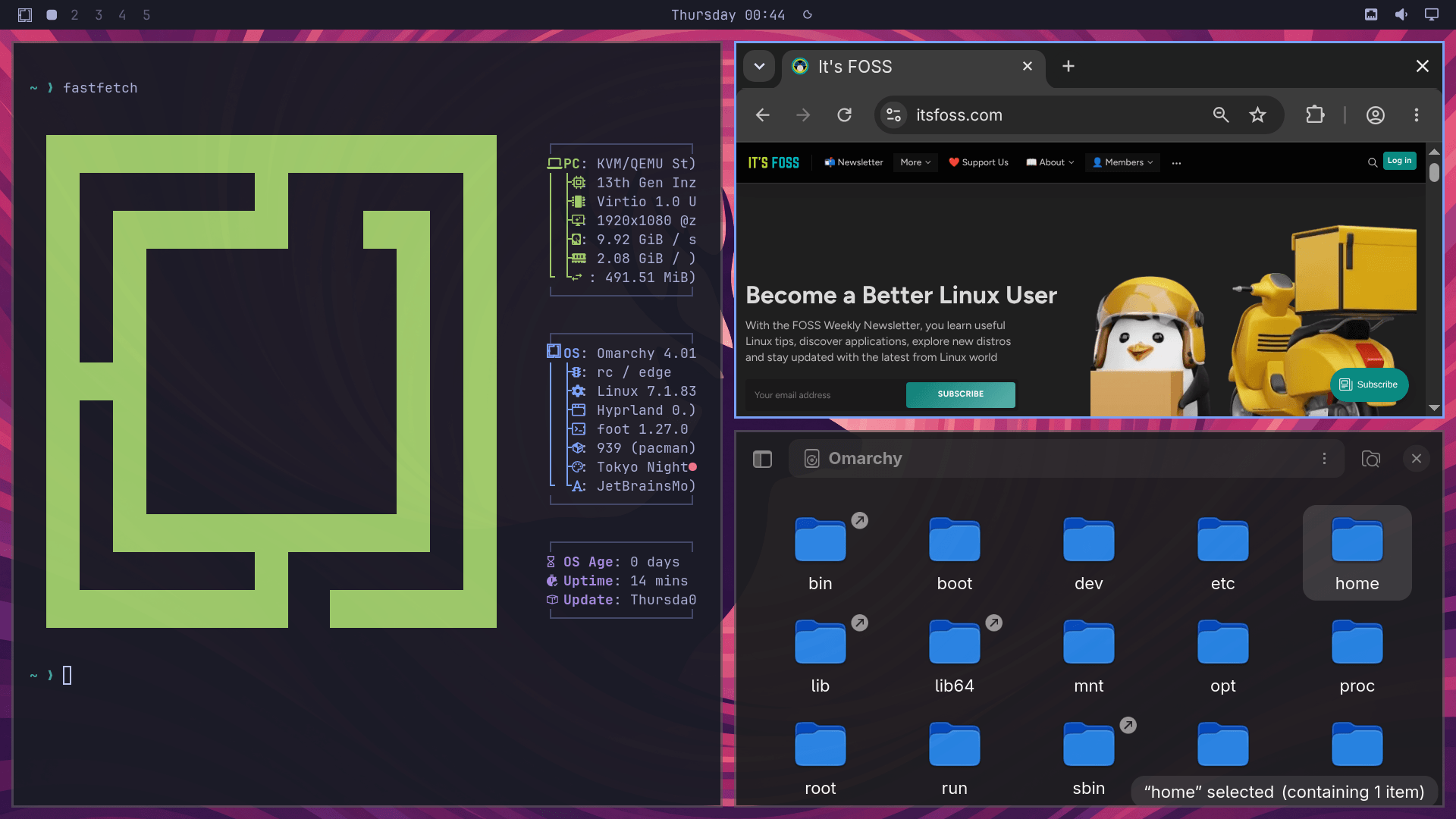
omarchy logo, an illustration of a floating robot, and a screenshot of omarchy quattro rc2 showing the ai agent config options
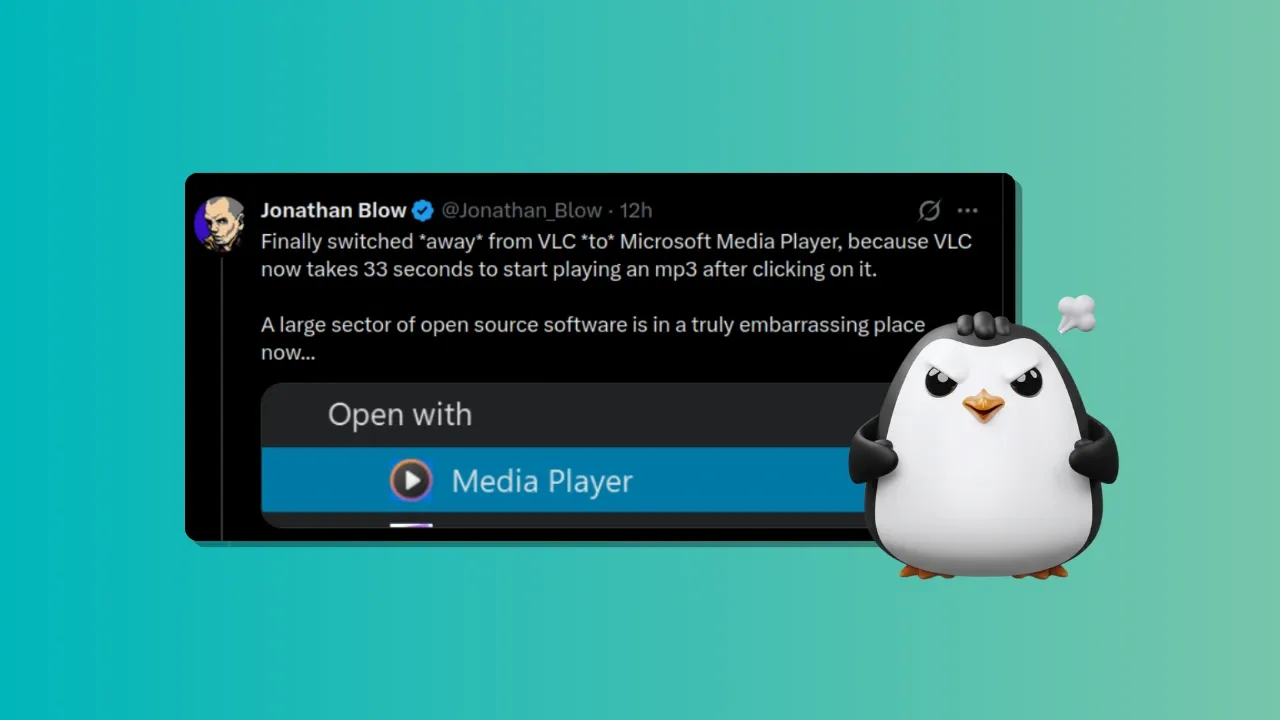
It all started with a tweet by video game designer Jonathan Blow. Blow is the developer behind games like Braid and The Witness.
He mentioned that he had stopped using VLC on Windows because it took about 33 seconds to start playing a simple MP3, and he had switched to Microsoft Media Player instead.
Finally switched *away* from VLC *to* Microsoft Media Player, because VLC now takes 33 seconds to start playing an mp3 after clicking on it.
A large sector of open source software is in a truly embarrassing place now... pic.twitter.com/237aLdx2fG
And he also shamed open source software, framing it as a sign that large part of open-source software is in bad shape.
A large sector of open source software is in a truly embarrassing place now...
This quickly turned into a heated discussion, with people joining from both sides.
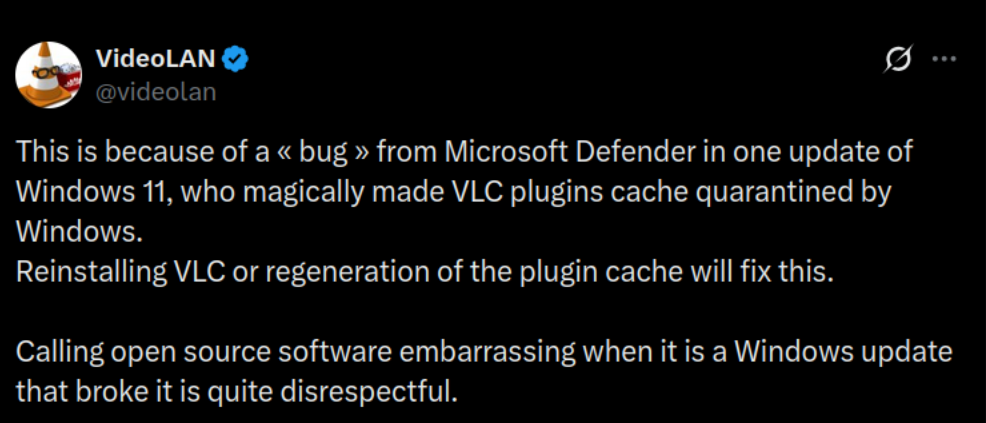
VLC's official Twitter account clarified that this delay was not a core VLC regression but a side effect of a Windows 11 / Microsoft Defender update that quarantined VLC’s plugin cache. Their suggested solution is reinstalling VLC or regenerating that cache.
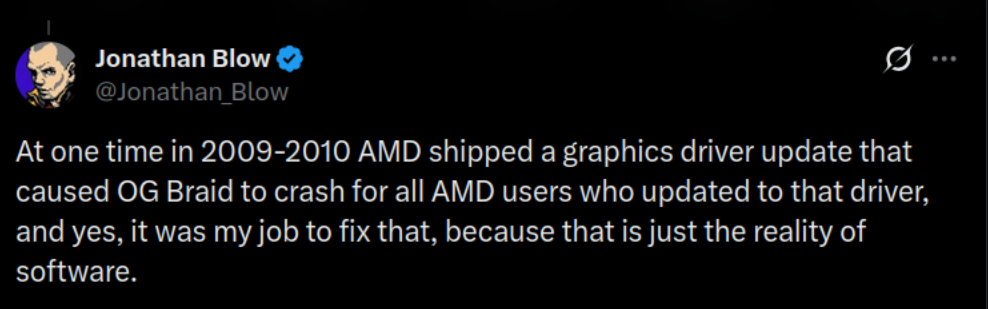
Jonathan argued that it is the developer's responsibility to fix. He cited his own experience of fixing an issue caused by AMD in his game Braid.
Linux user jumps in with solid evidence
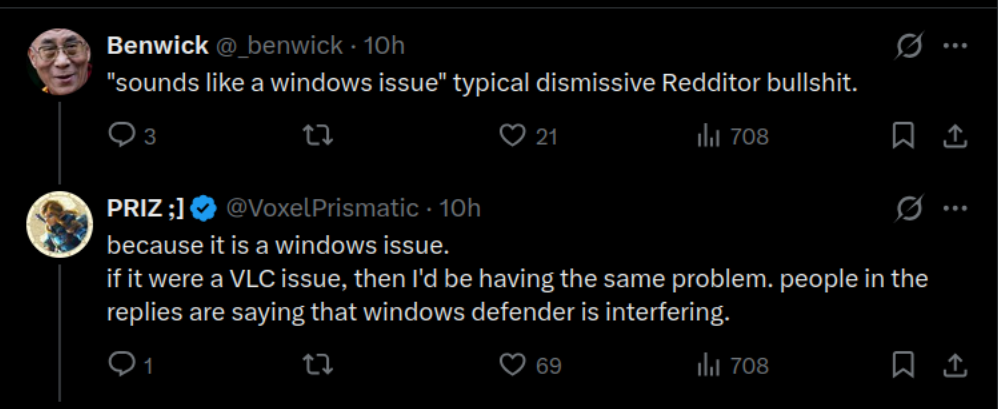
A Linux user who goes by the X account @VoxelPrismatic jumped in with concrete evidence that it is not a core VLC issue but a Windows issue.
In this tweet, the user shared a recording of what seems like a Linux distro running KDE. Recording clearly showed VLC started playing an MP3 file in 1-2 seconds.
But some people were still not satisfied because VLC being slow to open MP3 files on Windows is a real issue but they kept on blaming it on VLC.
The solution to the problem
VLC suggests the following fixes
Regenerate the plugin cache (e.g. launch with vlc --reset-plugins-cache, or clear VLC’s cache under the user profile and relaunch)
Reinstall VLC from the official build
However, a better suggestion came from a few users who noted that excluding vlc.exe in Microsoft Defender solves this problem. And I like this one better because it seems to address the problem where it originates, Microsoft Defender. And if the cache builds up, VLC may be slowed down again (I think).
The same was vouched by several people. So this sure looks like the workaround worth trying.
Asking the right question
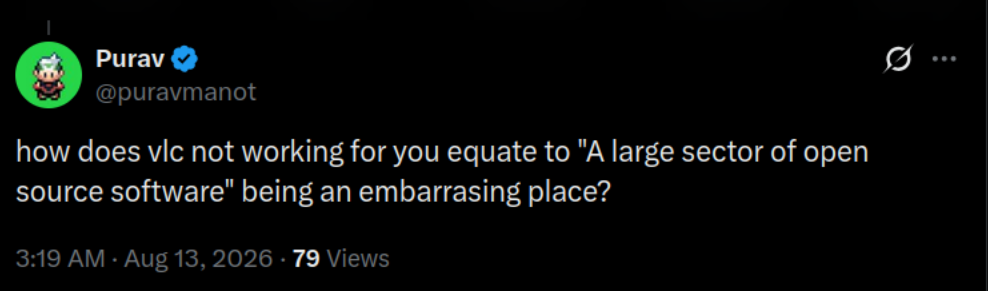
Among all this, someone asked the real question; how come VLC not working for a single person becomes "a large sector of open source software" being an embarrassing place?
Blame Defender, not VLC
I understand the frustration. Waiting half a minute to play an MP3 should not be acceptable on a modern system, even if it is on Windows.
It is also okay to blame it on VLC when you don't know the real backstory and are unaware of the root cause.
But giving it a “open source is broken” narrative is highly far fetched.
I haven't tested it myself. Not going to jump into Windows just for this, but from what I see, the onus of fixing it lies on the Microsoft side. And from what I know about Microsoft, they won't do a thing.
What's your take on this episode? Share it in the comments.
The world is in a messed-up state where surveillance and eroding people's rights are rewarded, and those who oppose are labeled unpatriotic, anti-national, radicals, criminal sympathizers, and what not.
Yet, that doesn't stop people from investing time and money in securing their data by opting for open source mobile operating systems like GrapheneOS and taking steps to improve their privacy in the online world.
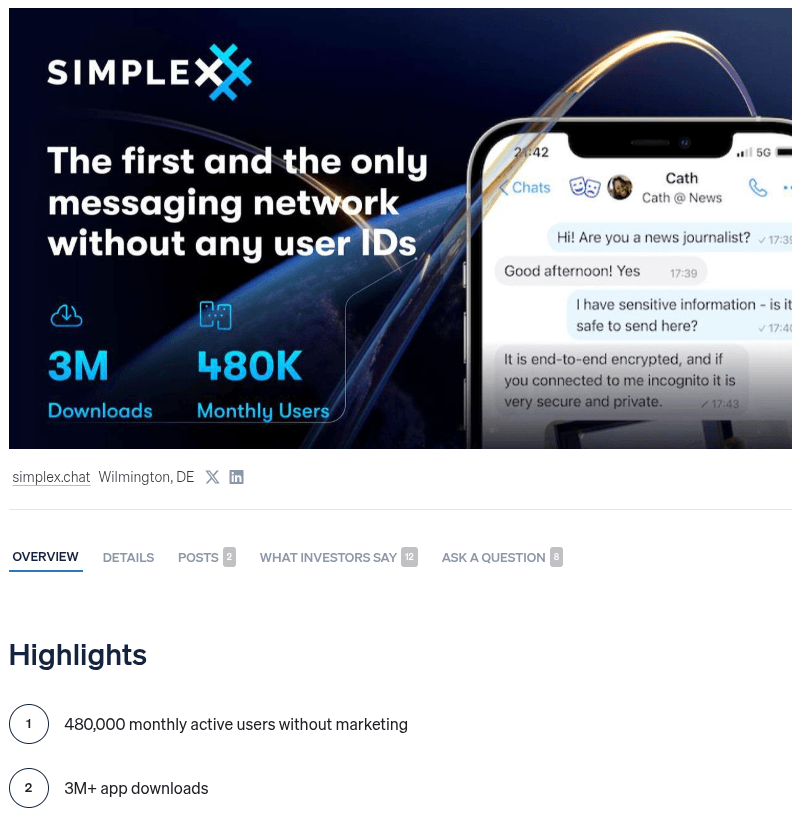
One of those steps is to go for a private messaging app that doesn't give out your data to feed some AI or a governmental agency that asks for your data nicely. SimpleX Chat is one such option, a messaging network that doesn't ask for phone numbers, emails, or user accounts.
I tried it out myself back in 2024, and it left a strong impression. The team behind it has kept building since, and now it wants its users to also have a stake in where the project goes next.
🚧
SimpleX Chat reached out to us requesting some corrections to bring this in line with the SEC's Regulation Crowdfunding promotion rules, and a few things that didn't sit quite right.
Looking for investors
The founder of SimpleX Chat, Evgeny Poberezkin, reached out to us recently, saying that they were looking to give users "the opportunity to get a stake in SimpleX Chat and benefit from its growth."
This investment is possible under regulation crowdfunding via Wefunder, and all the terms are available on the SimpleX Chat page. People who invest $500 or more would receive public SimpleX names that SimpleX Chat is currently testing.
Until August 15, these names would be for 10 years, and for 5 years for early bird investors after that.
The company behind the app isn't quite what it used to be either. SimpleX Chat Ltd, the UK entity that built the app, is now a wholly owned subsidiary of a new US company, SimpleX Chat, Inc.
Keep that in mind if you consider where a firm is based out of before investing in it.
SimpleX Chat also recently pivoted to public channels and infrastructure payments for large channels as their core commercial strategy, publishing a whitepaper about Community Credits that would allow private payments for infrastructure via prepaid credits.
Other planned sources of revenue include public names in the network for channels and businesses and business messaging via browser.
To further explain, public names use blockchain contract on the Ethereum mainnet and are fully controlled by the users’ keys. You can test the temporary names in the mobile apps for SimpleX Chat.
Before you go ahead and invest, do understand that this comes with the usual risks of backing a company this early.
There's no guarantee of a return, and what you invest isn't something you can sell easily if you change your mind. The company's filing says that they have enough cash for the next 12 months.
A similar occurence
We already had an instance of a messaging app asking its community for help earlier this year, where Session nearly shut down after it ran out of funding, needing $1 million to keep going.
By June, the foundation confirmed development had resumed, backed by two to three developers instead of the dozen-plus it once employed. SimpleX Chat raising money through equity now, rather than an emergency donation drive, gives it a strong start.
a banner that shows the simplex chat logo, and two illustration depicting the transfer or money and a group of people
Xbox Game Pass has never really worked on Linux beyond laggy cloud streaming, but an open source project called Xodus is trying to change that.
Earlier this week, replying to a thread on Reddit, Paweł Lidwin (imLinguin), project lead of Xodus, confirmed that the hardest parts of running those games on Linux, Xbox authentication, and game downloads are already working.
The project is attempting to reverse engineer Xbox's entire authentication, licensing, and delivery pipeline well enough to run Xbox on PC and Game Pass titles on Linux.
What's Xodus?
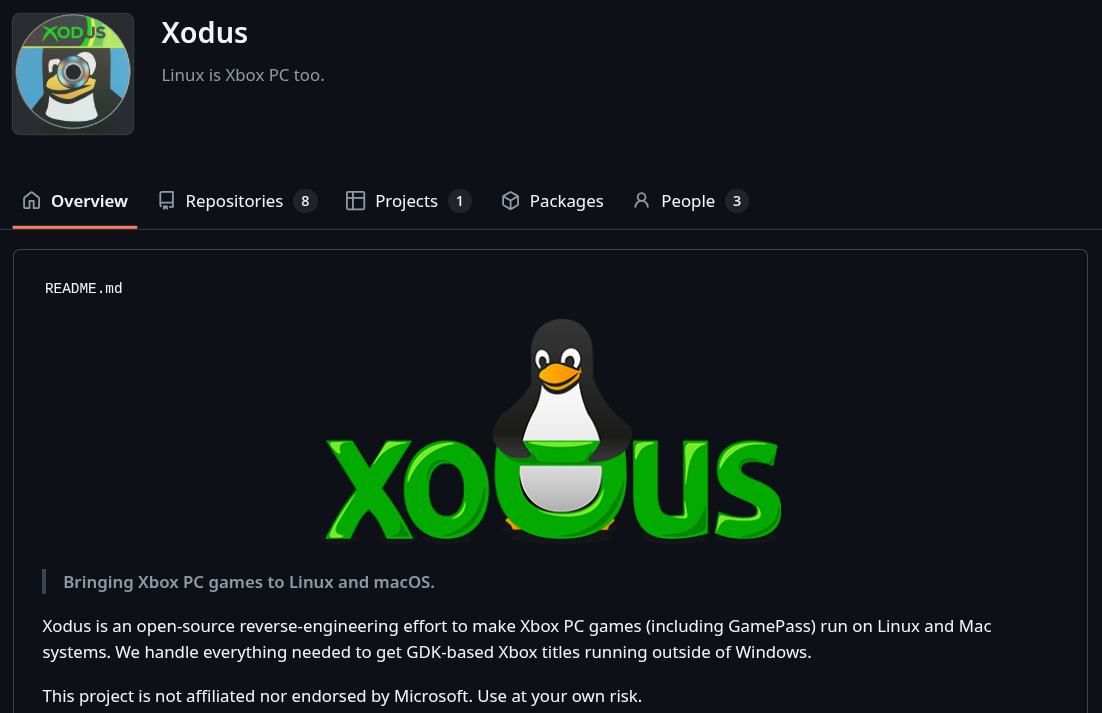
Xodus describes itself as "the great gaming migration to Linux," while cautioning people that it is not endorsed by Microsoft and using it comes with risks. You see, modern Xbox PC games run on Microsoft's Game Development Kit, or GDK, and ship as encrypted MSIXVC packages.
Getting a game running on Linux means handling both.
The project's GitHub page currently houses a handful of repositories that include the main xodus client written in Rust, a forked ntfs library for reading MSIXVC, and xgameruntime, an open source implementation of xgameruntime.dll built for use in Wine.
A companion repo, xgameruntime-docs, documents how that same DLL works internally.
There's also forked copies of Wine and Proton, maintained by the Xodus team, featuring custom tweaks, and xal-rs, an Xbox authentication library forked from OpenXbox.
Keep in mind that there are no binaries available for you to play around with just yet; there's still a lot of work to be done.
So yeah, a First Look at Xodus is still months away. 😆
The devs are surprised
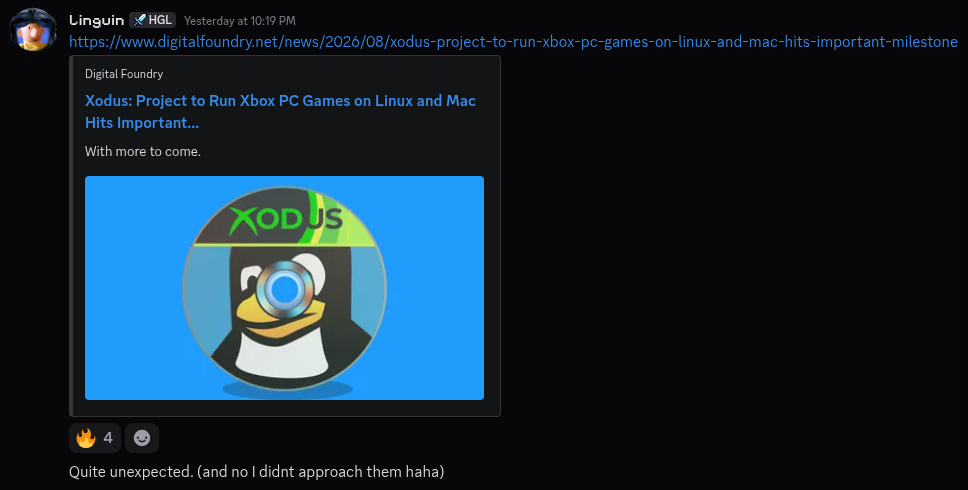
Thanks to that Reddit reply, the project has gotten a wave of press coverage, and it has caught the developers off guard. "Quite unexpected," wrote Paweł on the project's Discord server after Digital Foundry picked it up.
Though the original coverage seems to have been from VideoCardz.com, many of the outlets out there have got a detail wrong. Describing Xodus as a project from the Heroic Games Launcher team is not right, as Paweł is the only Xodus contributor who has also worked on Heroic, not the whole team.
Another contributor, BellezaEmporium, who has been busy tracking this surprise wave of coverage, points out that one of the articles has been quite salty in talking about Xodus, while Olivia (olivi-r) shared some important developmental updates.
She says that:
Progress has been fairly rapid the last few days on the xgameruntime side, XTaskQueue is nearly implemented with a few modes and quirks to sort out.
Currently fixing XUser as it seems the signature generation is a bit messed up 😬
Still need to actually load tickets from xodus into XUser as well, I've been hardcoding mine for the testing, not sure if we're going with the stdio proxy or ipc implemented directly in wine yet.
What now?
If Xodus pulls this off, it closes one of the last major gaps between Linux and Windows gaming. Game libraries on Steam, GOG, and Epic Games already run well through Proton and Heroic, but Xbox PC and Game Pass titles have been locked to Windows or laggy cloud streaming until now.
And, if you ask me, this is the right time for Xbox to make Xodus' job easier by lending a hand, similar to say how Valve has handled the development of Proton while supporting Wine and DXVK upstream. This way, the whole ecosystem benefits, not just Steam.
If Xbox decides to help the project, then they do have many avenues to pursue…
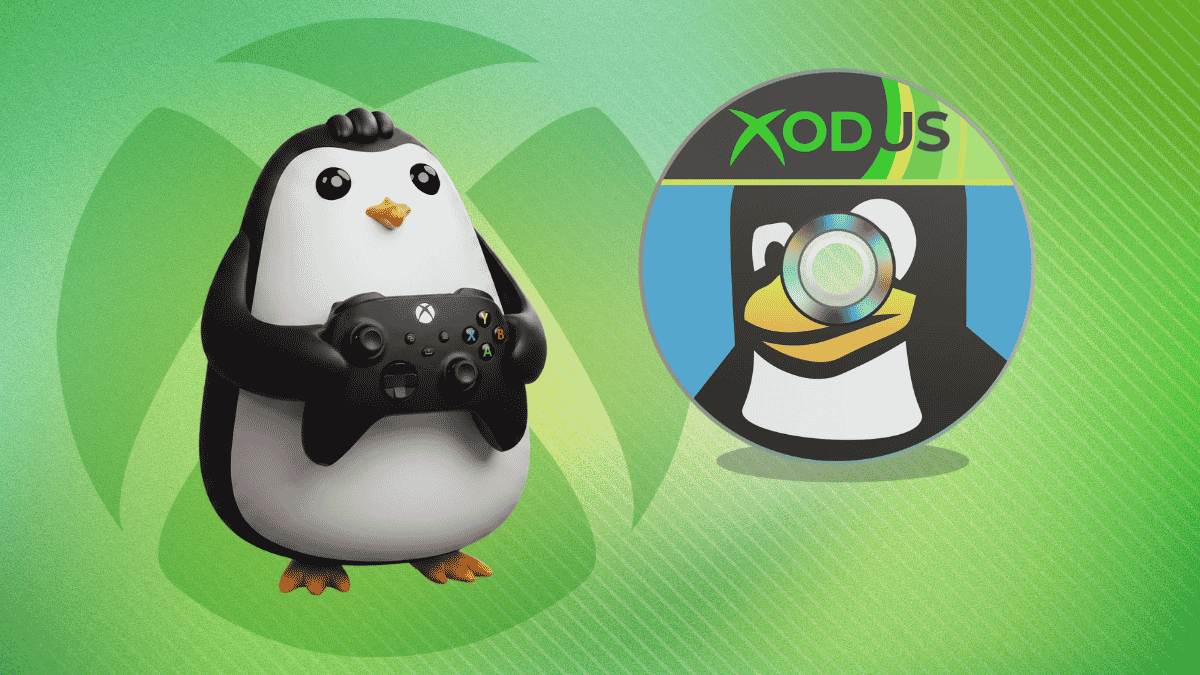
a gamer penguin is shown standing with a xbox series x controller in its flippers (left) near the multi-color, cd-themed xodus logo (right)
Welcome to the first issue of Local AI Weekly. A lot of It's FOSS readers have been curious about local AI but didn't want it mixed into FOSS Weekly. So here we are. A separate space for people who want to explore AI but the open source ones.
I'll be sharing experiments from my own hardware, open model news, tools worth your attention, and will keep an eye on the AI related news worth knowing. Let's get into it.
Here is a new open source markdown-based knowledge base built for you and your AI agents. It is local-first, git-backed, and ships with a native MCP server, so commercial or local AI agents can read and write your notes directly.
Worth a look if you're building a personal wiki or a shared second brain your coding agents can use across sessions. Still in early stages of development, so expect bugs here and there. I am currently using Tolaria for my personal KB, and this one is my on my weekend activity list.
Another interesting open source AI tool I came across recently is Cleat. It basically runs Claude Code inside a Docker sandbox with one command, so an autonomous agent session can't touch your host system. It shares your Claude auth, edits project files, installs packages, and runs any command inside the container, but stays blocked from your SSH keys, other projects, and the rest of your machine unless you opt in.
The project is fairly new, and I don't see activities on its GitHub repo in the last three weeks. Hope it is not on the road to become an abandonware.
📡 Open Model News
The open model space has had a busy few weeks.
Kimi K3 landed on July 16 from Moonshot AI. It's a 2.8-trillion-parameter Mixture-of-Experts model with a 1M token context window, released under a "Modified MIT license". It's the largest open-weight model ever released, and early benchmarks are putting it within reach of frontier closed models. Running it locally requires serious hardware, but smaller distillations should be here soon.
Around the same time, Inkling was released by Thinking Machines Lab, the startup founded by former OpenAI CTO Mira Murati. It's a 975-billion-parameter multimodal model released under Apache 2.0. The Apache 2.0 choice is significant because it means free commercial use without the usage restrictions that come with some other open licenses, like the modified MIT.
Both are too large to run on most home hardware right now. But these releases matter because quantized versions and smaller distillations typically follow within weeks. Worth keeping an eye on Ollama's model library, even though Ollama is likely offering them on their cloud plan.
🗂 AI Jargon: Quantization
You might have come across the word quantization. It is the process of reducing the 'numerical precision' of a model's weights to make it smaller (and faster). A full-precision model stores each value as a 32-bit or 16-bit float. A quantized model stores them at 8-bit, 4-bit, or even lowre. The model gets smaller so it uses less RAM, and runs faster but that comes at the cost of quality.
Take a look at the tags of any model at Ollama... llama3.1 for example. You'll see names like instruct-q2_K, text-q3_K_S, fp16 etc. Those are quantized. The file size is smaller, an indication that it will need less RAM.
⚡ Quick Tip
When downloading models via Ollama, you can specify the quantization level directly. Instead of ollama pull llama3, try ollama pull llama3:8b-instruct-q4_K_M to get a specific quantized variant. Check the available tags on ollama.com/library for whichever model you're pulling. Just add /tags/ at the end of it.
And we continue...
I'll be honest. The local AI scene is more fragmented than the Linux distro landscape. And not all of us have the same needs. If you're a DevOps person, you might have no interest in AI image restoration tools. If you're a developer, graphics workflows probably don't apply to you.
So I'm going to share my own experiments and exploration. Some of it will be useful to you, some won't. That's fine. You'll likely learn new things and that's the goal.
But I wanted something to work on my main computer. Out of all claw like agents, I find Hermes the most suited.
So I installed Hermes on a Raspberry Pi running on Pironman 5 Pro Max. And I installed Hermes desktop on my Asus Zenbook laptop, my primary system.
The advantage is that the Raspberry Pi remains the always-on Hermes machine. I can close Hermes Desktop or shut down the laptop without needing Hermes itself to run on the laptop (for scheduled tasks). Also, Hermes agents won't have unrestricted access to my system. A safer approach, in my opinion. At least, that's the idea I am going with.
During installation, Hermes may ask to choose a terminal backend:
Select terminal backend:

Local
Docker
Modal
SSH
Daytona
...
Keep current (local)
For this setup, you can leave this as:
Keep current (local)
The Terminal Backend setting is separate from the Remote Gateway setting. The gateway is what connects Hermes Desktop to Hermes running on your Raspberry Pi.
I also left out the model selection. Whatever the remote Hermes server uses will be used here, too.
Step 4: Use remote gateway on Hermes
Start Hermes Desktop from the terminal:
hermes desktop
That's the way it runs for the moment. Ironical to run a desktop GUI app from the terminal.
Anyways, inside Hermes Desktop, click on the settings and go to gateway and find the remote gateway option:
In the Remote URL field, enter the address of the device running the Hermes backend with the port 9119:
http://<IP of Pi>:9119
Then save/apply the setting and reconnect.
Hermes Desktop should now connect to the Hermes backend running on your Raspberry Pi.
Hermes Desktop becomes the interface for interacting with the Hermes instance on the Raspberry Pi.
Step 5: Make the gateway permanent
If things are working fine so far, it is time to make things permanent. Because keeping this running on the remote Hermes server is not a wise move.
hermes serve --host 0.0.0.0 --port 9119
Because if I close that terminal or reboot the Raspberry Pi, the gateway will stop.
For an always-on Raspberry Pi setup, running hermes serve as a systemd service works better.
No need to SSH into the Pi and manually launch Hermes every time. It will be automatically start thanks to the systemd service.
Check the status of the newly created systemd service:
systemctl status hermes-server
Conclusion
I am yet to fully utilize Hermes on desktop with the remote gateway method. Portability could be an issue if I move out of my home network, but even in that case, there are ways to SSH into Raspberry Pi from outside network.
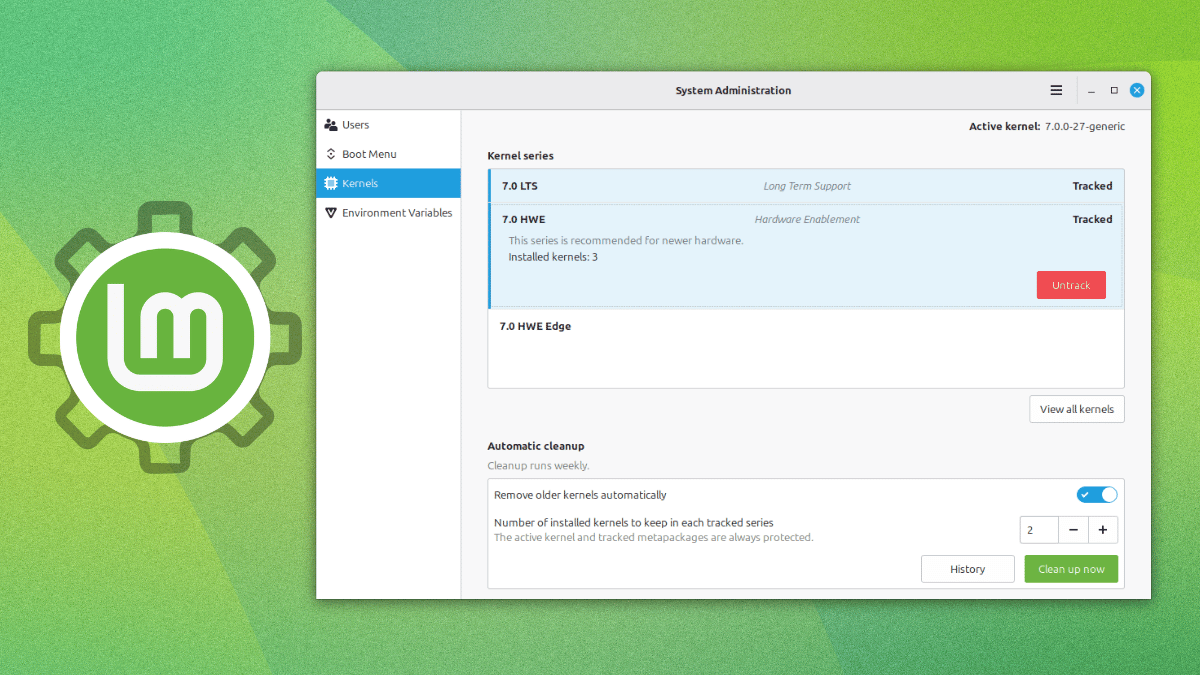
The Linux Mint project regularly puts out monthly news that gives us a look at what the developers are working on and where the overall project is headed towards.
Their July update has shown us how the distribution intends to handle kernels going forward, moving the entire job out of the Update Manager and into a different tool altogether.
A new feature?
Source: The Linux Mint Blog
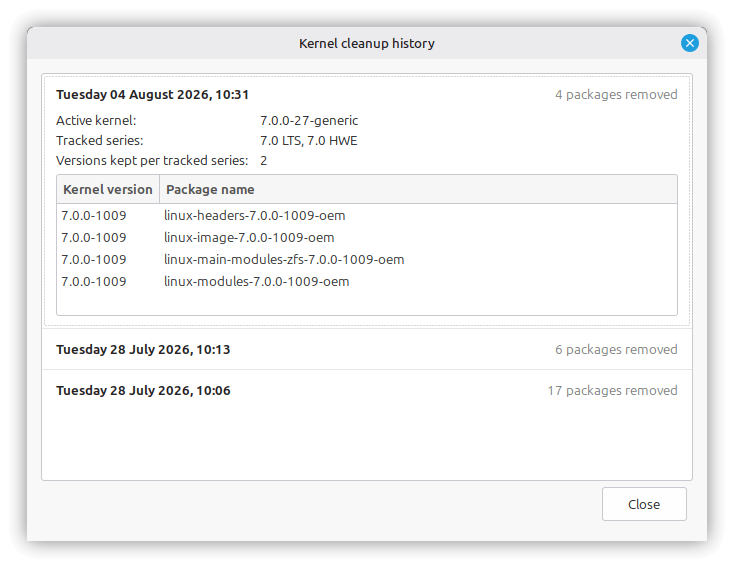
Yes, and no. Kernel management isn't new, as in the past, Update Manager has let users view and remove individual kernels, but that functionality was removed.
The new implementation sits inside the System Administration tool instead, and it's built to behave the same way whether you're on Linux Mint or LMDE.
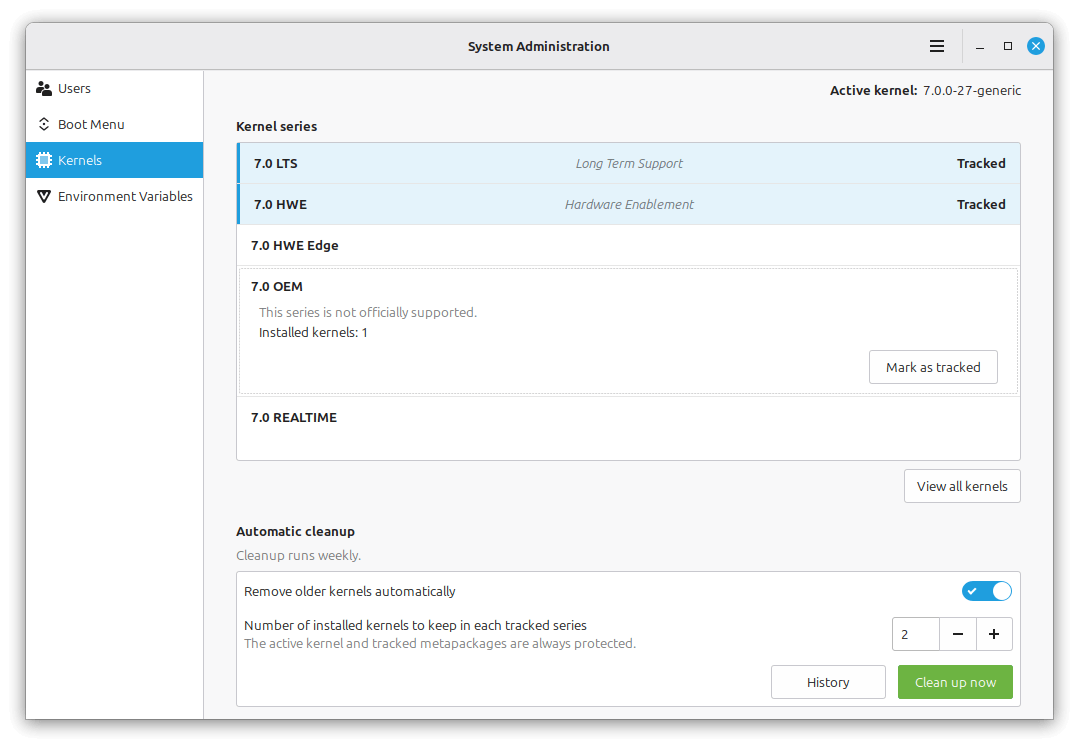
Instead of tracking individual versions one at a time, the new "Kernels" page inside System Administration groups multiple kernel versions according to series. Setting up the tool is a one-time choice of you telling it which kernel series matter to you and how deep a backlog to hold onto for each one.
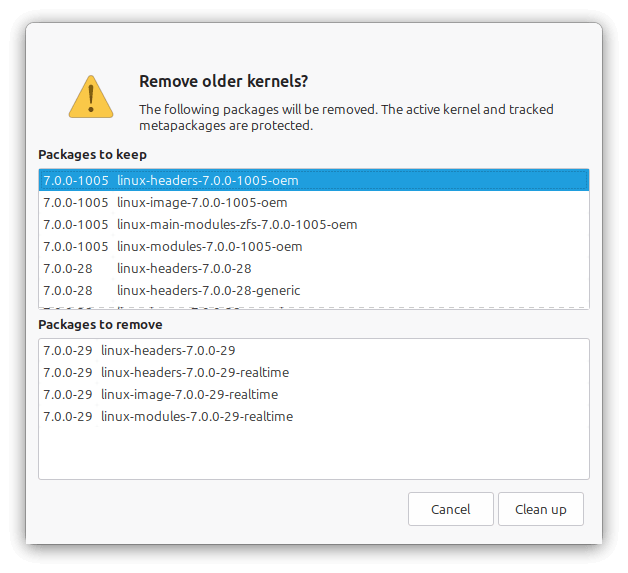
Everything downstream runs on its own after that. The series you're following keeps updating through Update Manager the same way they always have, while anything past your set limit gets thrown out during a scheduled pass once a week.
Manual cleanups are possible too for times when you want to quickly free up some space to accommodate other content. Individual kernels can also be marked "Protected," which keeps them off the chopping block regardless of whether their series is tracked or how old they are.
Before you go looking for this on your own system, know that it isn't live yet.
Linux Mint project lead Clement Lefebvre has said that this is a preview of what's coming to the next Mint release.
Fedora has this already
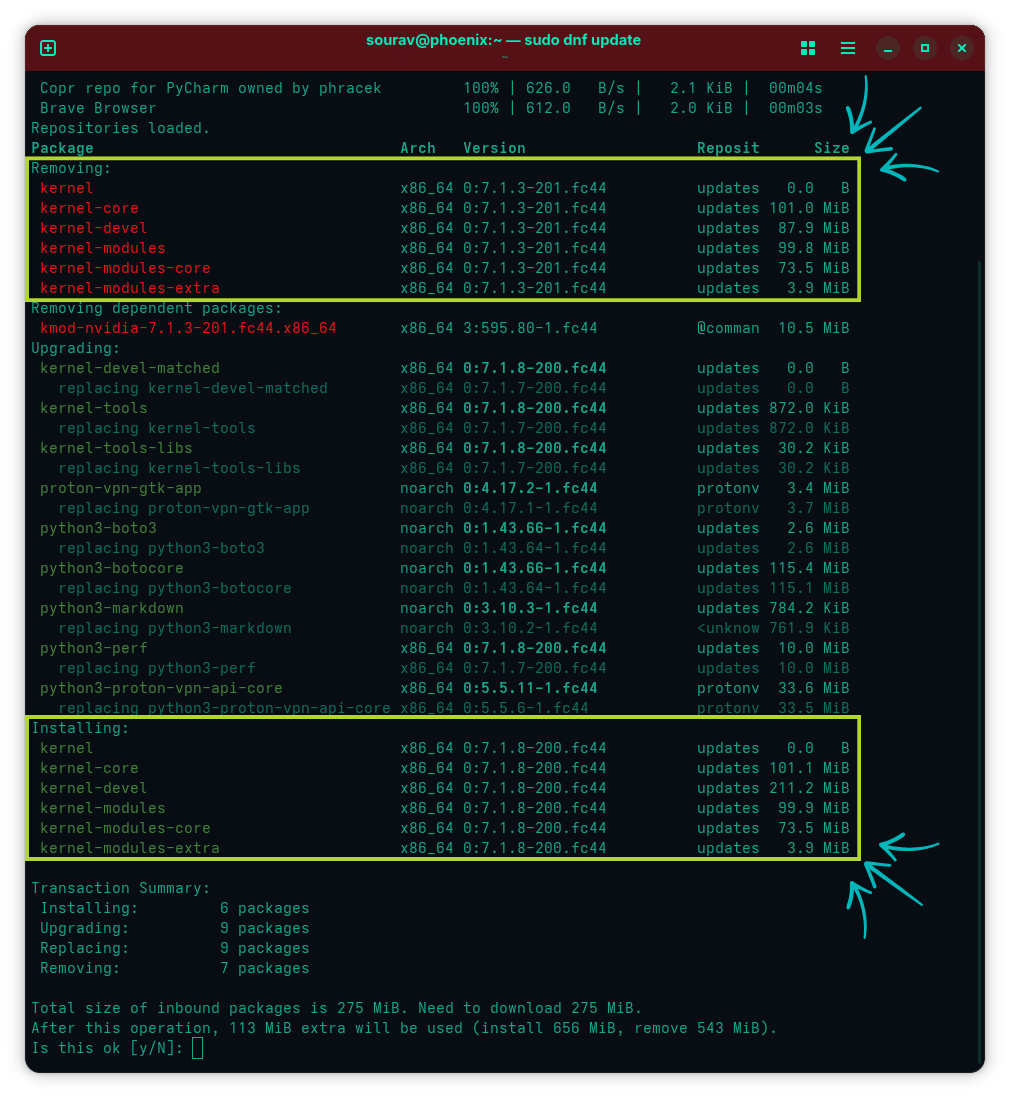
I understand that Linux Mint has had to reimplement their solution, but Fedora has had this problem solved for years. Its DNF package manager has done this by default the whole time.
The setting behind it is called installonly_limit, and it defaults to 3. Only the three most recent kernel builds stay installed at any given time. Whenever a new kernel comes in through a regular update, DNF removes whatever falls outside that limit as part of the same transaction.
There's no separate scheduled job behind it, unlike Mint's new weekly cleanup. It only runs when you actually update, so a kernel installed outside DNF's normal flow would just sit there untouched.
The two approaches end up solving a similar problem in different ways. Fedora's is a flat, always-on limit tied directly to the update transaction. Mint's new implementation, once it ships, would hand you more direct control instead.
Kernel management wasn't the only thing in Mint's July post. The team also shipped new HWE ISOs for Linux Mint 22.3, this time built on Linux 7.0, and Fcitx5 support lands in Cinnamon, running the same way across Wayland and X11.
For the full rundown, including the new environment variables page and the panel fixes, the original blog is a must-read.
Love them or hate them, rolling release distros have managed to take a slice out of the Linux desktop market share. They provide a bleeding-edge experience that stays quite stable if cared for and bites a user's a** if handled poorly.
CachyOS is one of those options that has been only getting more popular as the days go by. Offering a rebuilt Arch package stack with CPU-specific optimizations and a custom kernel tuned for responsiveness, it is a distro that delivers some good performance.
You might remember late last year, the developers had teased plans for a dedicated Server Edition aimed at NAS setups and hosting providers. Their newest release shows us where some of the work is happening, along with the typical distro-focused improvements.
What's fresh?
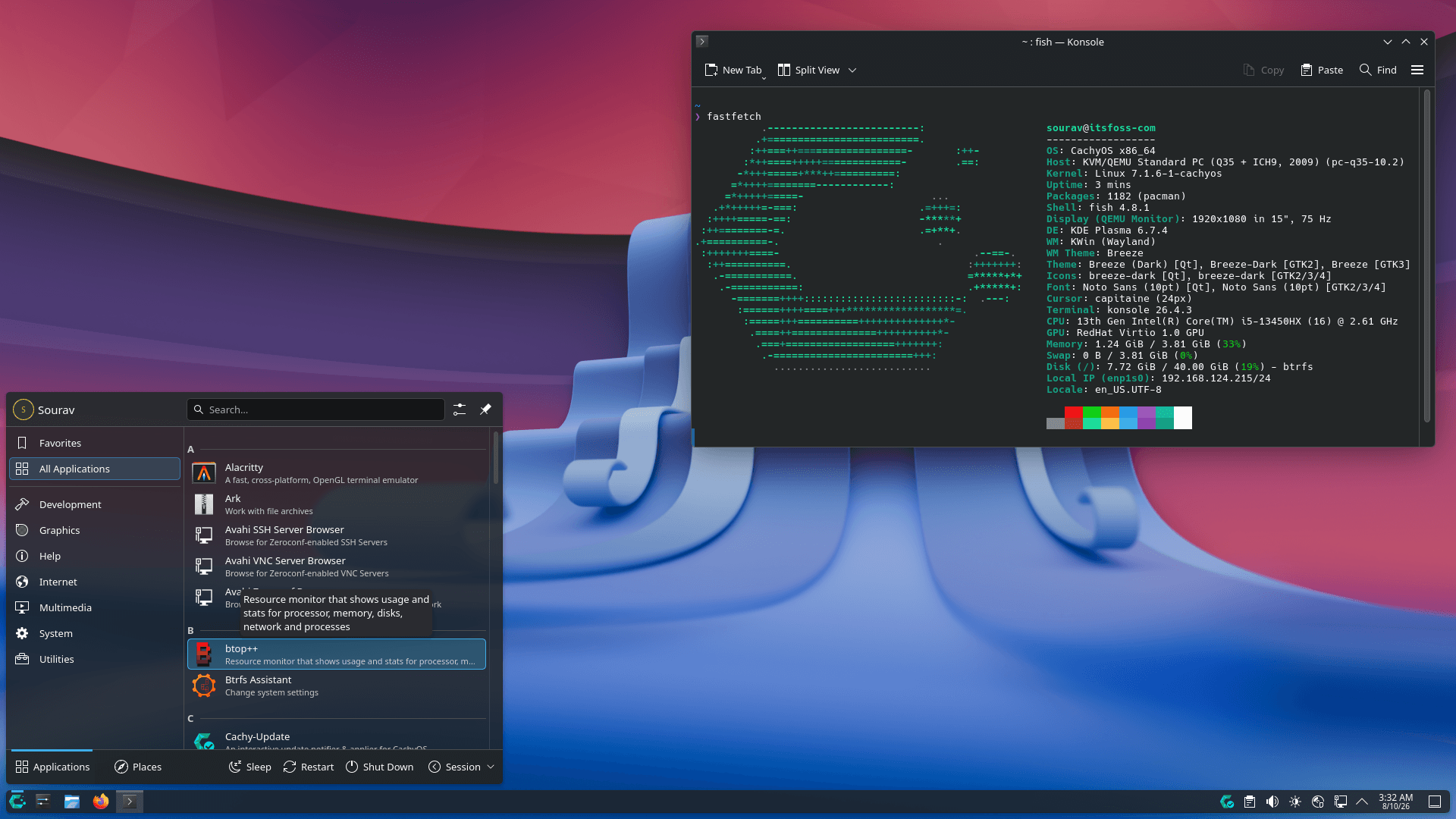
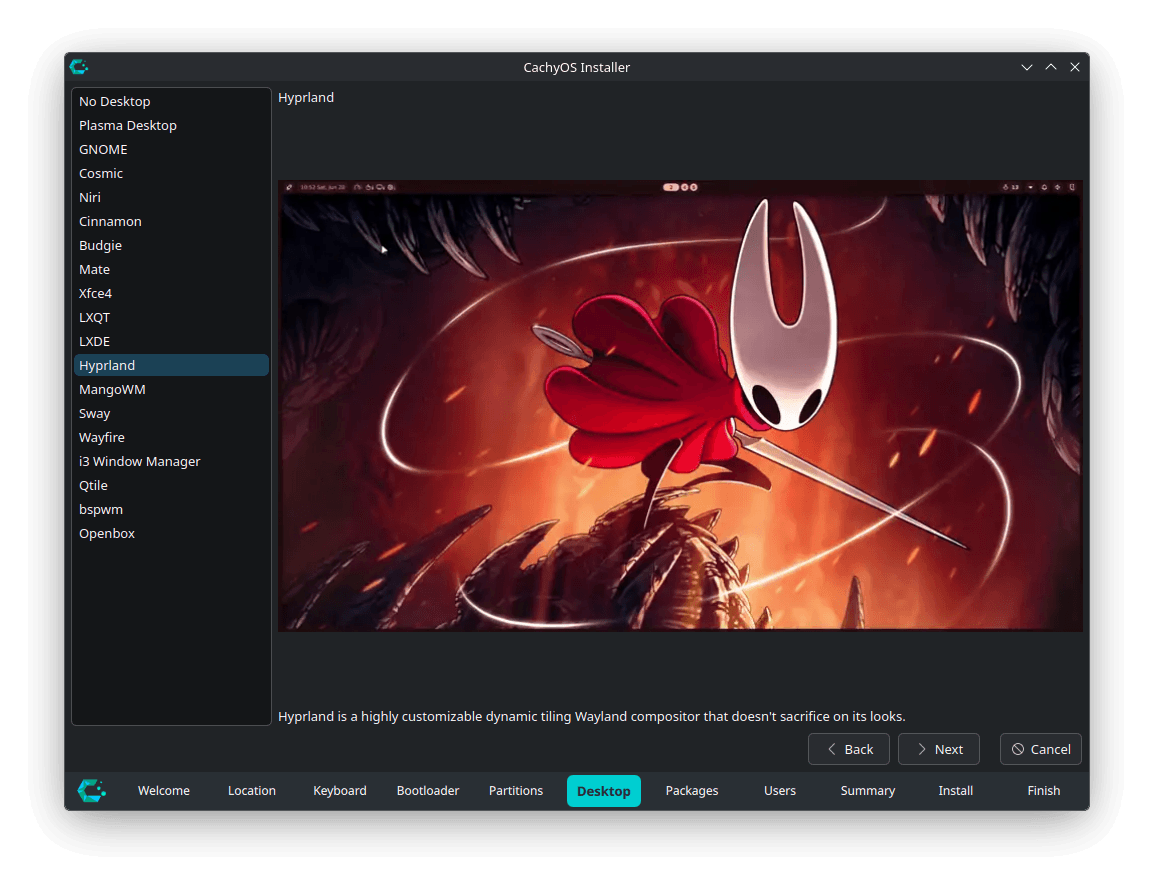
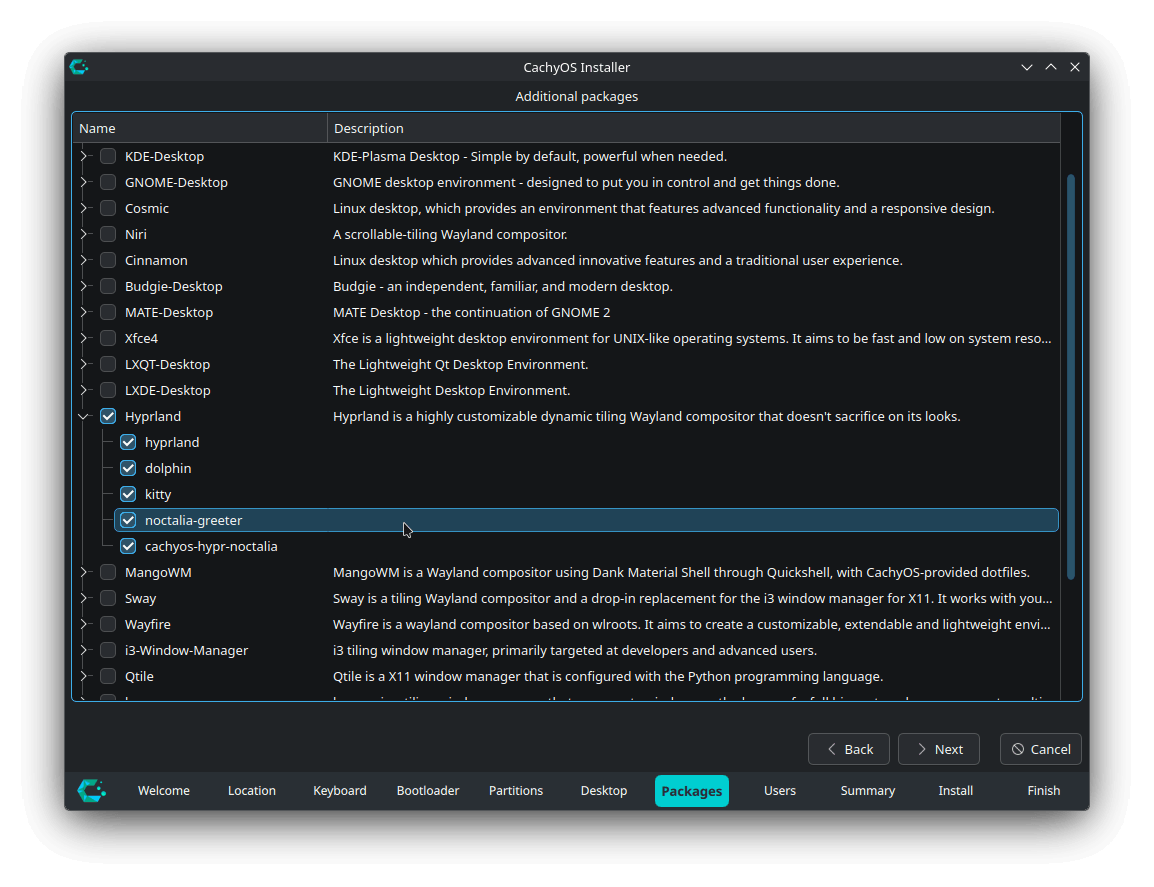
The graphical installer sees many new additions, such as Hyprland's Noctalia option swapping SDDM for noctalia-greeter, Cinnamon moving to lightdm-slick-greeter, GNOME gaining gvfs-dnssd, and COSMIC picking up cosmic-monitor.
For the CLI installer, other than the usual housekeeping work of addressing bugs and refactoring the code, there's experimental support for Server Edition installation profiles, marking a key milestone in the new variant's development.
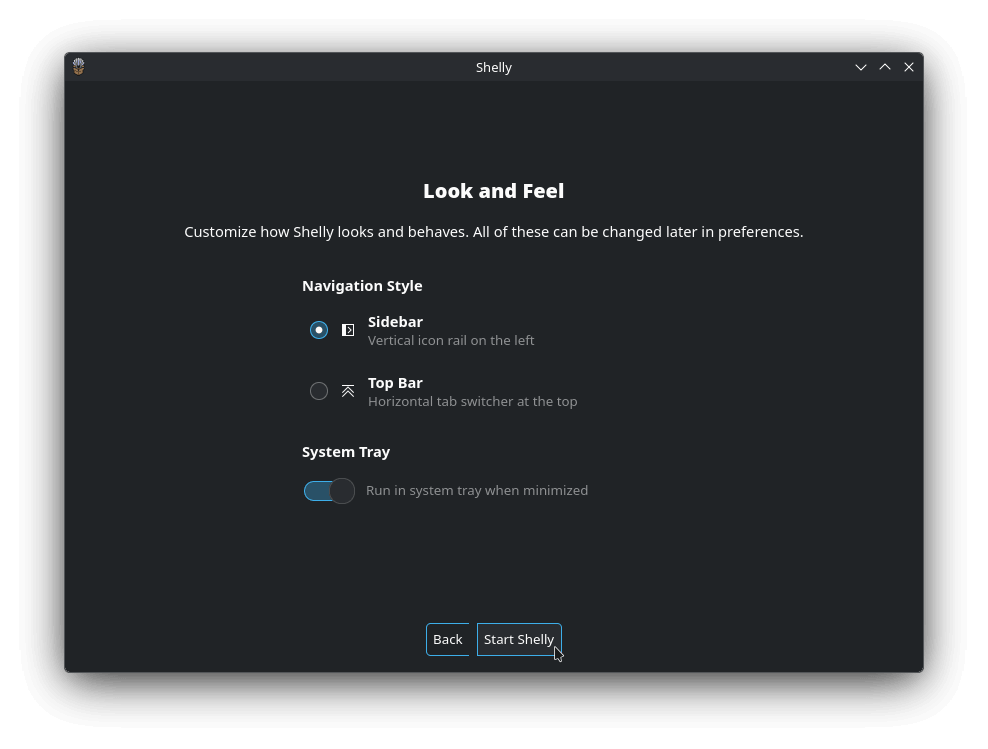
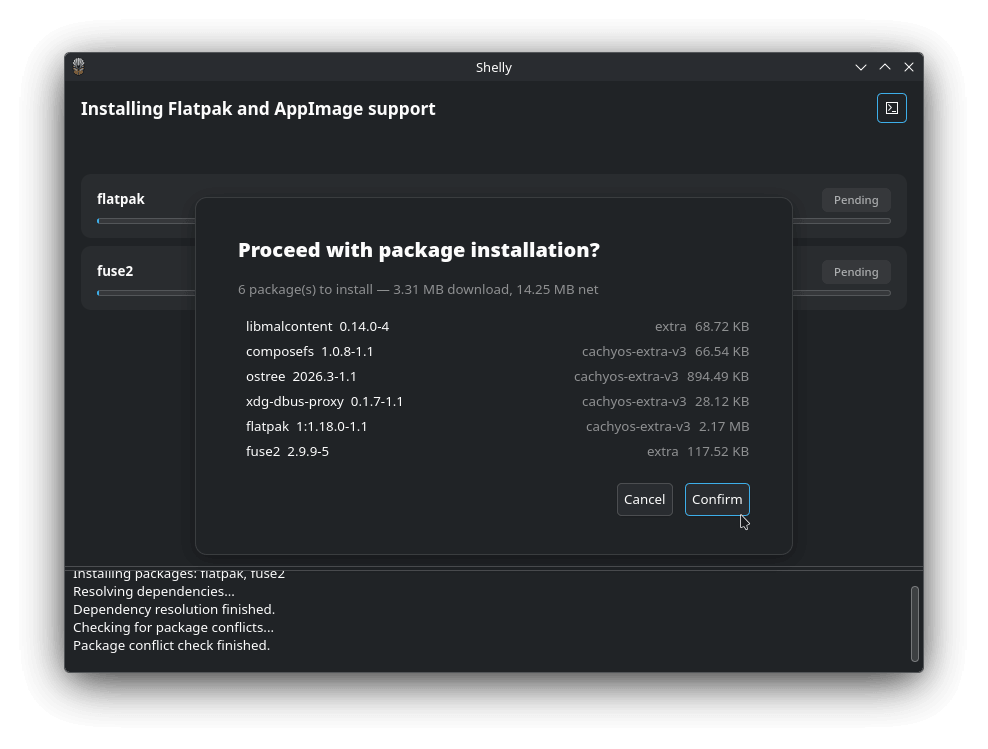
Shelly became CachyOS's default GUI package manager back in April, replacing Octopi, and we found it a promising switch once we spent time with it. With this CachyOS release, Shelly has got its most significant change yet with its v3 iteration.
It has gone from being written in C# to Zig, replacing the managed runtime with native binaries that start faster and use less memory.
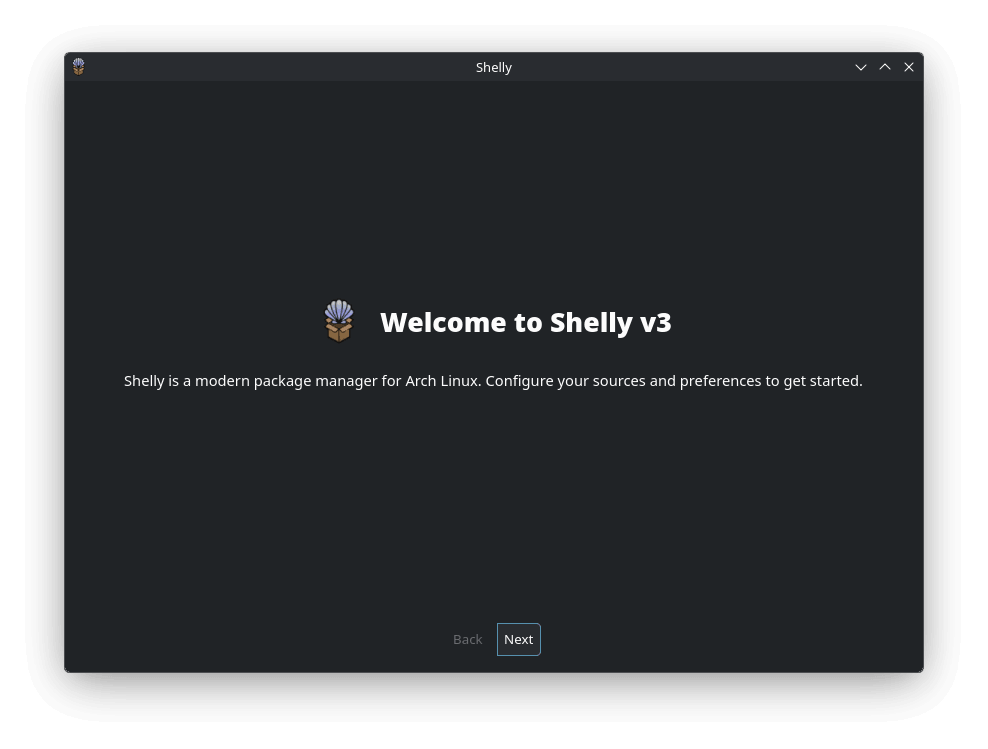
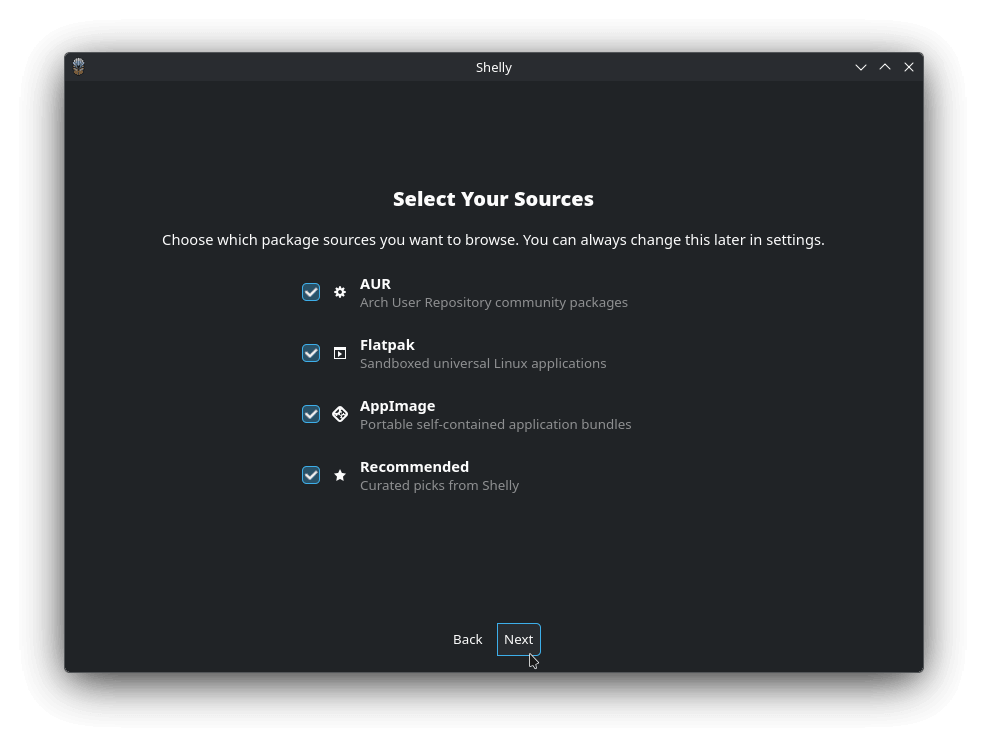
Coupled with that is the new onboarding screen that shows up at first run, along with list and grid views for browsing packages, and AUR PKGBUILD previews with build output.
You also get a new Utilities page for syncing the database, cleaning up the cache, and orphaned package removal. Similarly, its CLI version can now search repositories and the AUR from one place, running update checks across the repos, AUR, AppImage, and Flatpak.
Cachy-Update now runs on top of Arch-Update v4.x, with the systray applet ported to Rust. The new --check --enable flag combines two previously separate steps, turning on automated update checks and launching the tray icon together.
Then there's the handheld detection with chwd, which currently works off board name pattern matching, picking up Bulgarian localization, and no longer tripping up when the board_name DMI file is missing.
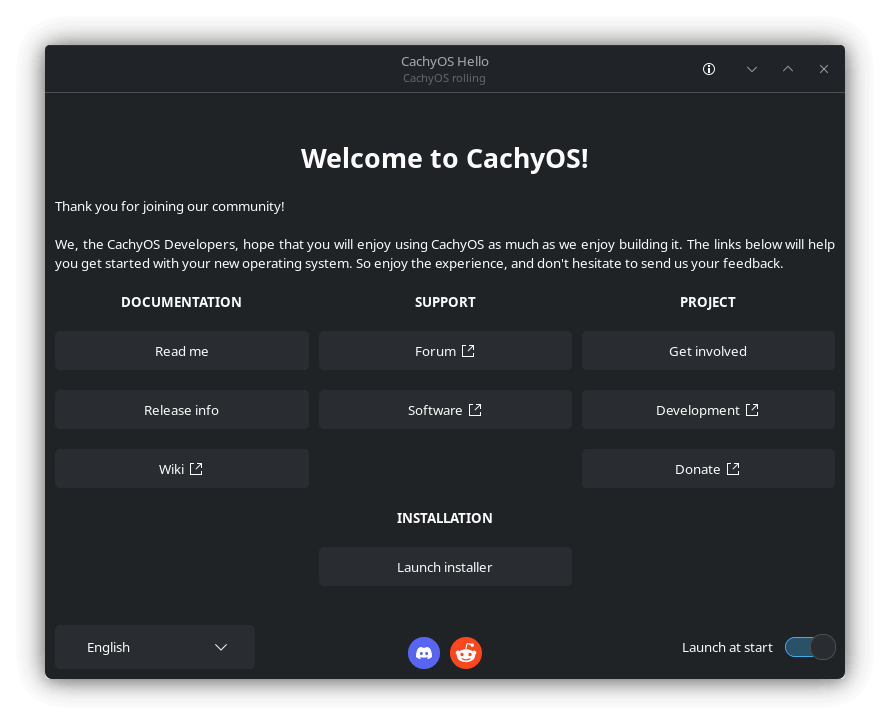
And finally, we have the Welcome app that had its DNS handling reworked, resolving an issue that kept the speed-test based ranking from actually picking the fastest server.
You can refer to the release announcement blog to know about the smaller changes that we have skipped here.
Get this now
Fresh ISOs for both editions are live now. Grab the "Desktop Edition" for the full CPU-optimized desktop experience, or the "Handheld Edition" if you're running a Steam Deck, ROG Ally, Legion Go, or Legion Go S.
Existing users don't need to reinstall anything to get this release. Just open Shelly from the app launcher and go into the "Update" page. Here, wait a bit for the sync to complete, or click on "Check Again" to pull in updates from the official repositories, AUR, and Flatpak in one go.
If you prefer the terminal, Shelly's CLI can handle the same job with a single command:
shelly
cachy os 2608 release banner that showcases a desktop screenshot i
Over the past two years, the AI agent space has gone through wave after wave of "engineering paradigm shifts". From Prompt Engineering to Context Engineering, and on to Harness Engineering, each iteration has focused on making individual agents smarter and more reliable.
However, complex tasks in the real world are never completed by a single person.
For example, multi-disciplinary medical consultations require experts from various fields working in tandem.
And yet, AI industry is still trying to build an "all-powerful" single agent rather than a well-coordinated team of agents.
This is precisely the problem openJiuwen aims to address.
What is openJiuwen?
openJiuwen is an open-source AI agent platform jointly built by Huawei Laboratories, Huawei Cloud, and the Terminal Xiaoyi team, released under the Apache 2.0 license. Its goal is to help developers build production-grade AI agents and enable large-scale multi-agent collaboration.
In May 2026, the openJiuwen community released a major component: JiuwenSwarm. It marks the first engineering implementation of "Coordination Engineering", moving the focus from "making a single agent smarter" to "making multiple agents collaborate efficiently."
In collaboration with Huawei's Terminal Tablet & PC Product Line, Software Department, and other teams, openJiuwen launched the HarmonyOS PC version of JiuwenSwarm. This means JiuwenSwarm shares the exact same technical DNA with the HarmonyOS ecosystem right from the architectural foundation.
What makes JiuwenSwarm different?
At the core of JiuwenSwarm is the Agent Swarm mechanism, which enables multiple AI agents to autonomously divide labor, dynamically negotiate, and collaborate efficiently.
Below are its key features.
Heterogeneous model routing for different tasks
JiuwenSwarm supports routing members to different models, providing appropriate model capabilities for different roles, thus allocating heavy-reasoning models to complex logic and lightweight models to simple tasks. This reduces system load and improves overall execution quality. Developers simply declare the role-to-model mapping in a configuration file, and the system automatically manages scheduling.
JiuwenSwarm has already achieved seamless integration with platforms like HarmonyOS Xiaoyi and Lark (Feishu). Developers can build JiuwenSwarm-mode agents that are invokable directly via HarmonyOS devices.
Layered memory architecture
Paired with a layered persistent memory system, JiuwenSwarm retains full-dimensional records across sessions, including operation history, enterprise profiles, and policy guidelines. Through a cross-Swarm experience inheritance mechanism, the experience accumulated by one Swarm can be directly inherited by another.
Distributed deployment
JiuwenSwarm supports distributed Agent Swarms. The Leader Agent and swarm members can run across different processes, different nodes, or even entirely different servers. This capability is especially critical for tasks requiring access to isolated environments, such as intranet databases.
This architecture naturally adapts to the multi-device distributed scenarios of HarmonyOS PC. In the HarmonyOS PC "Agent PC" environment, the PC acts as the home base for the Leader Agent, while HarmonyOS devices like phones and tablets act as Teammate Agent nodes, working together without needing extra adaptation.
With the Channels mechanism supporting platform integrations like Xiaoyi out of the box, developers can build multi-agent applications for the HarmonyOS PC ecosystem straight away.
Observability and self-evolution
JiuwenSwarm provides an intuitive interactive interface, helping users track Swarm running states, task progress, and member workloads in real time.
Simultaneously, its experience closed-loop mechanism captures task breakdown paths, role allocation strategies, tool invocation sequences, and result evaluations, converting them into reusable "task templates." The next time a similar task arises, the Swarm can skip the planning phase and jump straight into execution.
In enterprise office scenarios, OfficeClaw has already leveraged JiuwenSwarm to achieve automated collaboration across content generation, document processing, and knowledge search.
Meanwhile, the Swarm Skills Hub has attracted contributions from numerous developers, fostering a virtuous ecosystem loop.
Where it's headed
In openJiuwen's commercialization roadmap, the native HarmonyOS agent system represents one of the largest and strategically most significant deployment cases.
With JiuwenSwarm now open source, developers can directly build multi-agent applications for the HarmonyOS PC ecosystem using this framework.
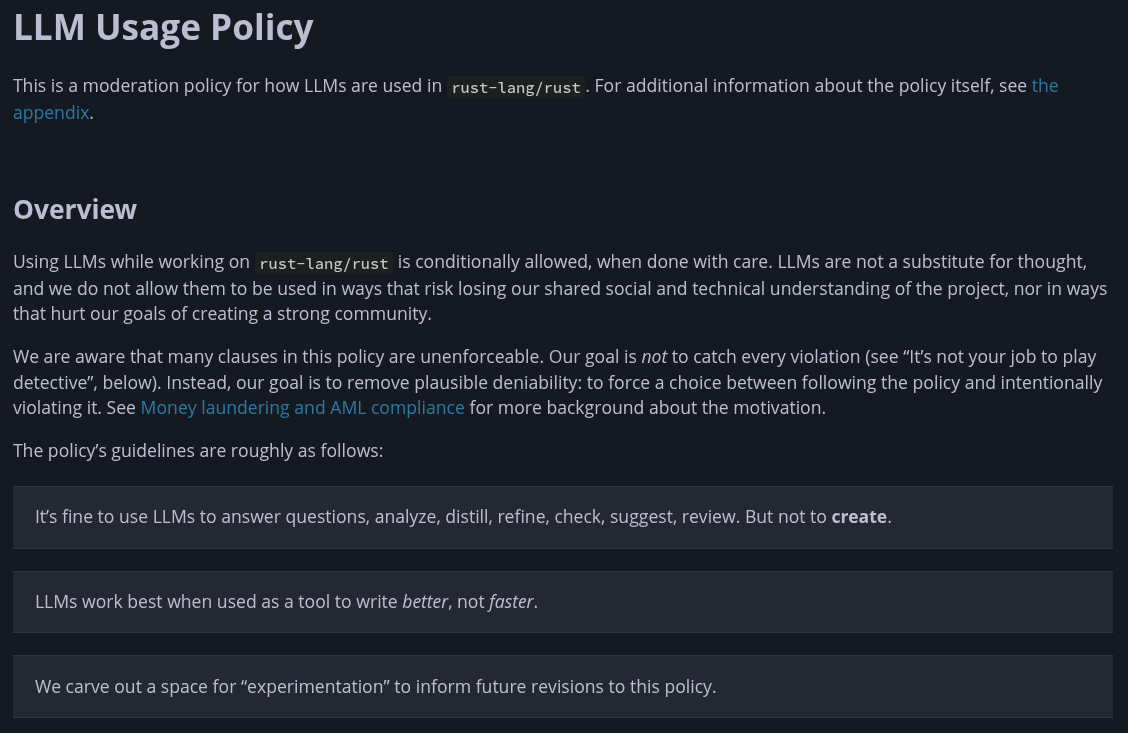
The Rust project has implemented a formal LLM policy, which pushes people to use LLMs to analyze/think through code, not write it.
With how it is written right now, the policy only covers the core code repo for Rust. It lays out many rules around what's restricted, what's allowed, and a circuit breaker that pauses AI-authored merges once they cross half of all merges in a six-week window.
Just so you know, the core repo hosts the compiler and standard library for the entire language. Every Rust program depends on code that lives here, which makes it a very important repo to moderate.
It's no surprise they banned LLM use the way they did.
An LLM can't write your comments, issues, or PR descriptions under your name. Documentation, safety comments, and compiler diagnostics are all off-limits too. And an LLM review can never substitute for a human one or for reviewing your own code before you post it.
What's allowed is private use. Asking an LLM questions about the codebase needs no disclosure, and neither does privately reviewing your own code, summarizing a PR for yourself, or building personal dev tools with one.
Apart from that, there are a few things that reside in a gray area. Machine translation, trivial fixes made with an LLM, and self-verified bug hunting all sit here, and each one needs to be disclosed.
AI-written code gets the strictest treatment of all. It has to be pre-arranged with a reviewer, unlikely to introduce a bug that breaks Rust's safety guarantees, fully tested, and understood on both sides before it earns the new ai-assisted label.
Jynn Nelson, who wrote up the original policy that the project has now adopted, concluded the announcement by stating that:
This is not the end of the story. One of the goals of the policy is to help us gather data: Are people doing interesting and useful things with LLMs? Are they learning? Are they making repeat contributions? The answers to those questions will help us determine how the policy changes in the future.
A similar move elsewhere
NetworkManager, the default network daemon on most mainstream Linux distributions, has picked up an AI coding assistants policy of its own, recently merging a new section to its CONTRIBUTING.md file.
It reads as follows:
Authors are responsible for 100% of the code they submit. Do not send a patch you cannot explain, and do not send one you have not built and tested yourself. Write your own commit messages and Merge Request descriptions.
Those explain why you are making the change, which is the part a tool cannot know. Respond to review comments yourself. If you cannot discuss your own patch with a reviewer, it will not be merged.
Everything in the Legal section applies unchanged. You are the one certifying that the contribution can be released under LGPL-2.1-or-later. A tool cannot certify that for you.
Large machine-generated Merge Requests that no human has reviewed line by line will be closed.
Josephine Pfeiffer of Red Hat wrote the change and merged it herself on August 7, after maintainer approval. If you read the above, then you can see NetworkManager's version is quite simpler than Rust's tiered system. Right now, it is closer to the human-in-the-loop approach that we have already seen in LLVM's policy.
We are constantly seeing such moves. For instance, Codeberg's members recently voted to ban projects built mostly from AI-generated code, citing server strain and climbing hardware costs.
Time and again, we're getting more evidence that AI use can quickly degrade maintenance-focused work and infrastructure if left unchecked. As usual, the open source ecosystem will continue evolving according to what the use of AI dictates.
a banner depicting multiple graphical elements like a crab, a robot working on a laptop and a hidden logo
I sat down with Bianca Lewis of OpenSearch at Open Source Summit India, right after the project's second OpenSearch Con in the country. Bianca Lewis is the executive director of the OpenSearch Software Foundation.
OpenSearch started life in 2021 as a fork of Elasticsearch, born out of Elastic's move away from an open source license. Five years on, I wanted to know how much of that origin story still holds, and how the project sees itself now that it's an AI data infrastructure layer with its own roadmap and its own community.
We covered a lot of ground: whether OpenSearch is still tethered to Elasticsearch in any way, why ELK Stack remains the more recognizable brand among young developers, how agentic AI fits into the platform, and an uncomfortable but necessary question about what happens when vendor-backed open source projects go proprietary.
📋
It was a face-to-face conversation and it is lightly edited for clarity. And since it was not a straight forward text interview, the answers are more conversational in nature.
Five years in, is OpenSearch still a fork of Elasticsearch, or has it become a product of its own? Does it still pull in any downstream changes from Elastic?
Bianca: That is a great question, and the answer, very simply, is yes, it's an independent project. It's a completely independent project now that began as a fork, as you correctly said, and in the early days the two were very, very similar. Today the focuses and the strengths have become very different, and today they are completely independent projects. I think the only commonality is that users can still use both platforms for similar kinds of use cases.
Explaining OpenSearch to the average Linux user
OpenSearch is enterprise-focused, but how would you explain it to a home labber or self-hoster who's never heard of it?
Bianca: Well, firstly, of course OpenSearch is an AI infrastructure layer for enterprises, but because it's on an open source platform, free and easy to use and adopt, people making new startups, entrepreneurs, developers, and everyone else find it very easy to get started. Download it, it's free to use, all the features are open and available, and they can join very easily a community of thousands and thousands of people to get up and running.
So it's not just enterprise-focused anymore, it's for anyone and everyone. Whoever's requirements fit it, OpenSearch is for them. I don't think it was ever built to just be for the enterprise. The startups of today are the enterprises of tomorrow.
"The startups of today are the enterprises of tomorrow."
The ELK Stack brand problem
ELK Stack is still the more recognizable brand in observability and search. How does OpenSearch compete with that brand recognition among young developers?
Bianca: There is no doubt that Elastic, Elasticsearch, and Logstash and Kibana, which make up ELK, have been around a long time, and that's obviously where the fork came from originally. I hope that after five years of OpenSearch developing as an independent and powerful project — 1.7 billion downloads later, 400 individual companies contributing, more than 3,000 contributors, and 15,000 OpenSearch stack users — the differentiation in young developers' minds is becoming clearer just from the sheer weight of numbers.
I think there are two distinguishing factors. The first is philosophy — how developers want to build their technology stacks conceptually and into the future. Elastic, who owns ELK, even though the license is now back to open source after they closed it, is still owned by Elastic and is open core. That means if a young developer wants to build on Elasticsearch and use the ELK stack, they can use the core version for free, but for any more advanced features or support they're going to have to pay and be tied into Elastic. Developers who want to build on a platform that's fully open, where you get the whole thing for free and can choose whether you want support or hosting when you're ready, have that choice with OpenSearch. It's a different philosophy.
The second layer is that the two platforms have grown along different technological paths. Every platform in this space will say "we're a millisecond faster at this," or "we support this use case better," and that's all true — no platform can honestly say it's the best at everything. But OpenSearch is really good at a lot of different use cases that unify the data layer, and because it's the only alternative that isn't just open core, it's making young developers distinguish OpenSearch, hopefully much faster than ELK or any other platform.
Observability, complexity, and cost
Observability stacks are getting heavier, more expensive, and more complicated. What is OpenSearch doing about ease of setup and cost?
Bianca: Those are two very valid questions, so let me answer them one by one.
On complexity: the advantage of proprietary vendors has always been that on day one it's easy — you buy it, it's off the shelf, it works, and you get support. With an open platform, you build it on day one, and you get the benefit on day two, three, and four because it's customized to your needs and you're not dependent on a vendor. But getting started on day one is a very valid point. Because of that, we've recently launched something called Launchpad, which lets you eailylaunch an observability stack, a search application, or any other OpenSearch application, because OpenSearch isn't just observability, there's also search, AI applications, and security monitoring. All this takes a few minutes, and we encourage developers to ask the community if they get lost, even though the documentation is all there. I believe the ease of setting up OpenSearch has been addressed incredibly well and quickly.
On cost, it's a more complicated question. I can tell you OpenSearch is free, but in real life nothing is ever truly free because you still have to run it on infrastructure and manage it.
What OpenSearch does do is make everything cost-effective. Take observability: in the old days, we had to have it because if something in our infrastructure broke, we had to solve it — we couldn't afford downtime — but nobody wanted to pay for it because it was seen as a cost center.
Today the whole language has changed, because OpenSearch gives you a unified view of the context of your data, which is much more cost-effective than doing log analytics, traces, and metrics separately with tools like Grafana and Prometheus, where everyone looked at the data differently and root-cause analysis took five weeks to put the pieces together.
Today it's all in a single pipeline into OpenSearch — you see it all together, through different lenses in the same view, and you can automate resolutions. You can use models and AI to interrogate that data, automate resolutions, and use your observability stack for more than troubleshooting — for company-wide SLOs, understanding acceptable error rates, and understanding cost.
We're in the token economy now, so we can add cost information into traces and logs and understand accurately how much each service is really costing us. Observability isn't just "pay for troubleshooting" anymore — it's become easier to use and a driver of business imperatives.
AI-agent readiness
How AI-agent-ready is OpenSearch, for someone building a project that leans heavily on agentic AI?
Bianca: In the 3.5 release — we've just released 3.7, so we're two minor versions past that — agentic AI became generally available in OpenSearch, and since then it's become a central theme of how people run their search and observability stacks. I think we're ahead of almost any other platform in the world on fully integrated agentic AI.
As you spin up AI agents, OpenSearch is model-agnostic, so you can use any AI model you want. If it's for a search use case, you can monitor those AI agents with the same platform — monitor the trace of the agent, see which services it's calling, what the costs are, and make sure it's doing the right thing. At scale, when you're running 100,000 queries a minute, we can almost let AI monitor AI for security, safety, and compliance.
AI brings scale and the ability to do things quickly. We don't have to work sequentially anymore. But data without context is just data, it's noise. You need a platform that can recall it and spin up AI agents, you need the data underneath it, and you need the agents to talk to each other to perform tasks but without context, all of that is garbage at scale. OpenSearch has built in some features to address this: short-term agentic memory, so an agent remembers the context of what it was asked over the last week or two, and in 3.7, long-term agentic memory as well, which gives us the context we need to take accurate actions on the data. It's already generally available.
AI data layer vs. traditional search
Is OpenSearch now an AI data layer sitting on top of a traditional search stack, or have the two fully merged?
Bianca: I think ultimately OpenSearch will be looked at in a couple of layers. OpenSearch is the application level, and the application level sits on top of an infrastructure that supports the architecture of the application.
What OpenSearch gives you is that it doesn't tie you into any one vendor's choices. You can have that AI infrastructure layer but choose your own infrastructure. You can self-host, or go to one of the hosted services, like our OpenSearch service on NetApp, Oracle, and AWS and choose whatever fits your model. In terms of features and how things run with agentic AI, we don't really say this works better or worse than that. We say everything works and works really well, and with OpenSearch you retain control over how you want to build it, without being tied into any one approach.
On business-source licensing and the Linux Foundation model
This is a bit of an uncomfortable question, more about the Linux Foundation model in general than OpenSearch specifically. MariaDB, Redis, and Elasticsearch all moved from open source to business-source or server-side licenses at some point, largely to protect their business from hyperscalers who weren't contributing enough but were taking their enterprise customers. Then the Linux Foundation and companies like Amazon fork the original project, as happened with Terraform and OpenTofu, and grow it as the "true" open source version while the original gets left behind. Is there an injustice in that, toward the original projects?
Bianca: I think it's a really great question. I don't ever judge a vendor for deciding to close-source or open-source a project. But without intruding into the particulars of how Elastic or AWS felt at the time, which I can't speak to, I can share a personal viewpoint.
If a vendor is the owner of an open source project, to me that open-core label is simply a go-to-market strategy to get users in and then sell services, support, and enterprise capability. It's not what we'd call vendor-neutral. Building a wide community on a vendor-owned open source project is always tricky, and that's why Mongo, Elastic, Redis, and a few others reached a point where the situation became a threat — the go-to-market had been really successful, they'd built a community, but the biggest customers weren't converting.
I find it interesting that Elastic changed back to an open source license after closing it — because they were losing the community, but they'd closed it because they were losing enterprise customers. They were fine with small players using the free product but wanted the big-money customers. The challenge is that often you want your cake and to eat it too. Once you build your brand on community involvement and then tell the community you're closing it, even if you reopen it later, a lot of the community will just say "thanks, but no thanks."
That's the beauty of the Linux Foundation model. It's a nonprofit that nobody owns, and profit isn't the motive. Yes, there will be cases where hyperscalers fork a project. I think it's important to understand that once they fork it and give it to a nonprofit like the Linux Foundation, they give up ownership. They don't own OpenSearch anymore. They could fork it again and keep something in-house, anyone can always do that, but OpenSearch itself can never be closed now, because the Linux Foundation owns it.
OpenSearch itself can never be closed now, because the people that own it is the Linux Foundation.
It also helps to look at where each company actually makes its money. Take Elastic. They make money selling Elasticsearch licenses, whether self-hosted or on the cloud, so it makes sense for them to gate advanced features behind a license, because they have to survive as a business and answer to shareholders.
Hyperscalers like AWS, Microsoft, Google, IBM, and Oracle make their money from selling compute and infrastructure, not directly from the application. Carrying the burden of growing and innovating an application takes away from their core focus of selling infrastructure, so it makes business sense for them to let the community develop the application while they focus on providing a great service to run it, and put their money where they actually make money.
That's the subtle reason hyperscalers are so eager to support Linux Foundation projects. It lets them focus on where they make money, and it guarantees these projects stay open, available, and well-maintained rather than becoming orphaned.
Ultimately it takes time for a project's original founder to say "now we can let the community manage it." What that actually means is that over the years, instead of maintaining the application with a full-time in-house engineering team, the founder becomes one of the companies contributing to a shared engineering effort. You get all the benefit, but the innovation and cost become shared, and the community retains the choices, which is always good for business.
Certifications
Does OpenSearch have plans for a certification track, like Kubernetes has with the CKA?
Bianca: Yes, we've actually recently announced that. The way we're doing it is quite unique and exciting for the open source world. We've already released the first form of learning content, and in a couple of months we're going to release an OpenSearch competency course that carries a badge of competency you can put on LinkedIn.
On top of that, we're going to do the OpenSearch competency certification proper, and based on that certification, we're doing accreditations for different vendors and companies. The follow-up to that is specialist certifications. Since OpenSearch is used across quite a few use cases, we'll have competencies in observability, search, AI applications, and security monitoring. And to renew your certification, instead of retaking the same test every couple of years, as long as you're advancing to more advanced certifications you keep your original qualifications. We want people to grow and advance within OpenSearch.
The biggest misconception about OpenSearch
What's the one thing that most people get wrong about OpenSearch?
Bianca: There are so many things people get wrong about OpenSearch, but I think the biggest one is not recognizing that, as an AI data infrastructure layer, OpenSearch is the only cloud-native, AI-native platform in the world that's truly open source and vendor-neutral. I don't know if people really understand that.
OpenSearch is the only cloud-native, AI-native platform in the world that's truly open source and vendor-neutral.
Maybe if it were named something like "OpenSearch AI" or "OpenAI Search," it would be more recognizable.
Bianca: Yeah because people often equate it to "how does it compare to Elasticsearch?" But conceptually, you can't really compare the two. They'll say "it's like the AWS service," but that's just a vendor who's a member and provides a service on top of it. The platform runs completely independently, within a community that's truly open source. It's not just an AWS project anymore; it's a truly independent, community-owned observability stack.
OpenSearch's 3.7 release, with long-term agentic memory, is already out, and the project's competency certification track is expected to roll out over the coming months. You can find the project's documentation, downloads, and community channels at opensearch.org.
Illinois has become the latest U.S. state to pull operating systems into the age verification pool. Governor JB Pritzker has signed HB5511, the Children's Online Social Media Safety Act, putting forward a new age verification framework for every device sold or used in the state.
The bill imposes age check on "covered manufacturers," a category that lumps device makers, operating system providers, and app stores together.
Protect the children!
By January 1, 2028, these manufacturers have to build an interface at account setup asking a parent or account holder for the child's birth date. That date is then converted into one of four age brackets: under 13, 13 to 15, 16 to 17, or 18 and up.
The law also stipulates that all transmitted digital signals have to be encrypted.
Applications can then pull that bracket through an API once a user downloads or launches them. Once they get a signal marking a user as a minor, they're legally treated as having "actual knowledge" of that.
Once flagged, apps have to turn on a set of safety settings. Feeds get restricted, profiles get hidden from adult strangers, messages from adults get blocked, precise location gets masked, and notifications go dark between 10 PM and 7 AM.
Parents can override these defaults for their kids, and minors over 16 can do it themselves too.
Apps have until July 1, 2028 to start requesting these signals, and violations can cost up to $50,000 each, enforced by the state Attorney General. Device manufacturers and apps acting in good faith aren't liable if a signal turns out wrong.
Rep. Jennifer Gong-Gershowitz led the bill through the House, with Reps. Margaret Croke and Janet Yang Rohr as chief co-sponsors, and more than a dozen others signed on. Sen. Willie Preston carried it in the Senate alongside Sens. Robert F. Martwick, Mary Edly-Allen, and Adriane Johnson.
It passed 82-27 in the House and 57-0 in the Senate before clearing final concurrence unanimously.
Open source exemption where?
Illinois isn't the first state to try this model. Colorado's SB26-051 and California's AB-1043 both rely on the same OS-level age signal setup; apps request it, and the device answers.
Both of these started off without any concessions for open source platforms (e.g., Linux).
Colorado's SB26-051 originally applied to every operating system and developer without exception. System76 founder Carl Richell worked directly with state lawmakers to change that.
The bill picked up language exempting operating systems and developers distributing software under terms that let anyone copy, redistribute, and modify it freely. It also added a clause blocking platforms from locking down modified versions.
California's AB-1043 had the same gap. Assembly Member Buffy Wicks, the same lawmaker who wrote AB-1043, introduced AB-1856 to fix it. After several rounds of edits, the amended bill redefines "operating system provider" to exclude anyone distributing software under those same open license terms.
Illinois has none of this. HB5511's definitions for "covered manufacturer" and "application store" stay just as broad as these bills were before their amendments.
My two cents
Well, folks, we sure are getting close to someone's wet dream of having a dystopian hellscape where people don't have control over their computers, food, or water.
On the one side, you have these so-called "bipartisan" bills passing through without much hindrance under the guise of protecting children, and then you have the island-class cretins who still haven't been prosecuted.
Illinois Just Told Every Operating System to Start Reporting Your Kid's Age
Virtualization is basically load-bearing infrastructure for any serious data center in 2026. Enterprises lean on it to run more workloads on less hardware, isolate services cleanly, and keep uptime high without buying a rack of extra servers.
Proxmox has built a name for itself in this space over the years with its range of products.
Now, they have announced a major development for Proxmox VE, their flagship virtualization platform.
Proxmox VE on ARM64
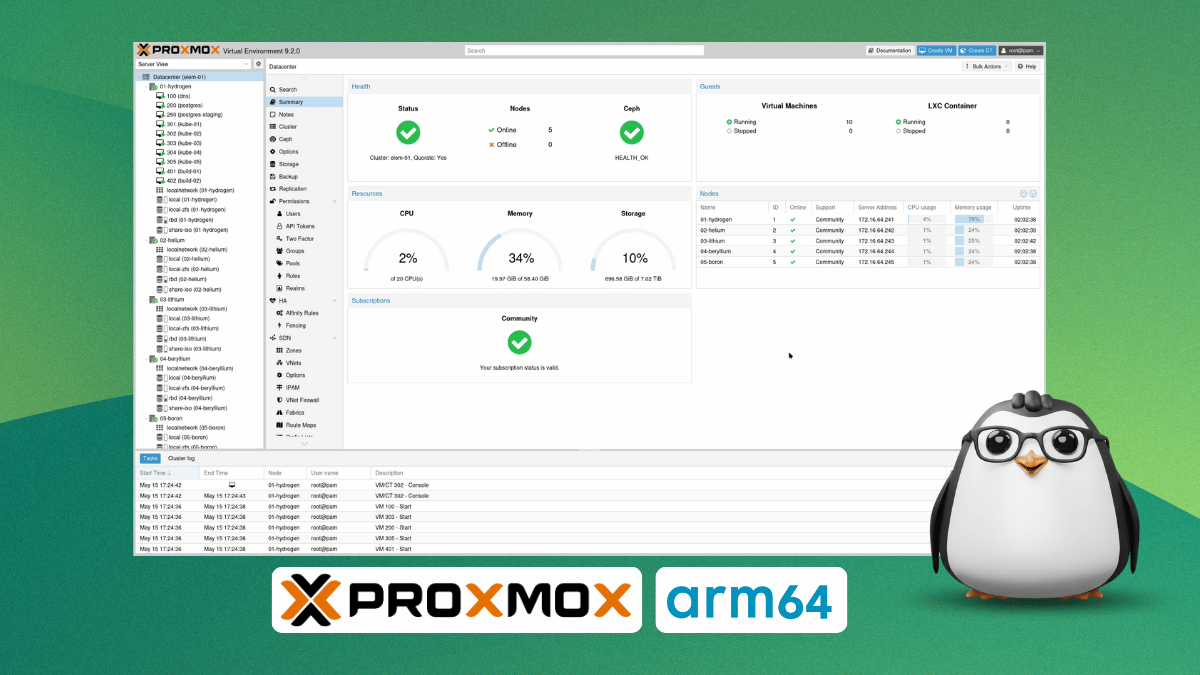
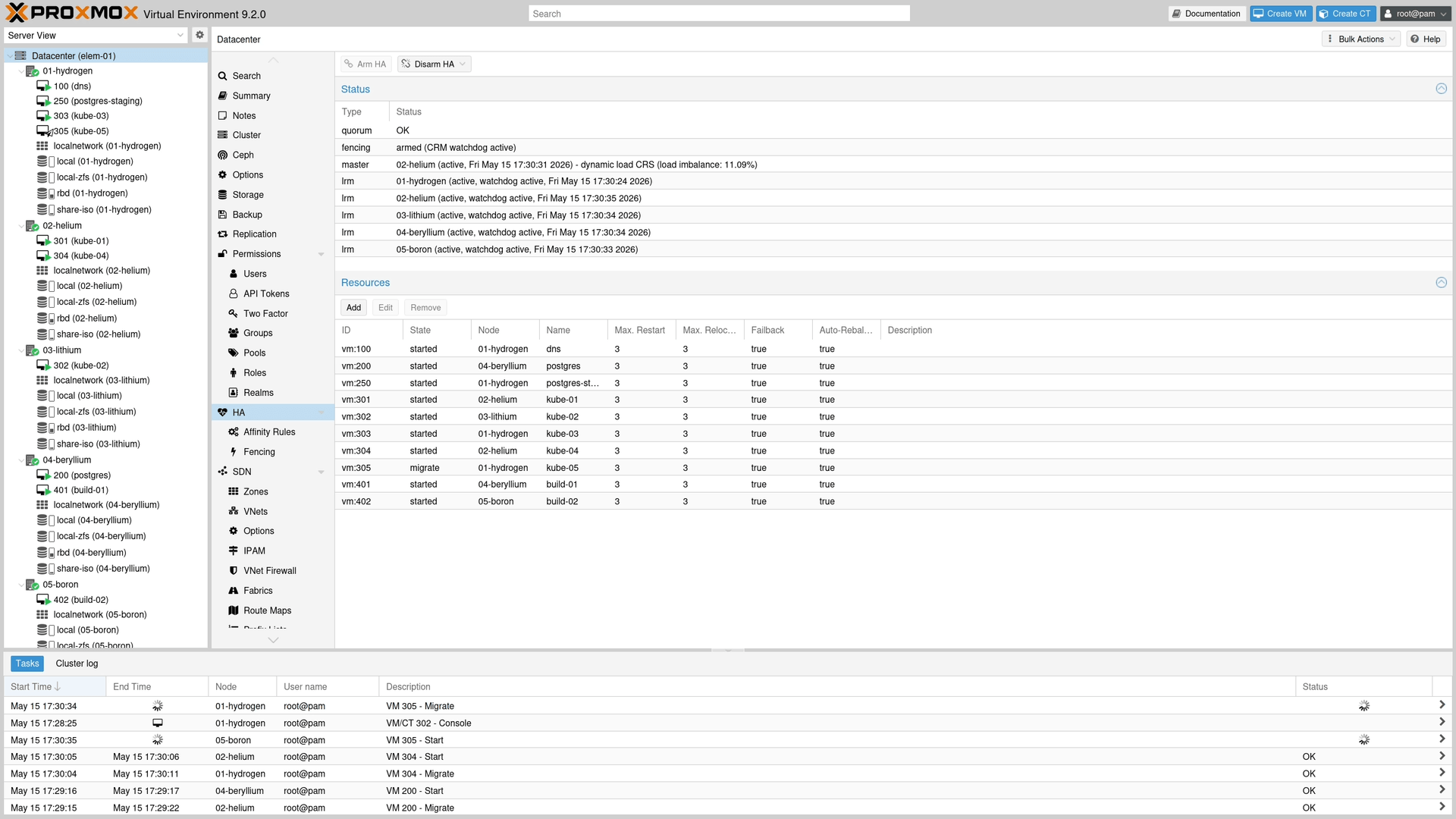
A stand-in image of Proxmox VE 9.2.
Yep, that's the highlight move. Sitting alongside its existing x86-64 builds are the new ARM64 images that have brought official support for the Arm platform.
Proxmox says the new images follow the same codebase, release lifecycle, and support window as x86-64, while running on Debian 13.5 "Trixie" with Linux kernel 7.0 and additional components like QEMU 11.0, LXC 7.0, and ZFS 2.4.
Likewise, storage gets similar improvements with ZFS 2.4 and Ceph, two of Proxmox VE's core storage options, carrying full feature parity with the x86-64 build.
Though you should know that officially supported hardware is currently limited to the NVIDIA Grace and Vera platforms. Proxmox has also validated the Arm64 build jointly with NVIDIA and Supermicro, testing specifically on Grace Hopper Superchip servers.
Other UEFI-based ARMv9-A hardware gets best-effort support, and Proxmox says ARMv8-A "generally works too." What's not supported is that Raspberry Pi lying on your desk, or really any other devicetree-only single-board computer, like an Orange Pi or a Radxa ROCK board.
Don't think that ARM64 support is stopping at Proxmox VE; the developers are already running internal test builds for their other offerings, with Proxmox Backup Server being one of the examples given.
However, which one gets prioritized depends on their enterprise customers' needs.
Get started
Seeing that ARM64 as a platform has matured so well along the years, and more and more workloads have shifted to this over x86-64, this move doesn't really come as a big surprise to me.
Proxmox didn't ship this as an experiment either. It launched this with full support from day one. This, to me, is a company that saw where the market was headed and adapted accordingly.
Anyhow, Proxmox VE for ARM64 is available now as a free download, either as a bare-metal ISO image or through package repositories alongside the existing x86-64 builds.
Enterprise users get access to the pve-enterprise repository too, same as on x86-64, with Proxmox recommending it for production deployments.
Greg Kroah-Hartman just deleted a Linux driver that hasn't mattered to anyone in years.
The reason for removal wasn't a bug report or a user complaint. It was AI agents poking around dead code and turning up findings nobody asked for.
That sounds like another "AI is reshaping open source" piece. It mostly isn't. This driver was already on its way out, Moxa said so years ago. What changed is the removal finally happening at a time when AI is scraping away at the kernel codebase.
What's happened?
On August 3, GKH sent a patch to the linux-serial mailing list removing drivers/tty/moxa.c entirely. That's the Moxa Intellio family multiport serial driver, code that's been part of the kernel since 1999.
The patch strips out 2,137 lines of driver code, plus the Kconfig and Makefile entries that reference it. In total, 2,148 lines of unused code are gone.
GKH says that:
This is a very old driver, and no known hardware is still around for it, and the company says they do not need it anymore, so let's remove it as the LLMs are starting to poke at it and find "interesting" things which will just waste everyone's time given it's not actually used.
While keeping the door open for anyone who actually still needs it, noting that the driver could return down the line, just built "in a more 'modern' way."
Some context
Moxa isn't some obscure or defunct outfit that used to be cool back in the 90s. It's a Taiwanese company that makes industrial networking gear and serial cards for factories and railway systems.
The Intellio series was an older PCI serial card lineup from their catalog, not a piece of consumer hardware you'd find lying around in people's attics.
While software support was promised through 2023, the hardware itself was discontinued way back in 2017. According to an email Moxa's Ray Chen sent Jiri Slaby back in 2021, the company had no plans to keep the Intellio line alive any longer.
Jiri, who has maintained parts of the kernel's serial driver code for years, floated marking moxa.c as broken or dropping it outright.
Nothing happened until May 2026, when a separate patchset reorganizing the tty subsystem's directory structure brought the topic back up. Crescent Hsieh from Moxa confirmed both the hardware and its software support were fully phased out and even offered to help write the removal patch himself.
That gap isn't unusual on its own; kernel patches sit in queues all the time. What's notable is what finally moved it (AI poking holes).
Where AI comes in
So saying that "AI is deleting kernel code" would be overstating what's actually happened. The Moxa folks had already signed off on removal in May. GKH didn't act until August, three months later.
What the AI did was start poking at 27-year-old code that everyone already agreed was dead, bringing up findings on hardware nobody has left to test against.
If you are used to working with AI agents, then you know that scanning old, unused code doesn't always produce genuinely new work. Sometimes it just produces enough annoyance that maintainers have to act to nip it in the bud.
This change landed minutes before GKH drew a different kind of line, rejecting LLM-generated patches for the kernel's staging tree entirely. So take note of this, while AI isn't writing much of the Linux kernel yet, it's already influencing which parts of it get tossed out.
Nobody Touched This Linux Driver for Years, Until AI Started Poking Around and It Got Removed
The entire debate in the Linux and open source world these days is if AI generated code should be used or not.
As Linus told AI critics to fork the project or walk away, GKH took a more surgical approach. AI patches are fine elsewhere in the kernel, but drivers/staging is off limits.
The GNOME extensions review queue is still flooded with AI slop months after the no-AI rule went in. The latest attempt to slow it down is a guide written directly for the bots doing the generating, covering the bad patterns that keep showing up.
Keychron's doing for mice what QMK did for keyboards. ZGM is a GPL-3.0 open source firmware built on Zephyr RTOS, coming first to the G6 HE in Q1 2027. If it takes off, Linux users are the ones who gain most since practically no gaming mice ship with official Linux configuration support.
Another Ubuntu deb is becoming a Snap. hwctl, the CLI tool behind Ubuntu Pro and hardware certification checks, is going Snap-only for better sandboxing and tighter GNOME Control Center integration.
Nine months since the last release and nearly a decade in the 3.4 series, Rhythmbox 3.5.0 has finally arrived. Podcasts have seen the most work, where played episodes are now marked, notifications are better, and there's a new gPodder.net plugin for syncing feeds.
GNOME Boxes hasn't looked modern in a long time. The rewrite, in beta now on GNOME Nightly, fixes that, moving to GTK4 and Libadwaita while opting for a Flatpak-only approach.
🧮 Linux Tips, Tutorials, and Learnings
If you use Kitty and haven't touched its Kittens yet, then you are missing out! These are small built-in programs that extend the terminal without needing external tools, covering everything from an interactive theme switcher and font picker to a drop-down terminal, a fuzzy file chooser
If your Linux Mint desktop feels a bit plain, Cinnamon's extension manager provides a set of visual effects worth trying. Effects like burn my windows, wobbly windows, magic lamp, and a desktop cube for workspace switching are available.
A free nine-chapter bash scripting course for beginners, covering variables, arguments, user input, arithmetic, arrays, strings, conditionals, loops, and functions.
👷 AI, Homelab and Hardware Corner
Want to take back control of what you read without an algorithm deciding for you? We have covered ten self-hosted RSS readers, with notes on which ones are actually built for self-hosting and which ones technically work but their own developers don't recommend it.
The list is for self-hosting. For normal desktop usage, we have a separate list of RSS feed readers for Linux. It's a bit old, but most of the apps are still in active development.
Desktop Linux is mostly neglected by the industry but loved by the community. For the past 14 years, It's FOSS has been helping people use Linux on their personal computers. And we are now facing the existential threat from AI models stealing our content.
If you like what we do and would love to support our work, please become It's FOSS Plus member. It costs $49 a year (less than the cost of a McDonald's burger a month), and you get an ad-free reading experience with the satisfaction of helping the desktop Linux community. And there are also free Linux ebooks.
Transform Dash to Panel into a dynamic, Plank-style dock with ripple hover animations by tweaking a few key extension settings.
First, navigate to the "Position" tab in the Dash to Panel settings. Disable every item on the panel except for the "Taskbar", and change the panel size or length mode to "Dynamic" so it shrinks to fit your active app icons.
Next, open the "Fine-Tune" tab and enable "Keep original gnome-shell top panel." This restores the standard GNOME top bar for your clock, system status icons, and menus while leaving your new dock at the bottom or side.
Finally, switch to the "Style" tab and enable "Animate hovering app icons." Click the settings gear next to this option to choose and adjust your preferred hover effect.
Well, it's obvious which one is the winner here. 😉
🗓️ Tech Trivia: IBM launched the System/23 Datamaster on July 28, 1981, just two weeks before the IBM PC. The same engineers built both, and what they learned on the Datamaster helped shape the desktop computer as we know it.