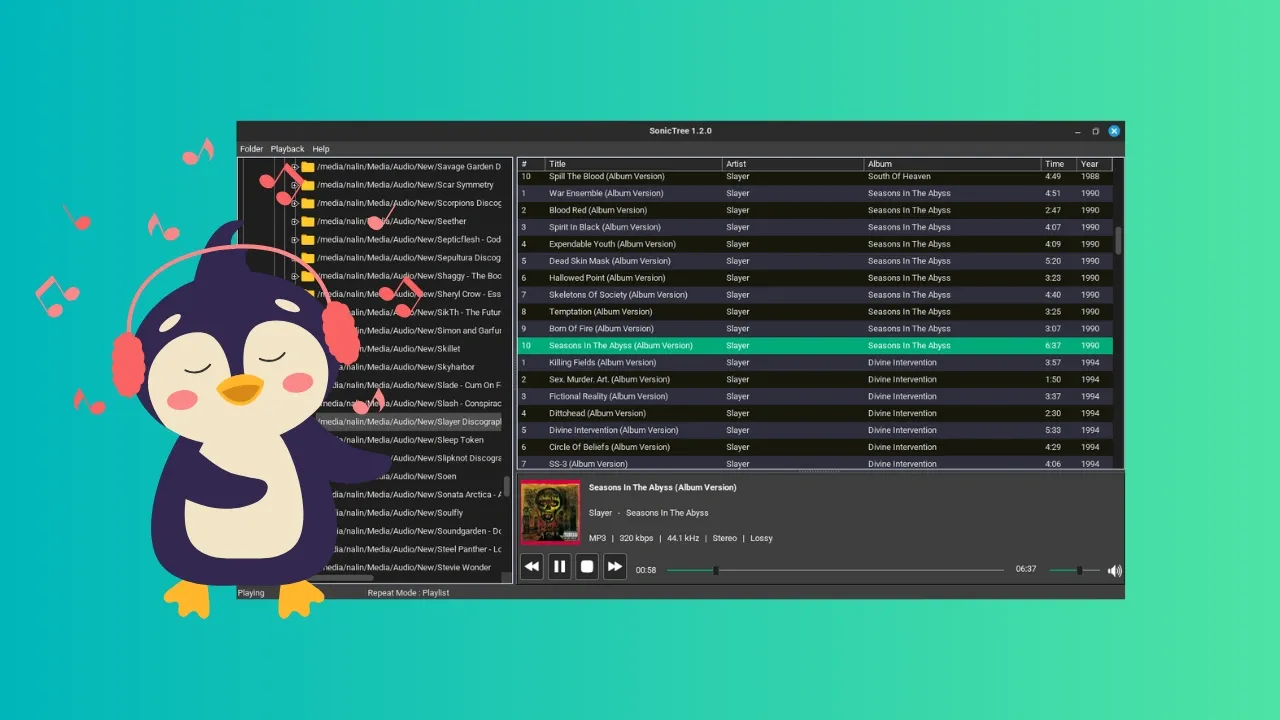
Have you ever wished for a file manager that shows you nothing but audio files that you can play, and then play them within the manager itself? Yeah, I haven't either. But if you had, I might have discovered the application for you. Here comes SonicTree.
SonicTree: The Simple Music Player
SonicTree is an as-simple-as-it-gets kind of music player in the middle of all the fancy, all extensive ones we've recently seen (like the high-fidelity player Astra). It offers you an easy experience: a file-explorer, a list of playable audio files, playback of said audio files, and a simple playing menu at the bottom.
Most music players automatically categorize your music files based on the metadata of the file. This one desn't and that's its unique feature. If you are someone who has meticulously organized music files into folders of your own criteria, you might like SonicTree.
There's nothing much more or much less to it, but let us explore the features in detail.
Interface
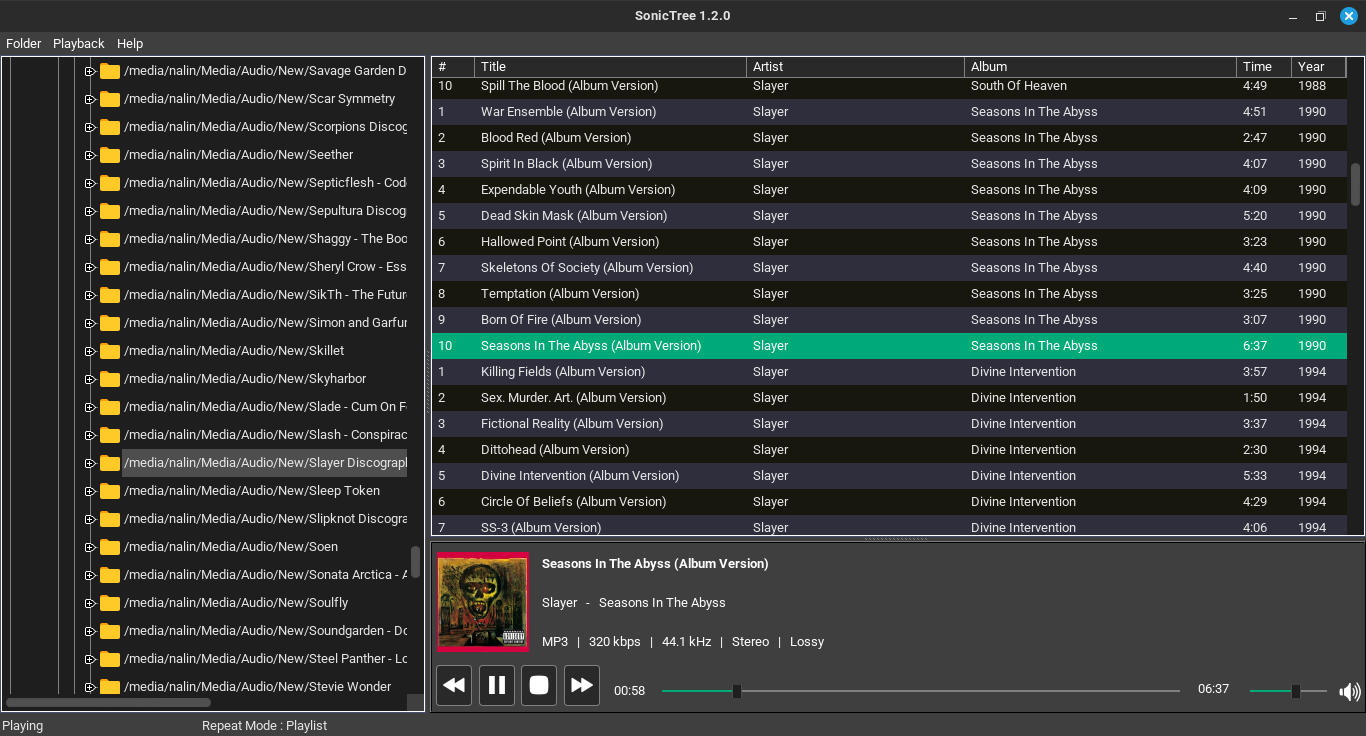
SonicTree has a file-explorer on the left that is shown in a (surprise, surprise) tree structure. You can expand directories into subdirectories, and double clicking on any directory lists all the playable audio files on the big canvas on the right.
Besides the file title, there's also the track number, artist name, album name, duration and year of release.
On the bottom of this canvas, there's the playerback interface. It shows the song and artist name, the album cover, a seek for the song as well as the volume, buttons for playing, pausing, next track and previous track, and technical information of the song such as the filetype, bitrate, frequency, stereo settings and whether it is lossless or lossy.
On the top, there are two menus, one that rescans the folders, and one that can be used to change the repeat status to off, single track, or playlist.
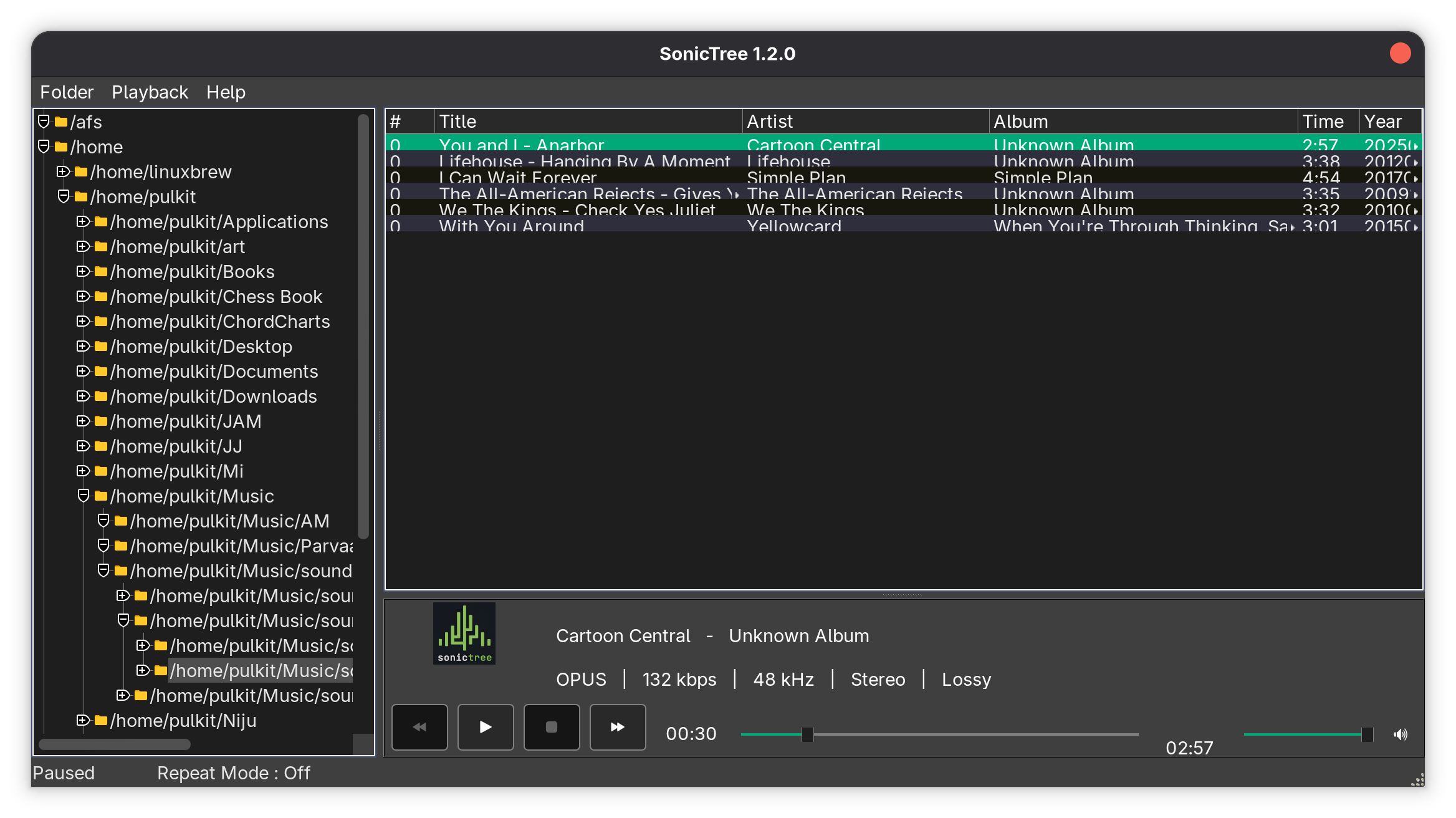
The interface, though, looks very dated and clunky by modern application standards in 2026. The design looks like something from the early 2000s era and not in a chic way, and the song listings quite literally overlap on each other (at least on my system). The looks can be worked upon and straightened out a bit to bring it to the present, in my opinion.
Performance
SonicTree boasts low strain on the hardware of the system, and gapless playback, and on that counts it delivers well. It seems to barely have an impact on the system, taking about 50 MB RAM and 02-0.5% CPU usage (numbers may vary depending on your system). The playback is indeed gapless, seamlessly switching between tracks without a delay.
The playback of files is usually alright. I've tried MP3, WAV, M4A and OPUS audios, and they all work flawlessly. But these are all lossy formats. When I tried a lossless FLAC audio, it didn't play at all. That might be a dealbreaker for a lot of people, as mostly the point of an offline music player is to play lossless audio. But I can't really say that they don't deliver because on their website, they don't really list formats that are playable.
Navigation
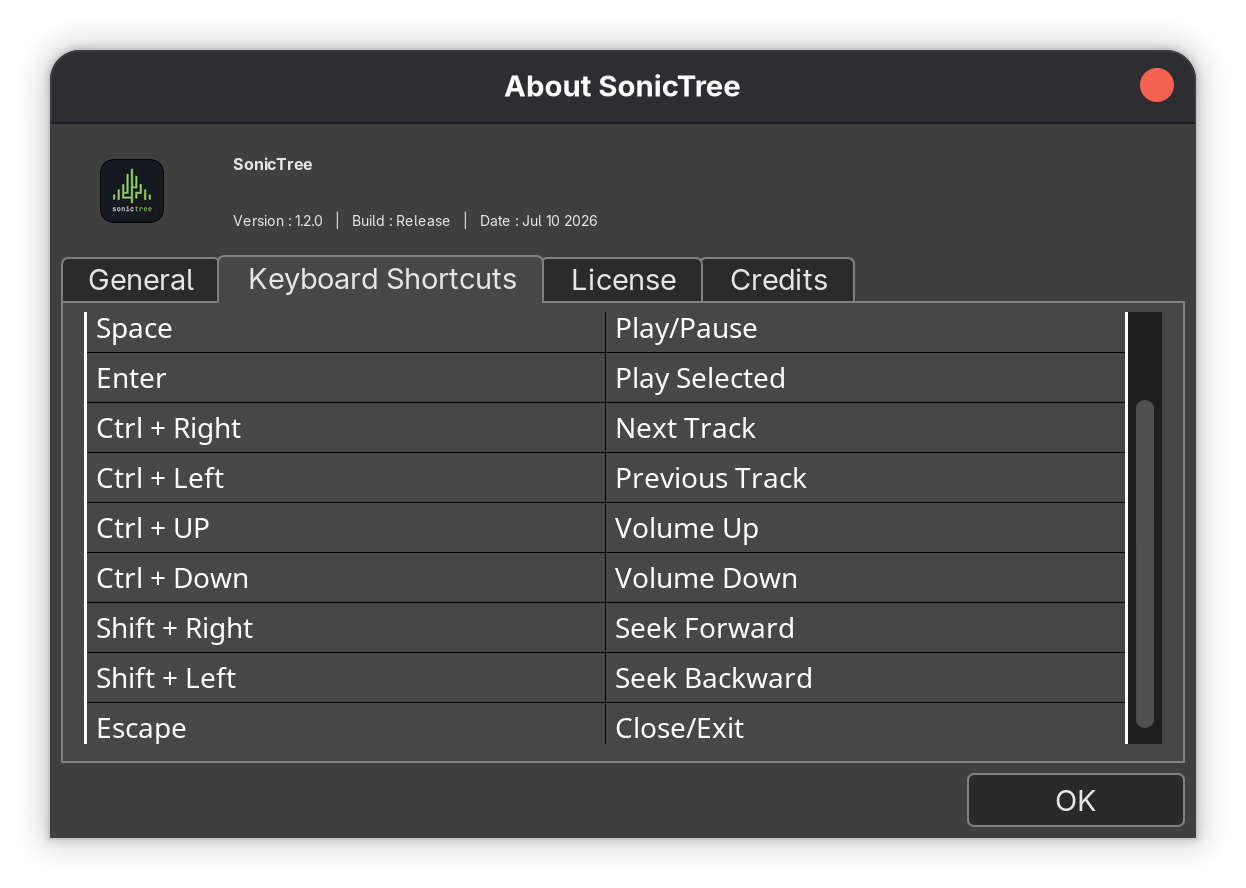
As for the navigation, the seeks and the buttons on the GUI are the obvious choice, but there's a simple set of keyboard shortcuts as well that do the job. Space to toggle the playing, Enter to select the song from the list to play, Ctrl+Left or Right Arrows to change the track, Ctrl+Up or Down Arrows to increase/decrease volume, Shift+Right/Left to seek through the song, and finally, Esc to exit.
Get SonicTree
SonicTree can be downloaded from its official page on SourceForge.net, and is available only as an AppImage:
SonicTree doesn't offer much. It looks a little awkward, a little out of time, but it gets the job done. It is essentially for people who like managing their music files in their own way, in their own folder structure. Can't say if I can count it among the list of best music players for Linux.
The shortcomings can't really be pointed out, as they didn't really claim to cover it all in the first place. But since this is still a very early version, perhaps more improvement will be seen in the later ones.
Open source software has always been a cornerstone in scientific applications.
From supercomputers to CERN labs, handling some of the greatest discoveries of humankind and accelerating particles beyond imagination, open source software has provided the framework for all necessary technological usage.
Bringing it down to a simpler level, KDE's Step provides you a platform to test out some of the most important basic concepts in physics, like simple motion, electrostatics and gravitation, and even things like spring (harmonic) motion.
Developing an intuition about these phenomena can finally bridge the knowledge gap that students need. So if you are a physics teacher (or student), KDE Step is worth your attention.
Interface and Experience
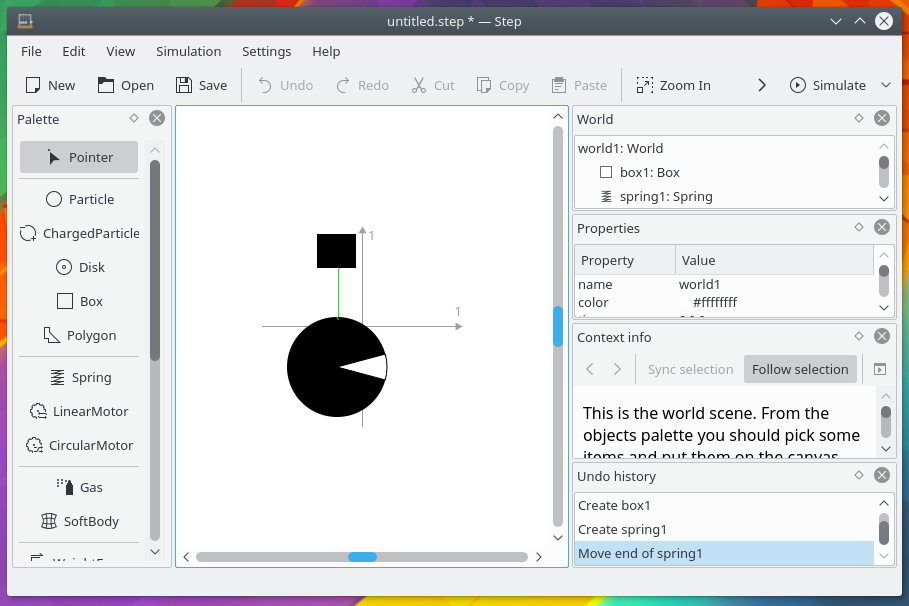
Using the basic KDE design kit, the application looks quite familiar as it is. It is arranged in a very efficient manner, with all the usable objects on a panel on the left side of the window, while the right side holds the panel that can be used to modify any of the attributes of those objects as well as a panel that shows the history of the steps (no pun intended) made by the user. On the top of the window, all the menus are present with the undo/redo buttons, and most importantly, the button that allows you to start the simulation.
To demonstrate the elements and how they're used in the best way possible, I'm going to show different simulations that incorporate said elements. It is the most efficient and vivid way, since it is, after all, a simulation app.
Simple Harmonic Motion
As a very famous quote from Sidney Coleman says, "The career of a young theoretical physicist consists of treating the harmonic oscillator in ever-increasing levels of abstraction." Keeping up with that sentiment, I will show a very basic demonstration of a simple harmonic motion.
0:00
/0:16
Simple Harmonic Motion
The elements used here are two particles, a spring, a graph, weight field and an anchor. Particles in Step are simple zero-dimensional point objects with modifiable position, color, velocity, mass, momentum and kinetic energy.
Springs are simple, you can attach both ends to objects, you can change the stiffness. Anchors are utilities that can be used to fix the position of an object to the scene. No matter what, it will not move from where it is placed.
A weight field simply simulates the gravitational force of earth for all the objects placed on the scene, but again, you can modify the gravitational acceleration to suit whatever kind of simulation you're trying to run (for example, trying to simulate the gravitational force on the moon).
Finally, the graph utility can be used to plot any property of any object on the scene against any other property.
Soft Body
While sounding like a promise made by a moisturizer, soft body is not that but a category of objects in physics that are not rigid but that deform and change shape according to the parameters set.
More accurate, and as shown in the app itself, it can be thought of as an object made of small particles connected to each other by springs that deform according to the force provided.
0:00
/0:09
Soft body simulation
Two new elements are used here, a soft body (that has already been described) and a box. A box is just that, a rectangle with modifiable dimensions, where apart from what you can already change in a particle, you can also change the angular velocity, angular momentum, inertia, and so on.
📋
If you're wondering why the soft body falls on the left even though it has been placed centrally on the screen, that is because nothing can be truly zero in this context. There's always a miniscule value left, and in this case, even when the value is defined as 0, it is some exponentially small value close to it on the left (negative).
Orbit
Another basic simulation that can really help is that of an orbit. Step provides a gravitational field simulation, in which the universal law of gravitation starts holding true and applying within the canvas.
In this simulation, I've modified the value of the gravitational constant to something that allows my particle to orbit the central particle (because I finally can), and I'm using a controller to change the mass of my central particle while the simulation is going on to show how that changes the velocity and distance of the revolving particle.
0:00
/0:31
Orbit simulation
As you can see, for the first part of the video, it is making a calm orbit but as soon as I start increasing the mass, the particle comes closer (as one would expect) and when I decrease it, the particle goes out the frame (a little dramatic, but still expected).
Compound Pendulum
Have you ever wondered what an oscillating lambda would look like? Well wonder no further because Step allows you to make any kind of polygon that you would like to make with the polygon tool, and then you can use a pin to fix the position of one point in that body to the canvas. And some weight force to the scene, and there you go. A lambda pendulum:
0:00
/0:11
Compound pendulum simulation
This kind of pendulum that isn't one concentrated mass but distributed instead is called a compound pendulum in physics, which can be quite difficult to visualize sometimes.
Linear-Angular Parallels
Students often struggle with the equations for the motion of a disk, or anything that has to do with rotating rigid bodies, but it is only a matter of translation of the values in the usual linear equations of motion into those that concern rotating bodies. For example, mass gets replaced with moment of inertia, velocity with angular velocity, same with acceleration and so on. In the following simulation, that's exactly what we're showing:
0:00
/0:07
Linear-rotating parallels.
In this simulation, the particle and the disk have mass and moment of inertia with the value 1, velocity and angular velocity with value 6, acceleration and angular acceleration -2 respectively.
As you can see, the changes happen hand-in-hand, making it clear how the equations work practically parallelly. I have used a linear motor to apply a linear force to the particle and a circular motor to apply a torque to the disk. The values on display can be shown using the meter utility.
Stable and Unstable Equilibrium Positions
In the first case, I've fixed two positive charges of equal magnitude on the canvas with anchors. Another positive charge was placed right in between them. The charge, of course, will be in equilibrium just by the virtue of being smackdab right in the middle of the positive charges. What happens if I slightly move the central charge from its position?
0:00
/0:09
Stable equilibrium state for charges
The charge starts oscillating. In a real life scenario where there are losses due to friction and so on, this will return to the equilibrium position right in the middle. But what if my central charge is negative? What happens then?
0:00
/0:06
Unstable equilibrium state for charges
As you can see, the charge moves on to the side of movement, as you would expect. In this case, the equilibrium was unstable, meaning even the slight change in position on one side will result in absolute ruin of the equilibrium state. I've used charged particles, which are similar to normal particles but with the added option of adding a charge to them. Similar to how we did with gravitation, you need to add the Coulomb field to the canvas in order for the law of electrostatics to start applying.
Constraints
A lot of basic physics is based on constraints, which can be of different sorts. The most basic one is where the distance between two bodies is fixed, so that the motion of one of the bodies impacts that of the other. So in this simulation, I've done that exactly with a massless stick, which connects two bodies in Step. I've given a certain velocity to one of the particles, and you can see here how it impacts the other one:
0:00
/0:09
Usage of stick in Step
📋
It is important to note that sometimes the stick doesn't work really well. It is not supposed to be elastic, but it sometimes acts more like a spring than a stick if not configured exactly well.
Perfect Gas Simulation
Finally, Step has a tool that lets you simulate a perfect gas, following the basic principles of kinetic theory of gases. When applying it on the canvas, you can configure the area that the gas will exist in, the number of particles inside that area, the concentration, the temperature, particle mass and mean velocity. Sure, some of these things are dependent on each other and all of them being configurable individually does seem a little counter-intuitive, but if you change one of the values that another depends upon, it changes automatically. There's no disregard for the physics of it here.
0:00
/0:18
📋
The gas particles are not configured to interact with any other bodies or walls/objects in the vicinity. If you put boxes or polygons to see how the gas interacts with them, Step will show an error saying it isn't possible.
Wrapping Up
There are some very obvious points at which Step breaks. Not even showing an error, it just breaks. For example, if you configure the mass of a particle to be 0 or very close to it, for any simulation that involves forces or collisions, the canvas just disappears. Obviously, massless particles are not in the scope of scenarios which Step can simulate.
Overall, Step has some excellent options that can really help students visualize their physics lesson up to an elementary undergraduate level.
As a student of Physics, I have been using it for years to clear my doubts, but it is only obvious that the simulation can only be as helpful and accurate as you are careful with setting it up. More than that, it helps you explore possibilities that aren't possible in the physical world, such as completely ideal conditions of zero friction, the ability to change fundamental and universal constants and so on.
In the general trend of "back to the future past" that we've been experiencing these days, a lot of users want to roll back from the streaming-based consumption services now, days of physical media or digital files that are locally present on their systems (I still miss my iPod).
So what do we need again? Physical and/or offline digital media players. At the same time, the technology encoding these files have enhanced exponentially, bringing the need for software that can adequately process all that information.
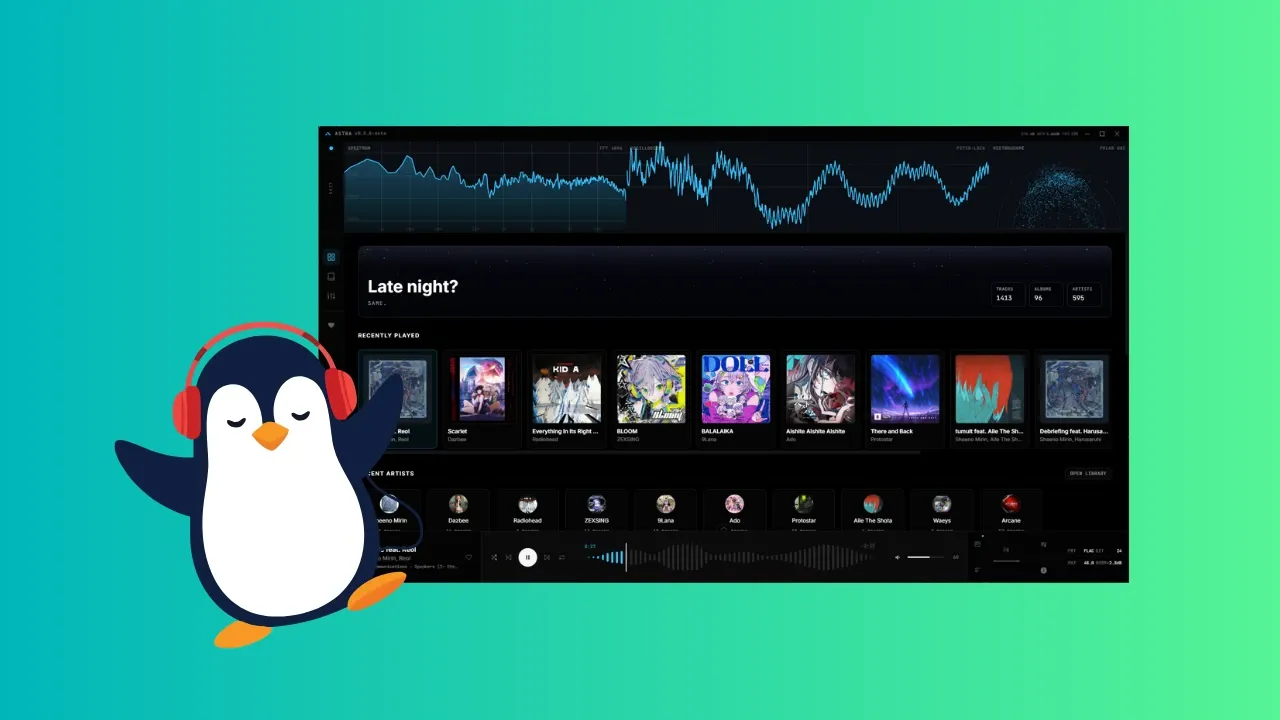
And so, I bring to you Astra: an open source music player that can play your high quality, high fidelity audio without breaking a sweat, and show you information about it that you had no idea you wanted.
First, the Abilities
Formats
Astra is quite versatile, supporting all the major formats natively, which include FLAC, MP3, WAV, OGG, AAC, M4A, OPUS, WMA and AIFF. FLAC, WAV and MP3 are the most common formats that high definition audio is available in. If you wish to play audio of any other format, there's a background FFmpeg net it falls back to support it, so you'll be taken care of, anyway.
Dolby Atmos
"Dolby Atmos" is probably something that you've heard of, it is technology that makes your music sound more three-dimensional, giving it a more surround feel. Astra claims to decode audio made for that even if your hardware doesn't support it. It adapts the audio settings to the output you own. I don't have Doly Atom speakers but I felt that the sound was pretty surround quality.
Playback Continuity
Offline audio players often tend to cross-fade between tracks, or buffer before the next track plays which is really annoying, but Astra deals with that by pre-buffering the next track before the one playing ends. The audio flows the way it was meant to, like how it would on a physical vinyl. A beautiful touch, if you ask me.
Parametric Equalizer
0:00
/0:11
"Parametric EQ" are two words that get every producer's tail wagging. First off, there are presets already that include a flat EQ, vocal focus, bass focus, treble focus and so on. The parametric part is that you can configure the EQ manually with up to 10 bands, which is a lot of control for a music player. Usually something like that is present in a production setup. In any case, the volume of the frequencies are displayed in the background of the EQ panel to help you find your settings even more easily.
Visualizers
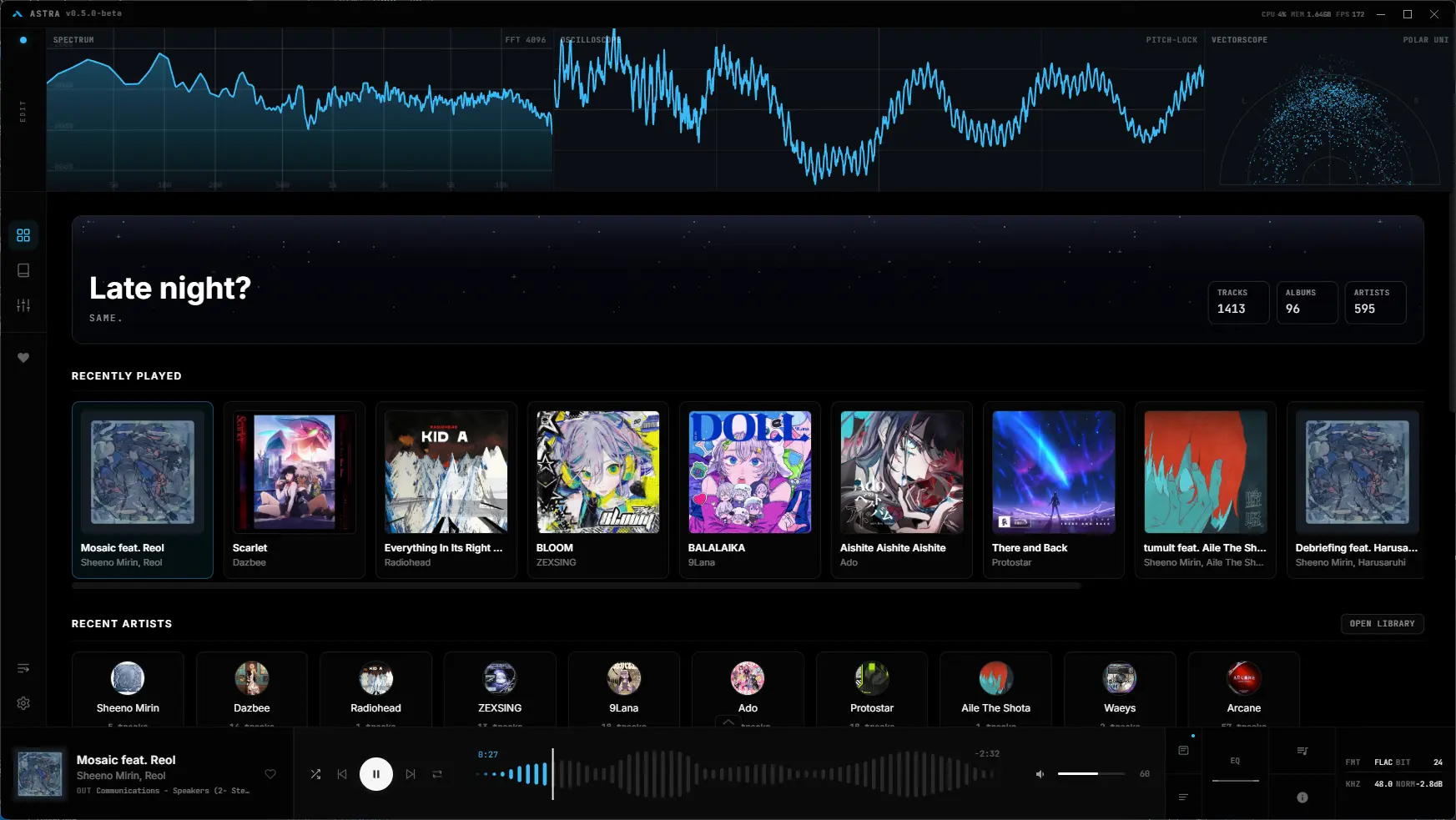
Moving on to the most visually engaging (or distracting, take your pick) elements of Astra, it offers three visualizers, each highlighting a different element of the music you're listening to. Each of these visualizers are configurable, with technical settings which you can choose depending on how much your system can handle before it becomes too much to handle.
Spectrum Analyzer
The spectrum analyzer shows the relative volume of the frequencies in the audible range that the song has, which go from 20 Hz to 20000 Hz. In other words, it shows you how loud the bass is on the left of the spectrum, and how loud the treble is on the right. It changes with the audio in real time, being extremely helpful for finding problematic frequencies and creating an equalizer profile.
0:00
/0:09
Oscilloscope
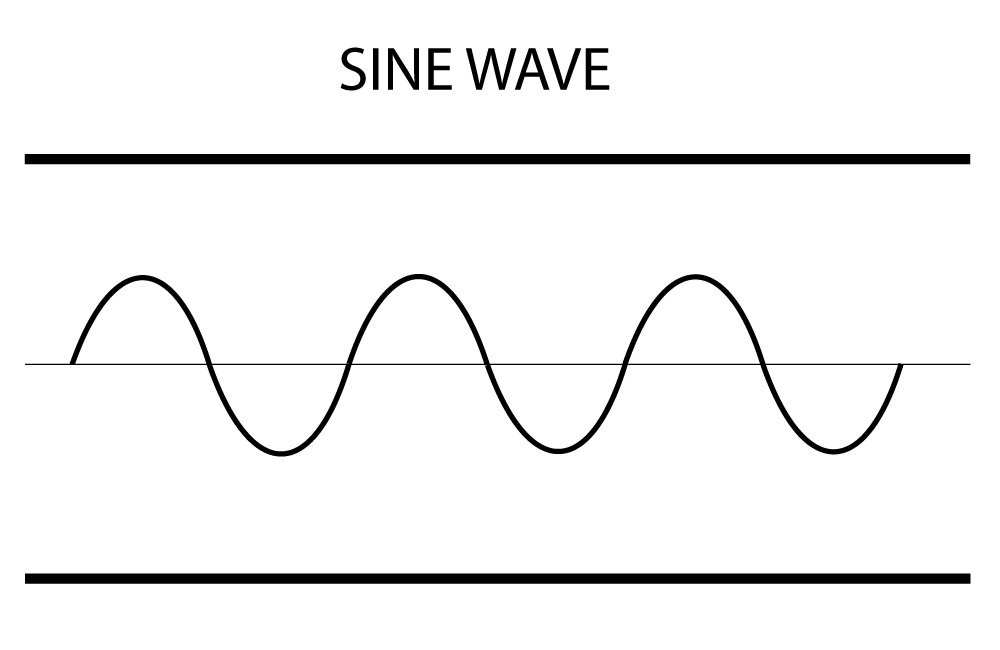
As we know, sound is all made of waves. These waves can be visually depicted as a simple graph, denoting the frequencies, wavelengths and amplitudes. In pure physics terms, all sounds can be made of adding different sorts of sine waves, one of which looks like this:
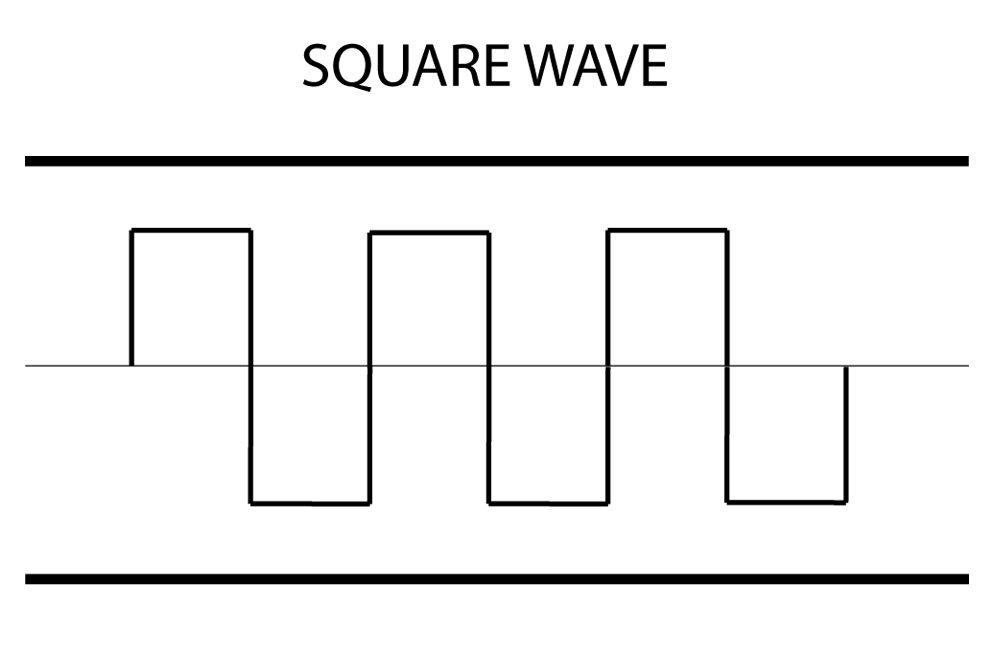
If you add enough of them in the right way, you can even make a square wave, which looks like this:
So all in all, every sound can be seen visually as this sort of wave, which is made by "superimposing" many sine waves together, and the oscilloscope shows the wave that you're hearing when you play it. As a physics nerd, this is really fun. As a producer, this is really helpful for spotting clipping or distortion and monitoring dynamics.
0:00
/0:09
Vectorscope
The vectorscope shows stereo correlation, meaning it shows how well spread out the audio is. A straight diagonal line means a mono signal, but a diagonal blob means a standard stereo mix. If it is wider or something very abstract, or vivid patterns, it means there are stereo, reverb or phase effects. This helps gauge how well spread out the audio is.
0:00
/0:09
Interface
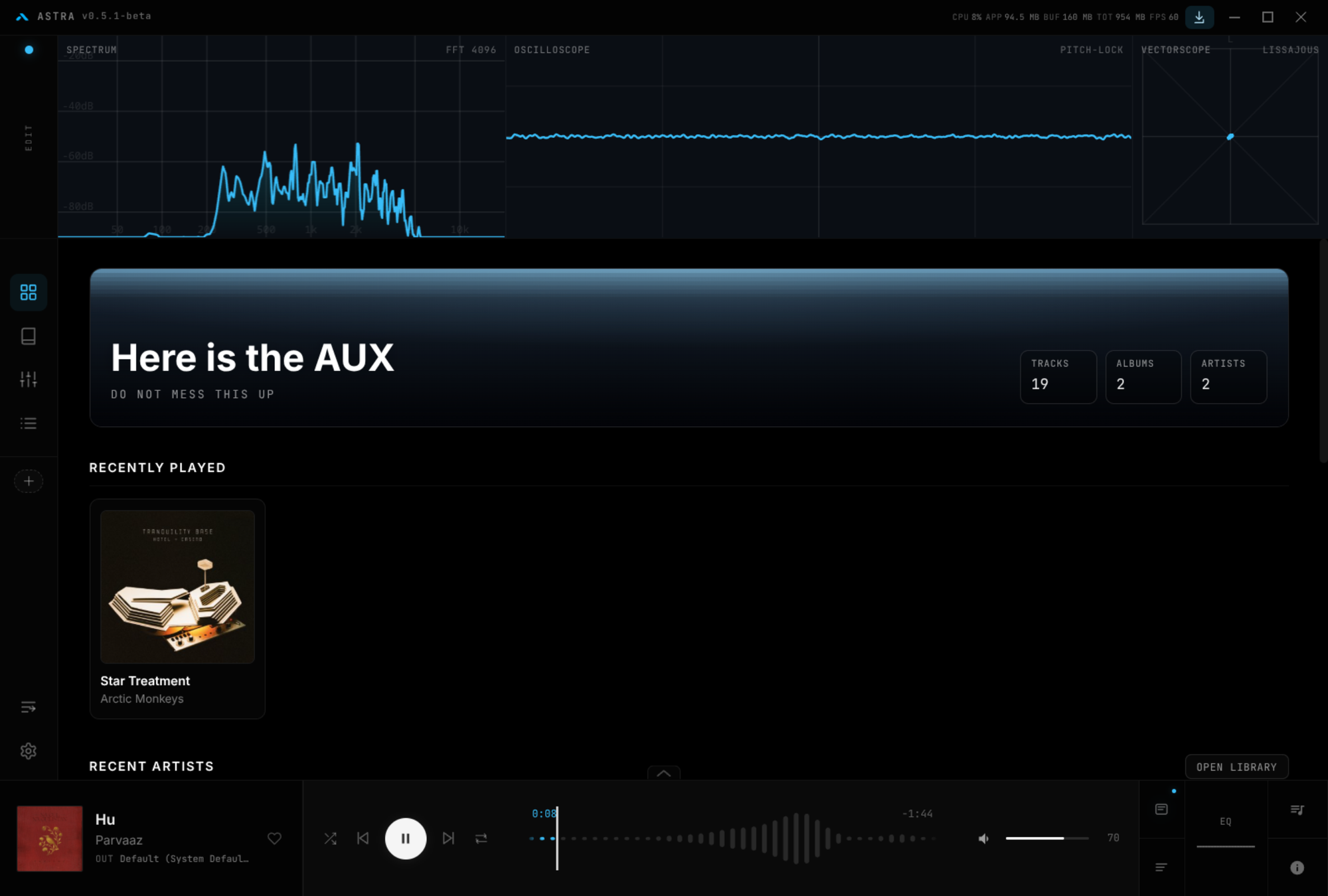
The interface is quite remnant of an older style that was trying to be futuristic, think GOM Player or some VLC skins. It comes with 5 themes inbuilt, which doesn't change any of the elements, just the color schemes. A little tile on the home page shows a new text every time you start the app, which are sometimes genuinely hilarious, that adds a lot of personality to it.
The home, the library, the equalizer, the playlists are all very easily accessible. All the music you add are automatically categorized by album and artist. The favorites and history of the playback are automatically tracked. The bar on the bottom shows the usual name of the track, the seek, volume, and the unusual EQ curve and the technical data such as the bitrate, format and the sampling frequency. It even shows the resources being consumed on top of the window.
The interface is a little too low-contrast on the dark mode, however. Combined with the small font, there comes a need for some squinting to see what is where on the window.
Playback
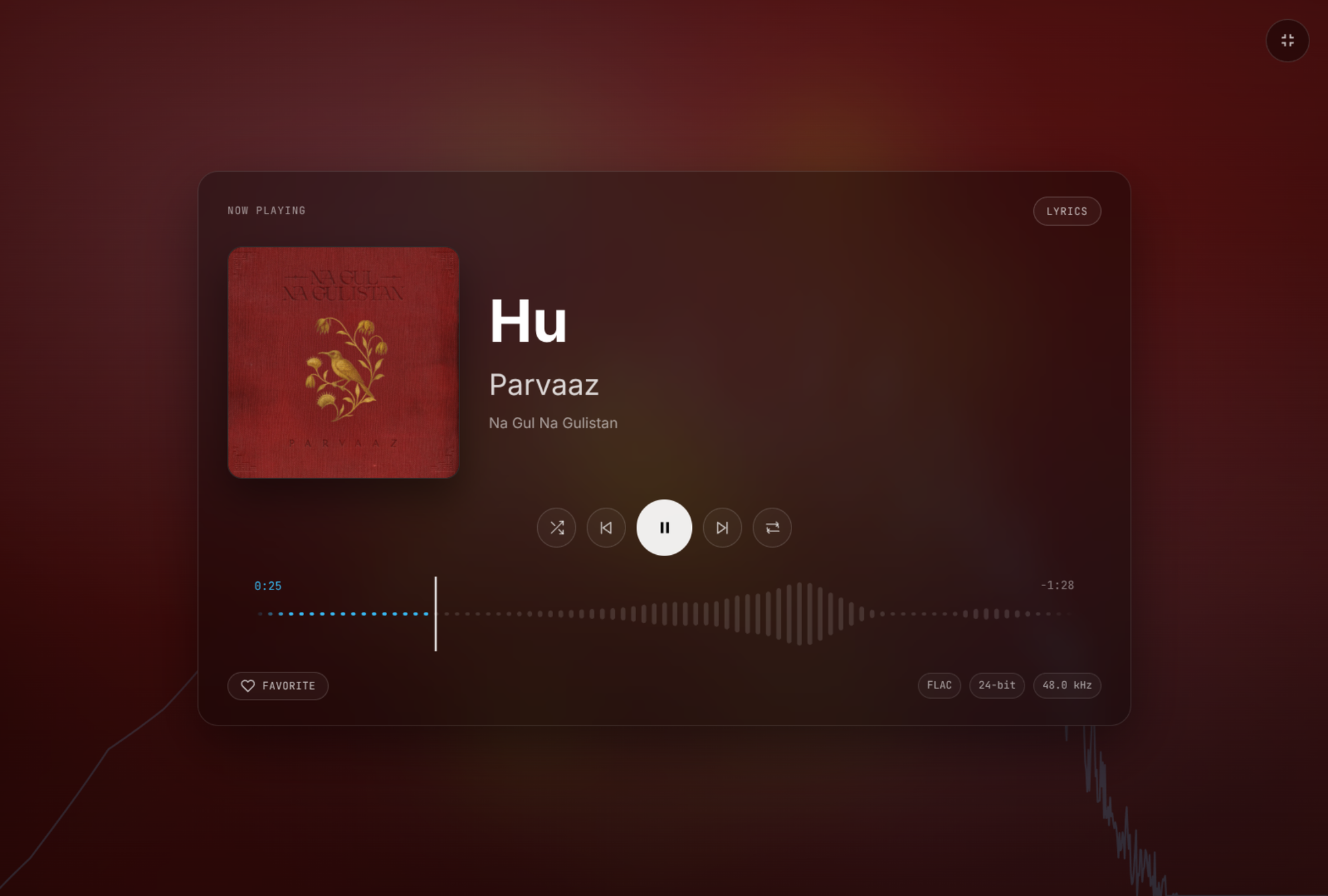
The fullscreen view of the playback is rather pleasing with a clean frequency graphed seek, the information of the track and the lyrics (if enabled). The accent colors of the background are picked up from the album art, making it even more immersive.
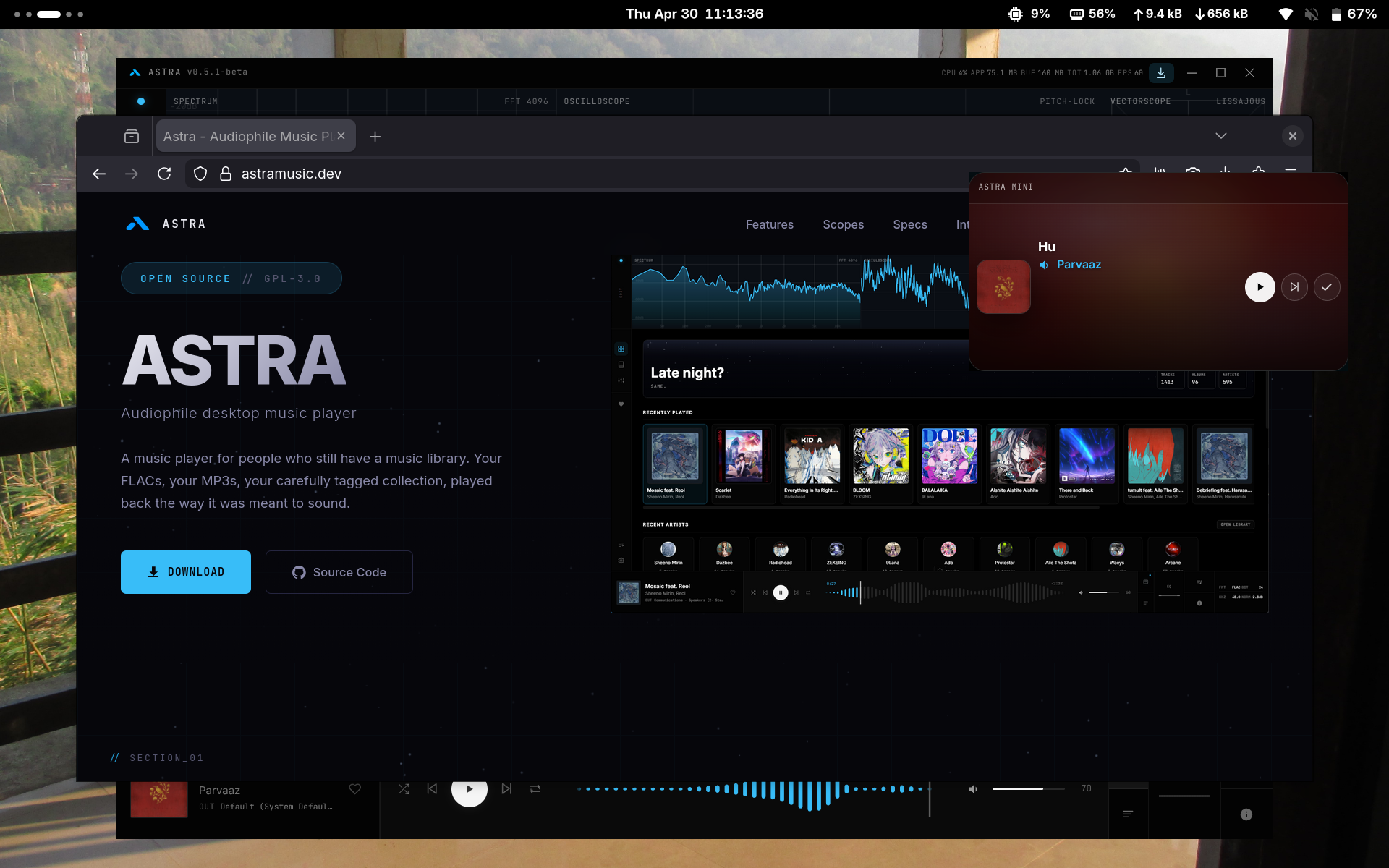
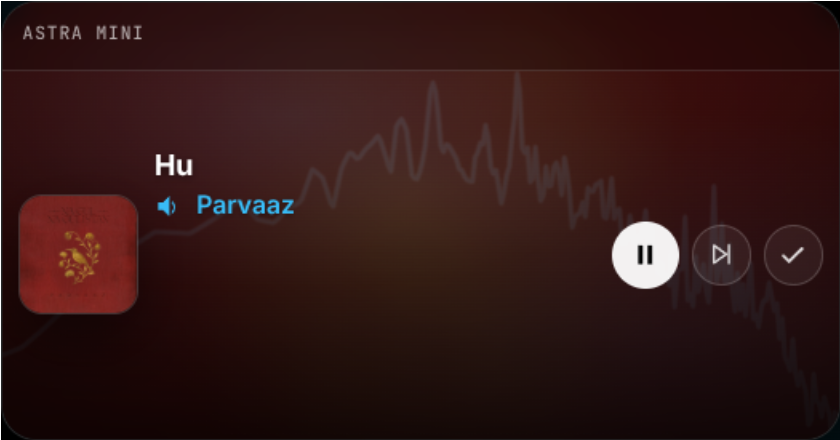
Alternatively, or rather oppositely, there's also a mini player that you can use to keep control of your music playback while working on something else.
Integrations
Astra provides the integration of several services to make your life even easier, some of which are:
Last.fm
You can connect your Last.fm account on Astra, where it "scrobbles" (which is Last.fm lingo for tracks and records) your listening history, with the ability to keep up with it right within the app.
Lyrics
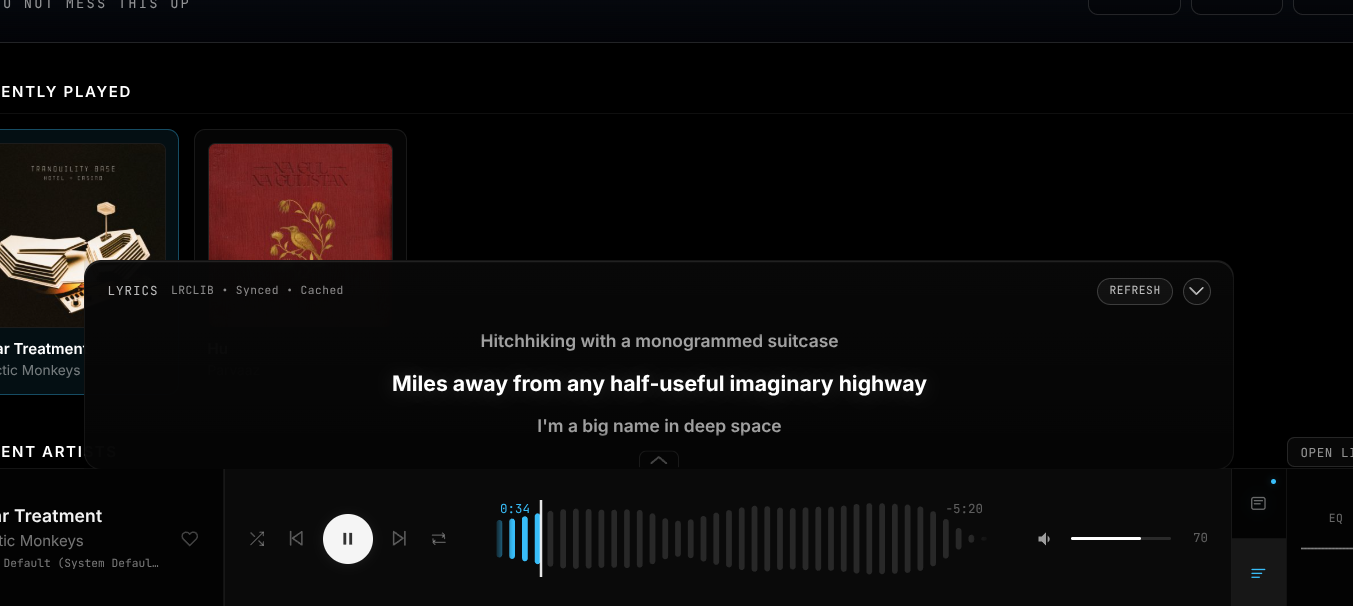
The most important thing to me personally, Astra can show you embedded lyrics within a song, which, if missing, will be retrieved from LRCLIB. Synced lyrics are available for most of the fairly known songs, but the interface of the scroll of the lyrics (in the non-fullscreen mode), unlike the rest of the interface of Astra is a little lackluster. But you know, if it ain't broke and all that.
Discord
You can sync your Discord Rich Presence, showing what you're listening to on your Discord profile along with the cover art.
Local API
You can even play media from any local servers you might have through the local API option, including Jellyfin and Navidrome media systems.
Get Astra
🚧
I can see "Claude" as one of the contributors on the GitHub repo which means the software is developed with the help of Claude AI. These days almost every developer uses AI so it's not unusual.
Astra is available as an AppImage (don't worry about it being an on Electron framework because that's what Astra is built on anyway, no matter how you install it) for the easiest installation method. Other than that, there is also a .deb package available.
Although working virtually without any problems at all, Astra is still in its beta release phase, so it might break on some systems or throw up some unexpected issues, but fret not as it only gets better.
Cuing the Outro
Astra delivers very well on every single thing it claims. The playback is flawless, the interface is gorgeous, the visualizers are spot on accurate and very helpful and all the configurations available exceed the possibilities even more.
It is a little heavy on the resources with everything going on (Claude, make no mistake and optimize the code), but won't break your system (or so do I hope).
If you're looking for a cutting-edge, high-performing music player, this might just be the one that will satisfy your needs. Try it out and let yourself drown in the music. Cheers!
Astra: For All Your High Fidelity Music Needs and Absolute Control
CachyOS is a relatively new distribution that has gained mass popularity due to its cutting-edge software and features that focus on performance optimization, finding a very specific niche easily.
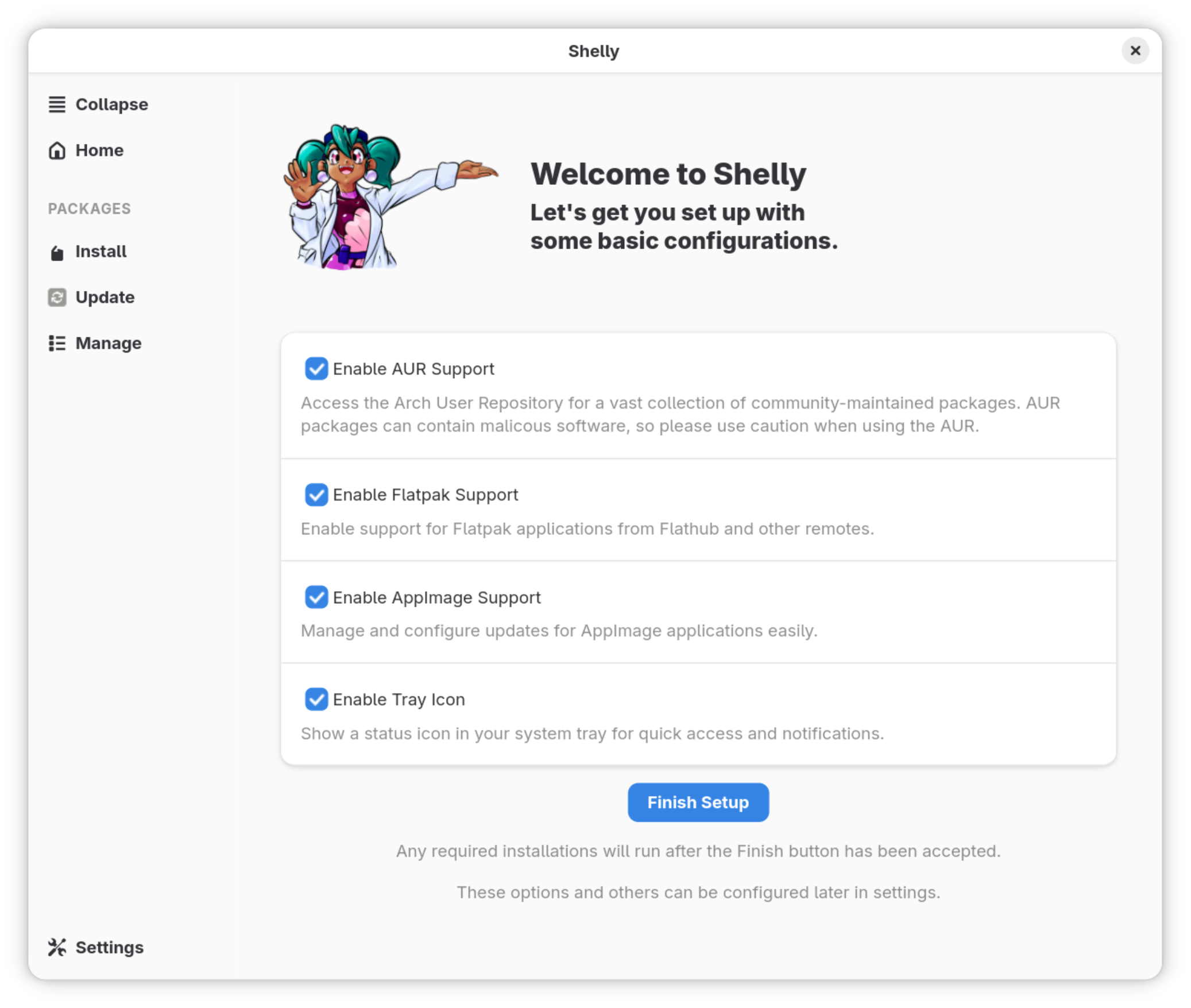
In its recent updates, CachyOS has changed the default package management system to the Rust-based Shelly from Octopi, so obviously, I was bound to check it out.
What does Shelly offer?
To start with, Shelly is a one stop solution to manage packages not only from CachyOS's own repositories, but also AUR, AppImage and Flathub, all at the same place. It also provides quite a nifty clean look that just makes sense, both of which give it a clear edge over Octopi already, which can manage the default repositories and AUR only, and looks a little dated.
Interface
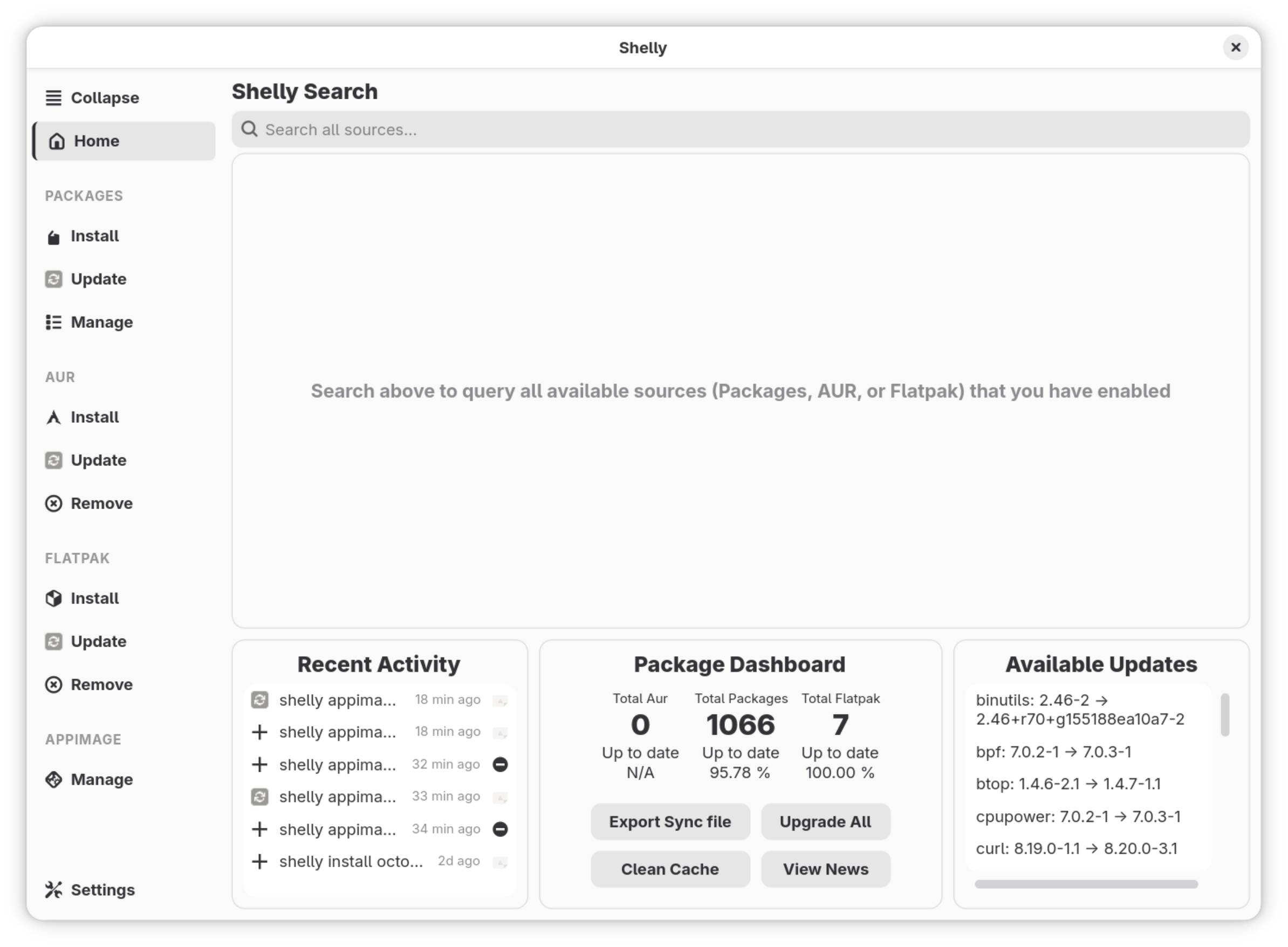
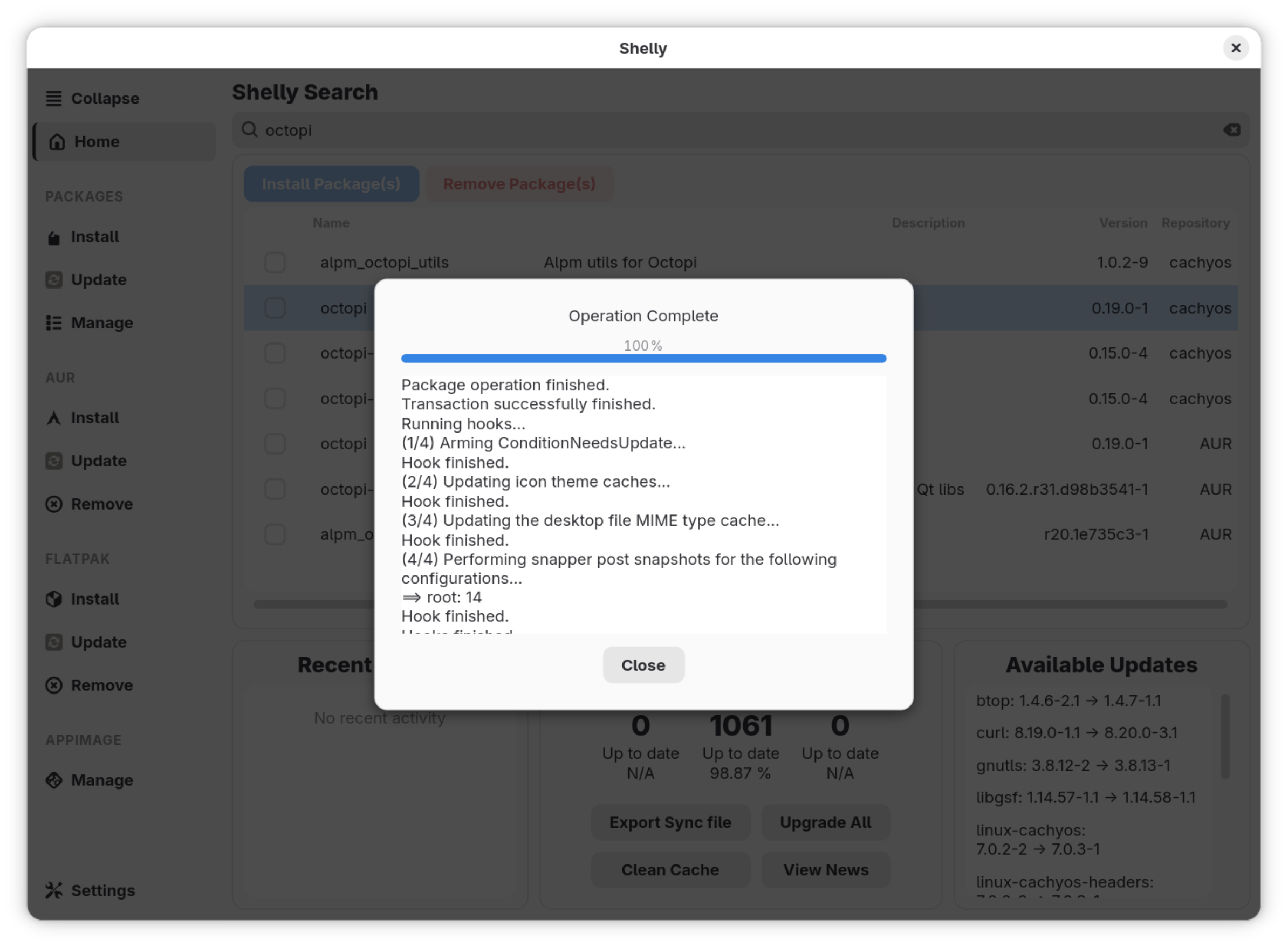
The home page shows recent activity, a package dashboard which displays the number of packages installed through AUR and Flatpak, and the absolute total number of packages on the system. It also shows the percentage of packages which are totally updated, with the available updates on the right side.
There's a search bar on top which will search through the distribution's repositories, AUR and Flathub all at the same time. If a package is available from multiple sources, Shelly lists them in order of preference, first the distribution's repositories, then AUR and finally Flathub.
All the different possible sources are tabbed on the left of the window, which means you can manage the packages from all different sources separately and seamlessly.
🚧
On CachyOS with GNOME even when the system is on dark mode, the app doesn't seem to be. There's no internal option to change it, either. This is what I noticed in my testing.
Settings
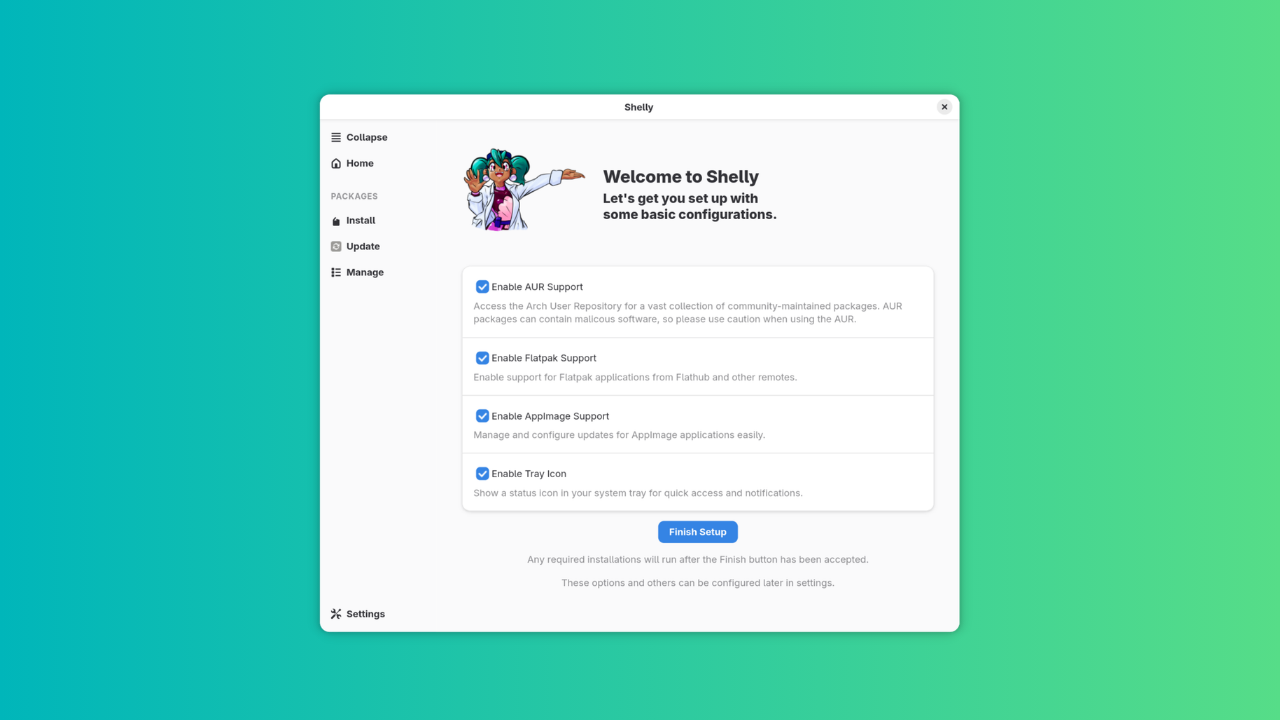
The settings keep things to a minimal. There are toggle switches for AUR, Flatpak and AppImage management, as well as for the tray icon. These settings are confirmed on the first start of the application.
You can move around the left menu to the top, again with a toggle switch. In the advanced settings, you can enable the "No Confirm" button to slide through the confirmation for the installation, uninstallation or updating of any package. You can also limit the number of parallel downloads, with the default being 10. There's an interesting option called "Purify Packages" which gets rid of any corrupt packages on the system.
How well does it work?
In most aspects, Shelly works really well. Package management from the distribution's repositories, AUR and Flathub are virtually error-free. Search works really, and so does the installation and uninstallation.
AppImage is a little patchy, though. I tried to install balenaEtcher's AppImage and Raspberry Pi's Imager, the former was not installed and embedded into the system menu, but the latter was.
How does it compare to Pamac and Octopi?
With the first look itself, the interface, Shelly looks like it is several steps ahead from both Pamac and Octopi. It looks like it belongs on a modern system, is sleek and intuitively accessible unlike the other two.
As for the functionality, Pamac and Octopi work reliably well at what they do. Shelly works fairly well, too, while providing more options at the same time, with some aspects being a little troubling, perhaps.
Final Thoughts
The change to Shelly as the default package manager is very promising, it seems to suit CachyOS much better than Octopi in my opinion. It offers a lot of new, interesting features, and delivers on them fairly well. Let us know what you think about this change in the comments. Cheers!
To Make Things Easier, CachyOS Created a RUST-Based GUI Package Manager
Pocket-sized computer tools are the definition of cool, recruiting many people over to the developer side of things, including your humble writer.
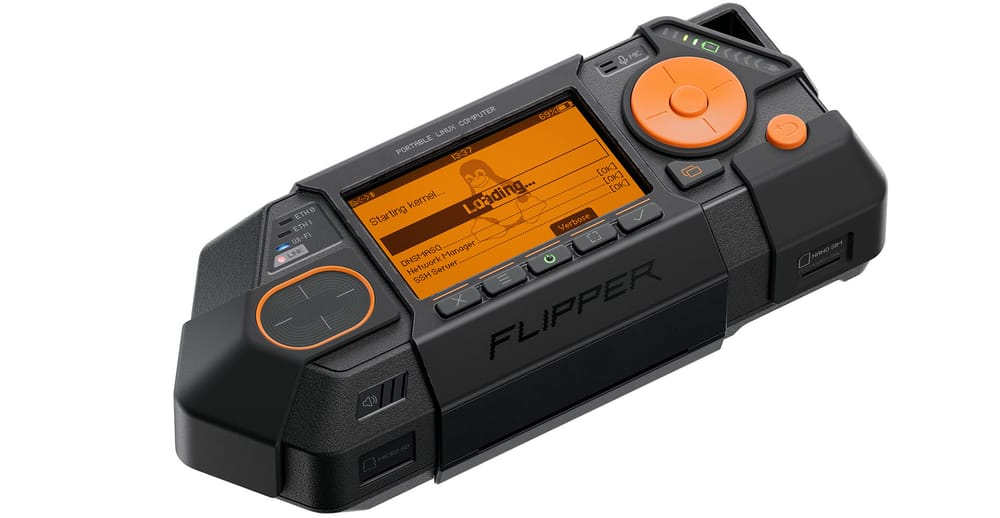
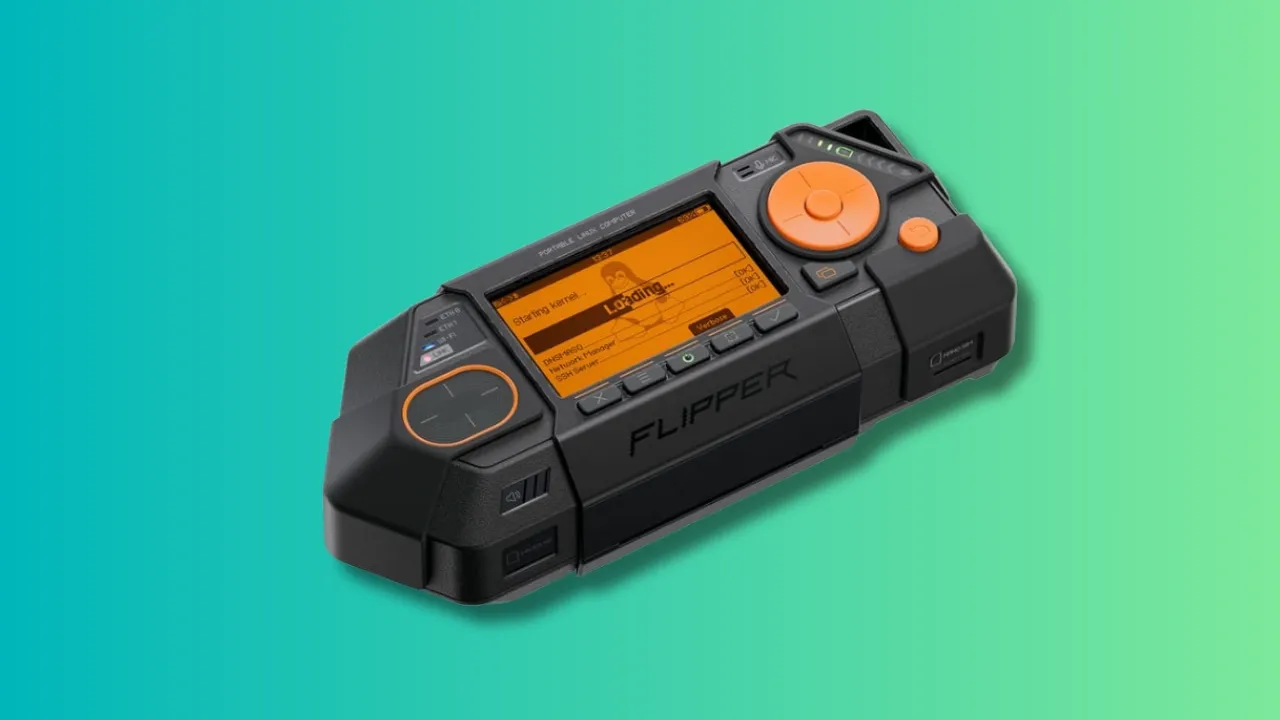
A project like Flipper One, which is intended to be a device that features the full mainline Linux kernel in a small package with a full range of connectivity, not to be used as a full-fledged computer (not all the time, at least) but rather a cyberdeck that can be used for development, experimentation and last but not the least, pentesting, is such a dream come true.
With its radical philosophy of complete openness, both in terms of hardware and software, and the ability to do whatever is possible with the hardware on board, it is a project that would have sent my 14 year-old self into a hyperventilating fit. So what exactly can it do? And how do you fit into the picture? That's exactly what we will tell you today.
Flipper One at a glance
Flipper One hasn't been released yet, but there are some ambitious features that have been planned for it. While Flipper Zero was more of an offline access tool, with emphasis on NFC, RFID infrared, UART and so on, Flipper One is intended to be a network connected Linux system. So obviously, we start with:
Connectivity
Flipper One self proclaims as a "Swiss Army knife for IP networks across all OSI layers", which include:
5G modem
Wi-Fi 6E
Two Gigabit Ethernet ports
Upto 5 Gbps wired connectivity over USB-C Ethernet
All this results in Flipper One being usable as anything from a multi-hotspot bridge, an inline Ethernet sniffer, a VPN gateway, or a USB Wi-Fi/Ethernet adapter for another device.
Hardware
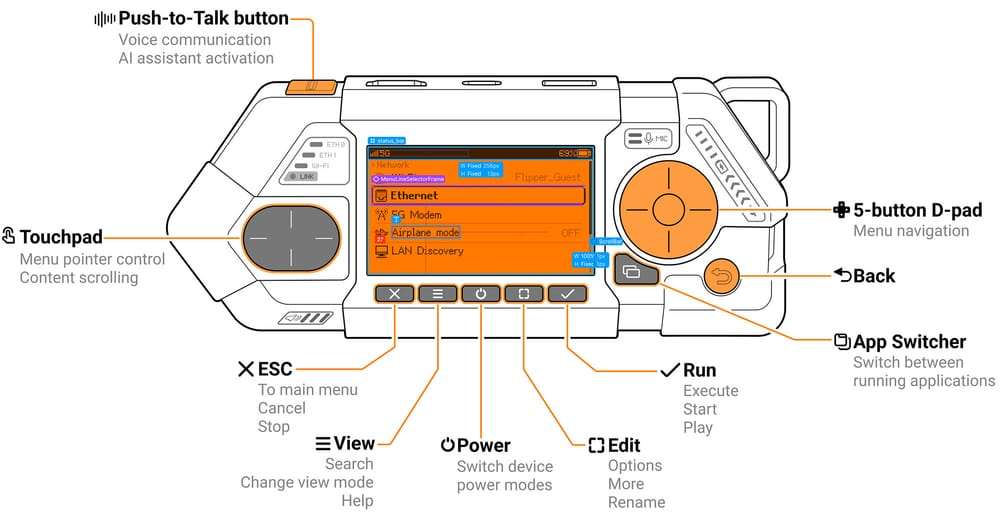
The hardware is a particularly interesting aspect of Flipper One, as it is has a completely custom, unique build. We will describe the technical aspects later, focusing first on the build of the device. It has a small monochrome 256x144px display, designed to show all necessary information from the custom software onboard, a touchpad, a 5-button D-pad, a back button, an app-switching button, and 5 buttons used for further navigation to power, edit, run or escape programs, and to view other options. Oh, there's a push-to-talk button as well for a pre-installed offline AI assistant. Fancy, eh?
As for the ports, it has the following:
Two USB-C, one multipurpose, one only for power
USB-A
HDMI
Two Ethernet
3.5mm audio jack
MicroSD card slot
Nano SIM card slot
M.2 expansion module
Now finally onto the hardware on board:
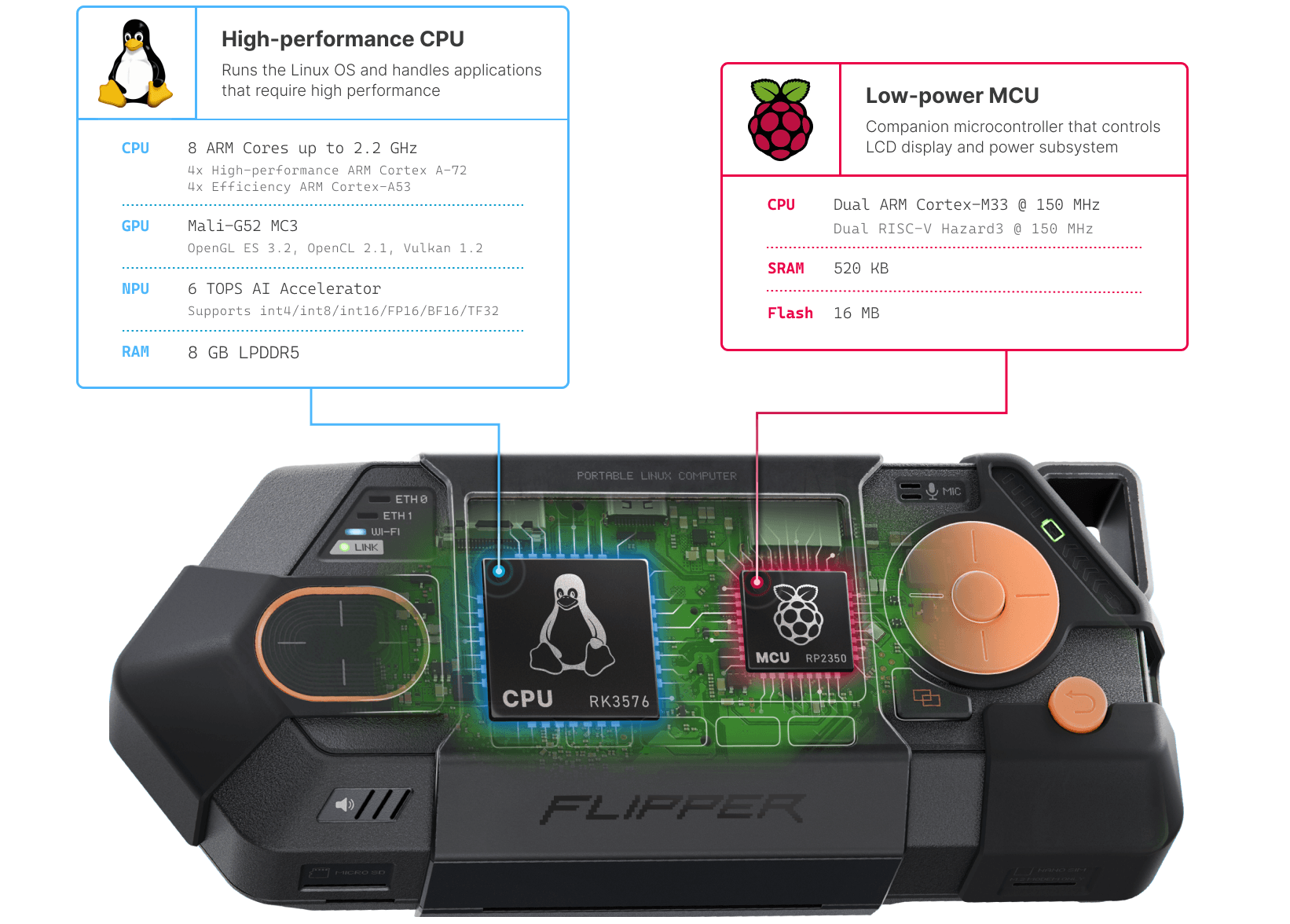
A main Rockchip RK3576 chip
A secondary low-powered Raspberry Pi RP2350B MCU
8 GB RAM
64 GB internal storage
7000 mAh battery (tentatively)
As an ARM based device, the processing is comparable to the power offered by a Raspberry Pi 5, handling basic operations rather well.
Software
Here's where things get really interesting. The Flipper team intends Flipper One to be able to support the mainline Linux kernel, and has gone to the massive undertaking of having absolutely no proprietary binary blobs in any of their software. This includes the operating systems as well as the firmware. They're building FlipperOS, a layer on top of Debian, which you can do anything to.
There's also FlipperCTL, which has been created as a response to full-fledged Linux operating systems being awkward and uncomfortable on small screens. It is, therefore, a UI designed for a screen as small as that, controlled by a D-pad and a few buttons. The idea then, is to wrap utilities like ping, nmap and traceroute into this FlipperCTL interface.
Abilities
Apart from the use cases already mentioned, like as a pentesting tool or a networking agent, it can also be used as a survival desktop or a thin client, using the USB-C port to connect to a monitor. The exact details of the OS haven't been decided yet, but something slick like KDE Plasma with something resourceful like Kali Linux to suit all pentesting needs is the way Flipper is planning to go. It is also being planned as a hacker's TV media box, to be used as a media platform using Kodi or something similar. This would turn any HDMI input taking monitor into your personal media box, a luxury that is quite underrated in situations like a strange hotel room.
Not to forget, the presence of both a CPU and an MCU is by design, as the intention is to have the device functioning at low power, with the LCD and buttons, even without the main CPU running. Even when Linux is off, the device can run simple programs off of the MCU.
So what can you do?
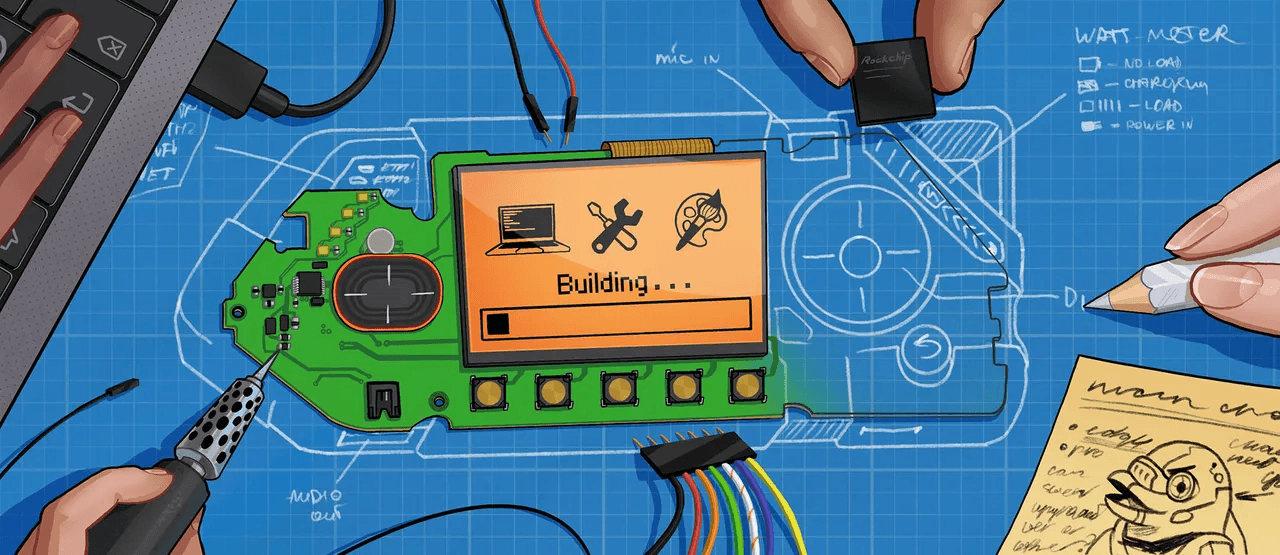
But where do you come in? Well, the entire device is still under development and needs contributions from anyone who can provide it to be completed. Flipper has made a Developer Portal for Flipper One, where the entire development process is to be made open. That means half-baked task tracking, documentation, internal discussions, debates and everything.
You don't need to be a software developer, strictly, you could be a designer, just work on documentation, 3D models, so on and so forth. So, what all can you contribute to?
Hardware: PCBs, antennae, chips, processors, connectors and everything in between (literally).
Mechanics: Designing, enclosure, plastic/metal parts, mounting parts and so on.
Linux: Firmware for the RP2350 microcontroller, relating to practically every component that the software will interact with.
Interface: UI/UX design, visuals and graphics.
Docs: Documentation, wikis, guides, progress made on the portal itself.
Testing: This one you can find out for yourself.
Conclusion
Flipper's team has taken up a humongous task, trying to make this entire project totally open, the hardware design plans, the software blobs barring no small proprietary bits, and has shown courage admitting the need for help finishing the project. The Developer Portal is a great approach, inviting all the people from across the globe to contribute in any way that they possibly can. And with a beautiful passion project such as this? I'm expecting they absolutely will want to. I urge the readers to do that as well, if you have some skill and time to contribute.
This kind of project instills hope in user-level innovation after long bouts of polished, corporate products and we're all here for it. Let us know what you think of the device in the comments. Cheers!
Every once in a while, a project comes that is very adamantly heavy on its principles and it is always a breath of fresh air in a world where corporate greed forms the basis of all the services we use.
This time it is for a service that is extremely basic and essential, e-mail.
I am not saying that they are not good but there is always scope for improvement and new features. And Melia does just that. It brings some additional features, a privacy enthusiast will appreciate.
✋
Non-FOSS Warning! Melia might be awesome but unfortunately it is not an open source software. We covered it here because it is available for Linux.
What Makes Melia Different?
Let's see what makes Melia so special.
Local and offline
All e-mails on the application are stored locally in a SQLite database, which means you don't have to run around with your internet connection, waiting for your data to sync. Even the credentials are stored in the OS keyring (where your OS account passwords are stored), which makes it as safe as it gets from online cyber attacks.
Supports 32+ services
There are 32 pre-programmed presets for most of the common e-mail providers such as Gmail, Outlook, Yahoo, Protonmail, iCould and so on. You need to ensure the allowance of an SMTP connection from the plan that you have on your particular service, however.
Contact management
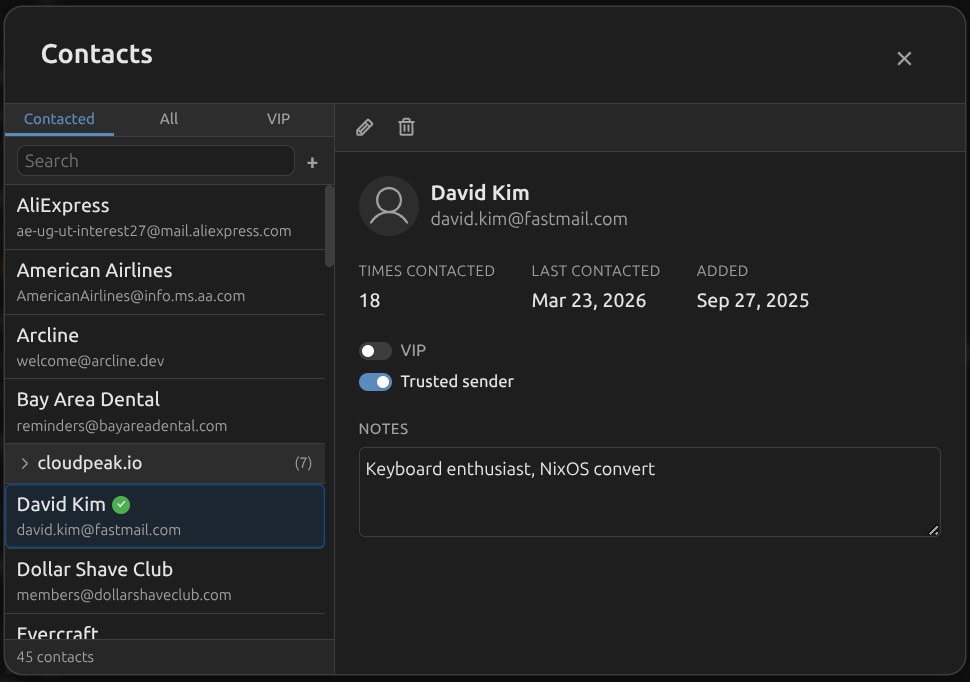
If you are particular about managing the contacts, Melia builds the address book automatically from sent and received emails. You can edit it and organize it as you want. It also helps with instant autocomplete when composing a mail. You also get stats on each contact.
Rules for a more organized inbox
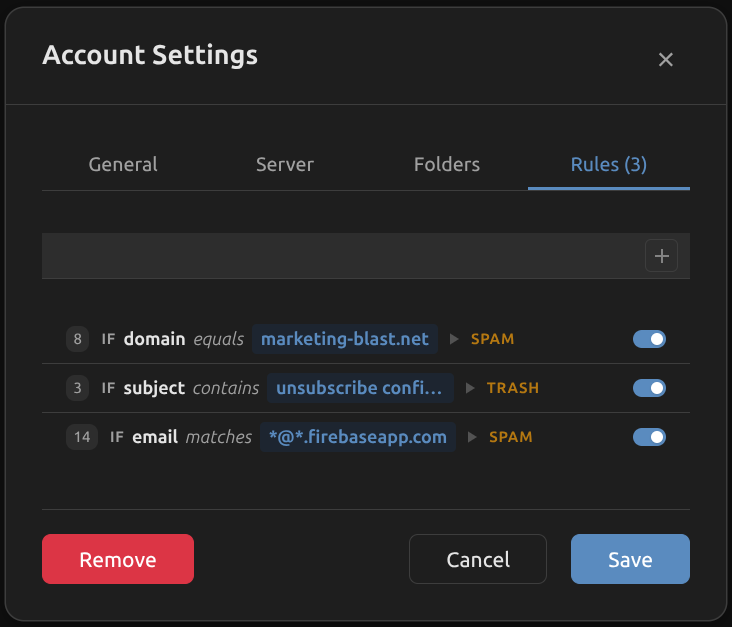
Get statements from your bank, boring but good to keep for the future? Create a rule and send it automatically to a folder. Your inbox remains clean, and the emails are preserved.
There are many more ways to use the rules and organize the inbox on Melia.
💡
There are also Tidy and Trim features that help you consolidates duplicate IMAP folders and delete old messages in bulk (with your manual approval, of course).
Proper HTML email rendering
HTML-based emails are everywhere, and they need to be displayed the same way they are intended to. Melia uses Shadow DOM isolation, intelligent dark mode transformation, and post-render quality audits to display your favorite newsletters, like FOSS Weekly, beautifully.
Search across accounts
🚧
Melia is free for one email account. If you want to use more than one email account, you can purchase a perpetual license for a one-time fee of $10. Melia developer, Joshua Richard, says that this will help him with the development of the software.
There's a unified full-text search that can find anything across all the accounts that you've added to the client at blazing fast speeds (especially considering all the e-mails are available offline).
Privacy and Security Take Center Stage
There are some really great security features, solving some issues, which I admit didn't even know were issues. The entire focus is on security with verifiable zero telemetry, and privacy instead of analytics, such as:
Tracking pixels neutralized
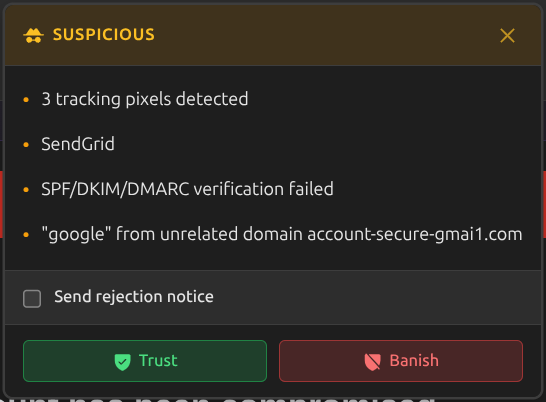
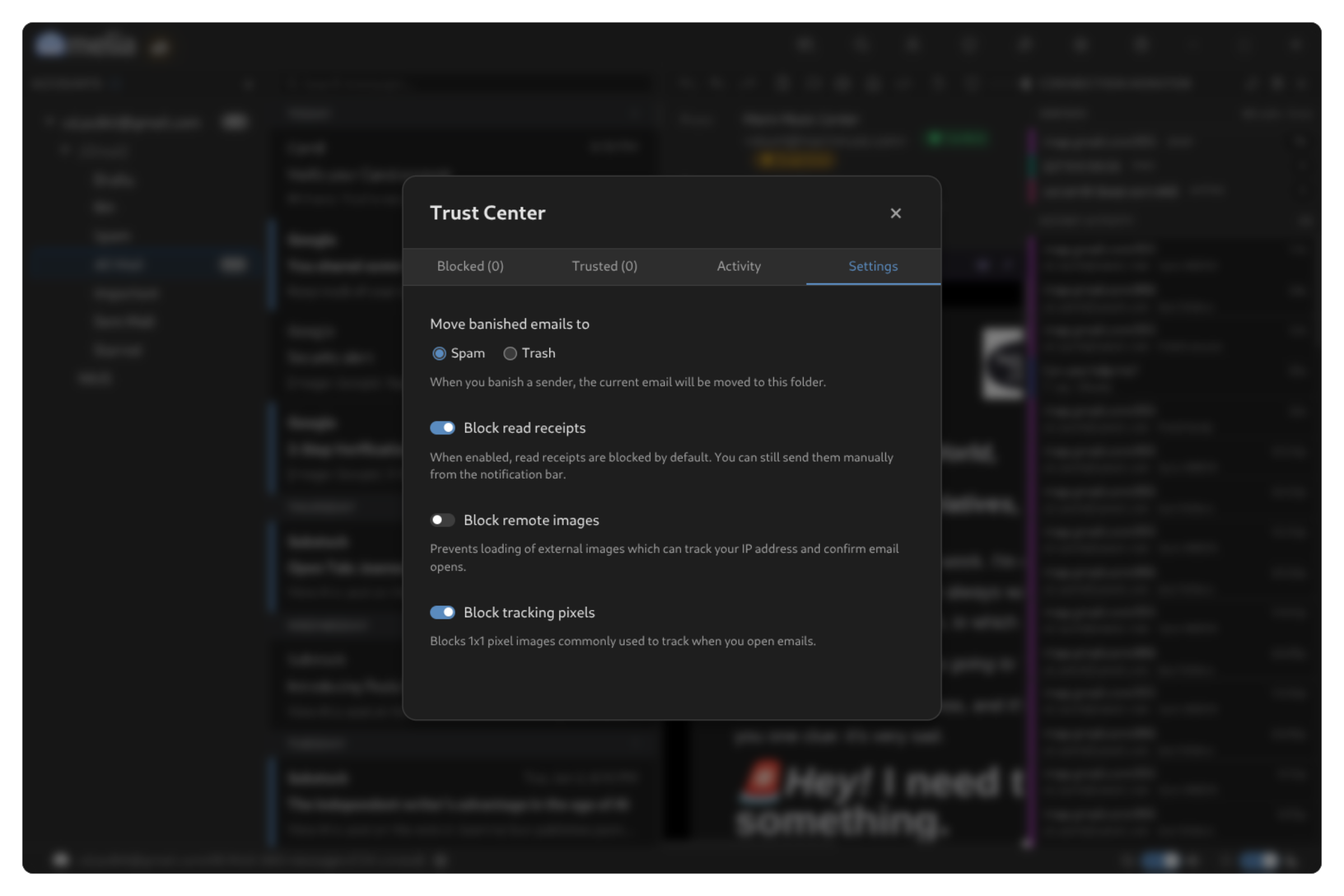
Some services use tracking pixels to mark e-mails as read back to the sender. The tracking pixels are thus neutralized on Melia, preventing a great deal of invasive telemetry.
Automatic suspicious sender flagging
The senders whose names don't match with the ones assigned to the address are automatically flagged, preventing a lot of scam/spam e-mails that one might receive.
Message authentication
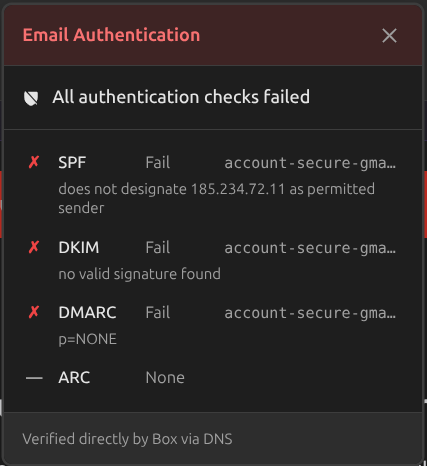
All e-mails received are authenticated against SPF, DKIM, and DMARC to ensure nothing falls through the cracks.
One-click unsubscribe
The worst part of being spammed by a service is getting unrequited e-mails all day annoyingly. Good news is that you an unsubscribe them with just one click, making the whole process much easier.
There are still more minor features, all of which you can check out here.
Transparency You Don’t Usually Get in Email Clients
Apart from the privacy features, Melia prides itself on the transparency it provides to the users. What contributes to that? I'm glad you asked:
Trust center
There's an inbuilt Trust Center, which allows users to block or restrict the activities of the senders, giving you the option to block out e-mail addresses or entire domains, with a full activity log and statistics of all changes made to block or trust any sender.
Connection monitor
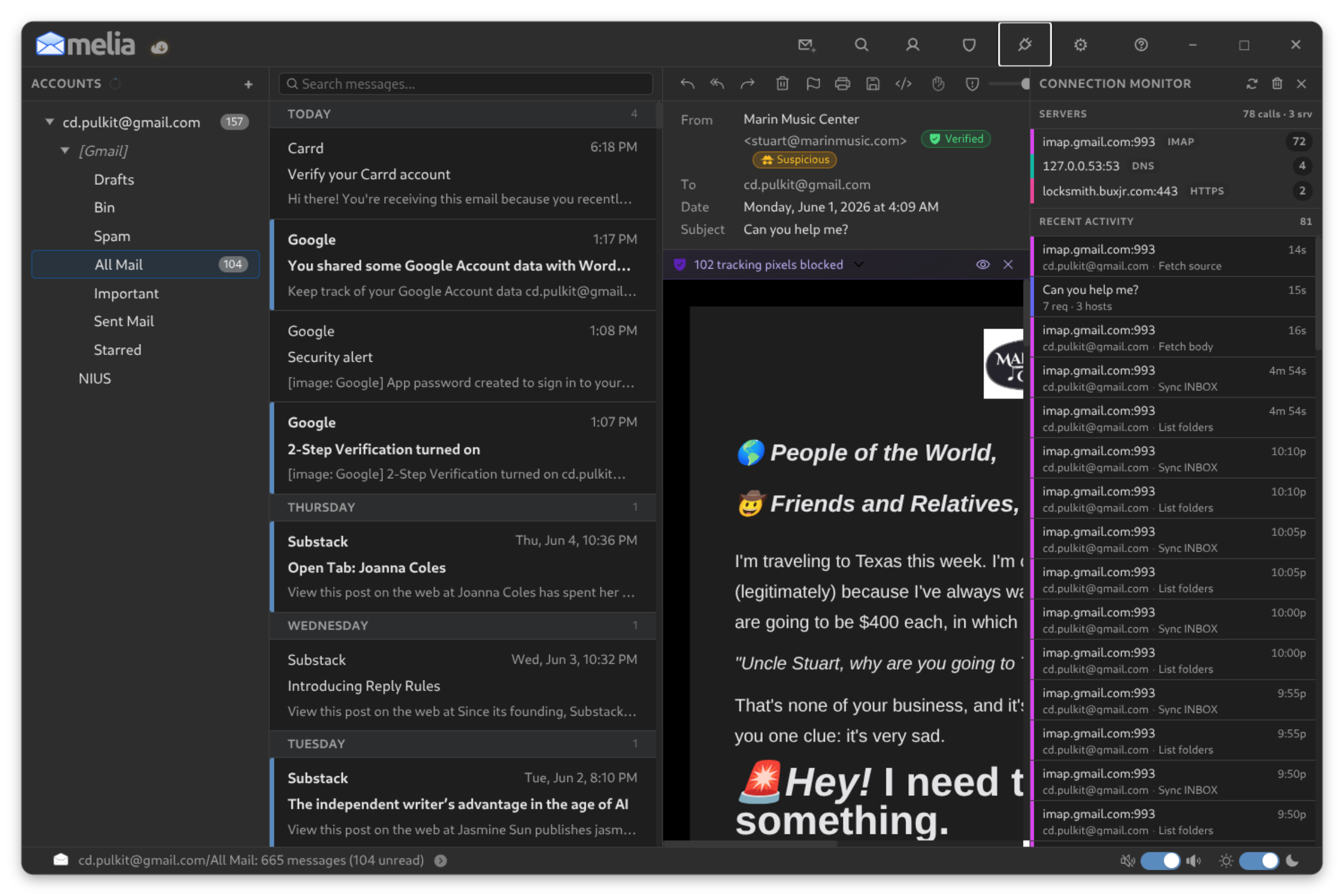
The Connection Monitor feature that shows exactly what server the information is coming from or going to in real time, making it as clear as possible that Melia only talks to the servers.
A Simple, Familiar Interface
Melia is built on Electron, which means the interface will translate consistently to any distribution you might want to use. Some will scoff at Electron but it does provide a rather beautiful graphical interface, in my opinion.
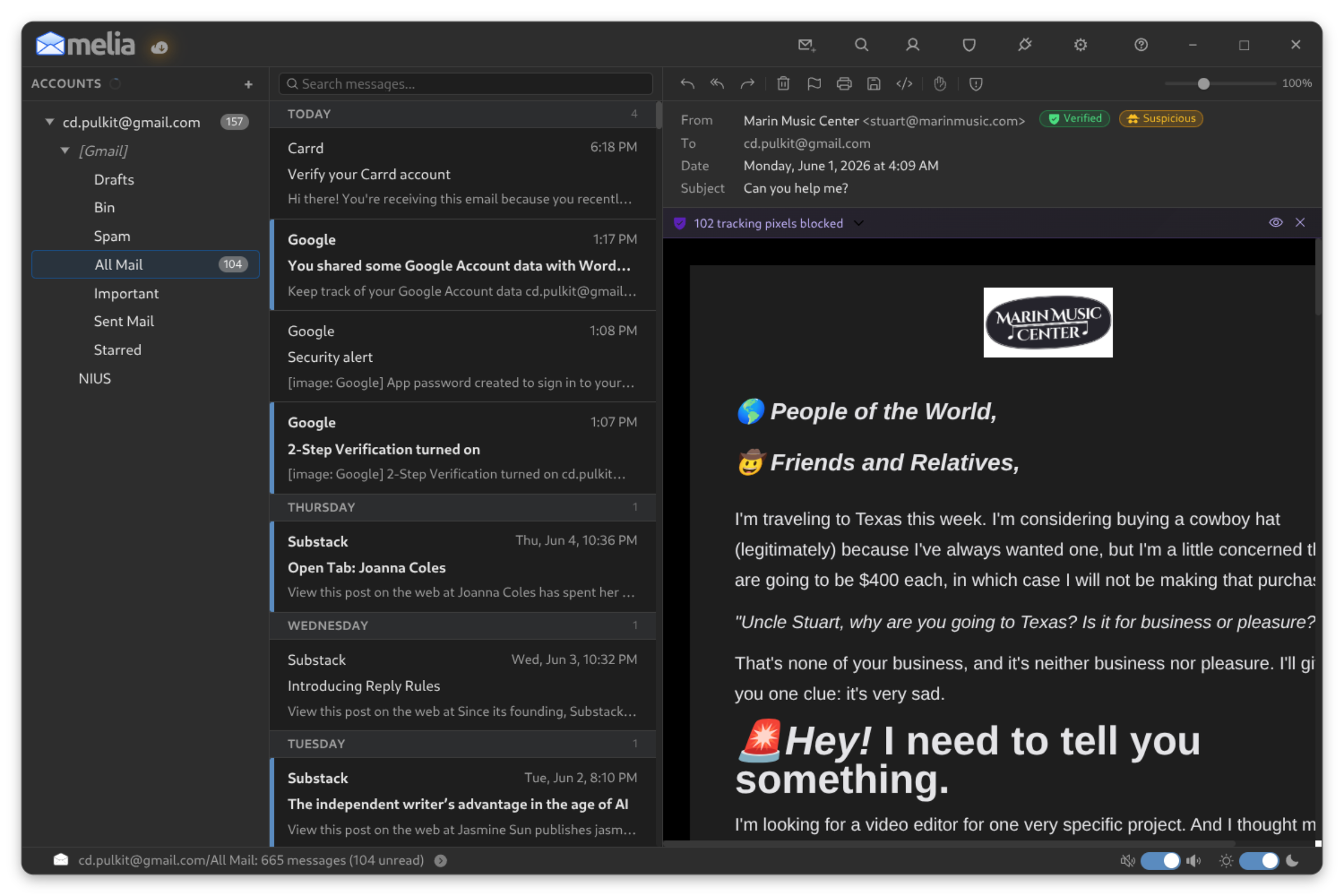
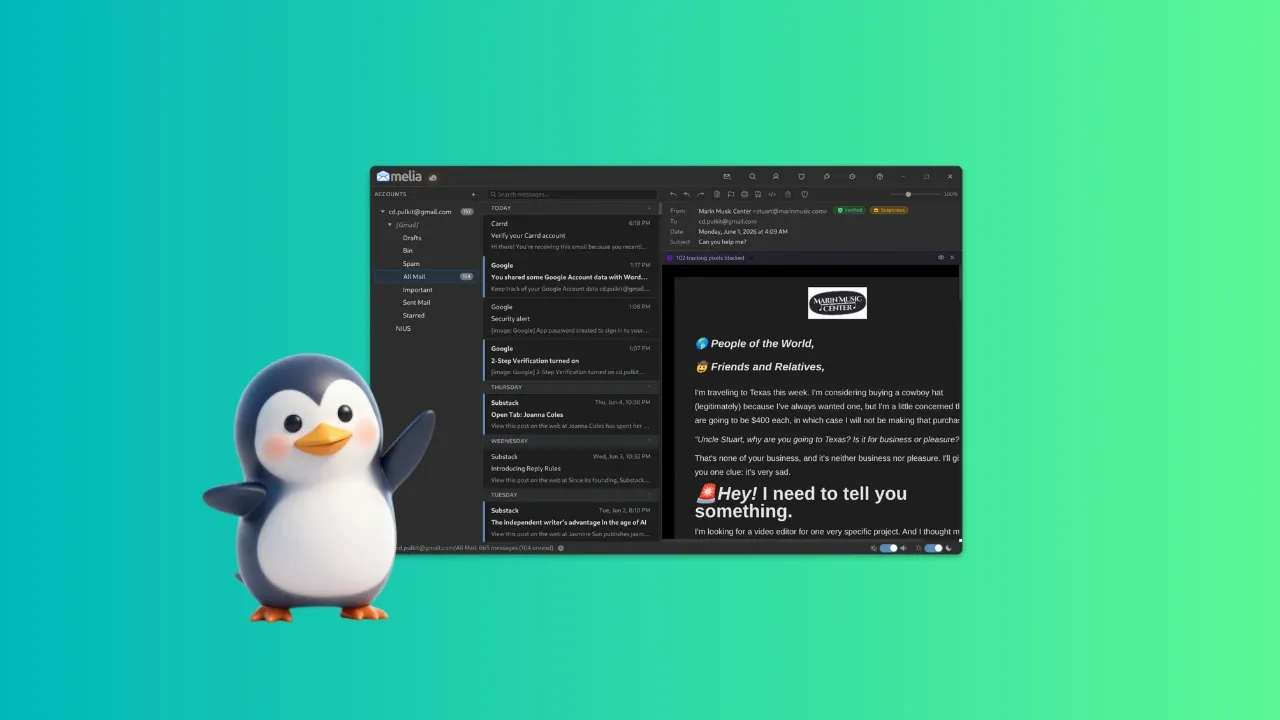
The interface itself is slick and simple. There are 2 vertical panels: account list and categories, list of e-mails on the selected category, and the e-mail itself. There's a possible fourth panel if you open the Connection Monitor.
It comes with two inbuilt themes, dark and light, and both are easy on the eyes. Theme can be switched manually or automatically based on your system theme. There are several buttons on top to easily access some of the features, like creating a new e-mail, search, contacts, Connection Monitor, Trust Center and settings. Speaking of which, the settings provide some very simple options, such as:
Theme, and list density
Import/export options
Font settings
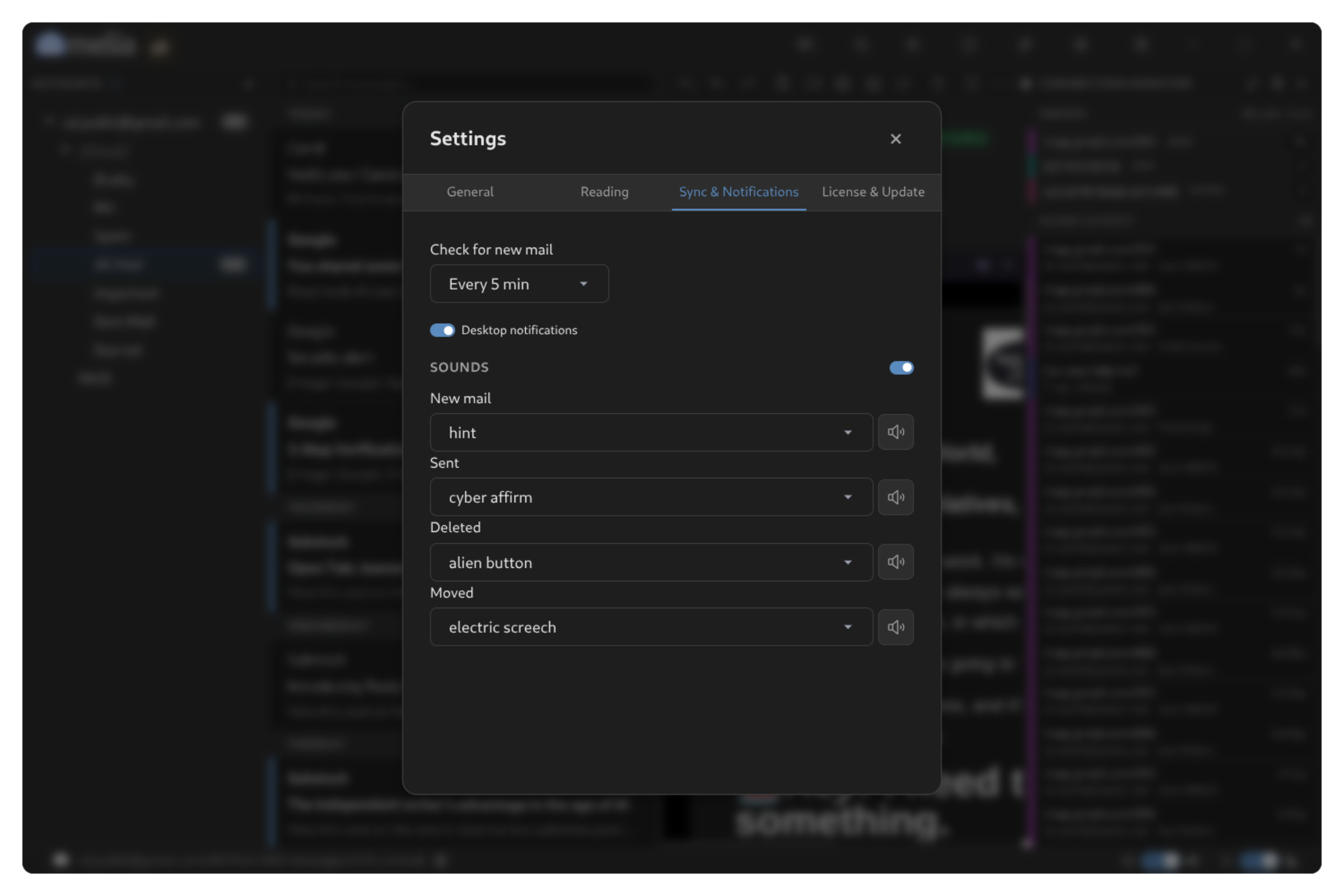
Sync settings (default being every 5 minutes)
Sound notification settings (you can set a custom one for new mails, opening the app, deletion, etc.)
Licensing and updates
There's an easy to access sync button right on top of the accounts list on the left panel. There are also two toggle switches on the bottom panel, for sound and theme.
My Experience Setting Up Melia
Initially, I ran into some issues setting up Melia.
Two of my accounts, Google and Protonmail, were being difficult to set up. Then I realized the errors I was making.
First, that Gmail requires 2-step-authentication for it to be set up on Melia, so after doing that, there wasn't an issue.
As for Protonmail, however, using it on an external client isn't a feature available on the free tier, which made it not possible for me to sync up.
So just make sure you read the instructions when setting up accounts; they're usually pretty clear and tell you exactly what to do.
Installing Melia on Linux
Since Melia claims to be an e-mail client for Linux, it offers several choices of packages. So, you have Deb package, AppImage, Snap and Flatpak. You won't find it in the distribution's repository because the software is not open source.
While Debian and Ubuntu users have the deb package option, rest of the distros can choose among AppImage, Flatpak and Snap.
Melia makes several claims and backs all of them up well. It is secure, transparent, easy on the eyes, and very simple to use. The functions all work very stably, primarily including writing and reading e-mails.
It is definitely worth a shot if you want to give it a trial shot with just one account, and then you can decide for yourself if it is worth the $10 to add your other accounts as well.