GNOME 51, due out in September, could include a redesigned search experience. Presently, when you trigger a search from the GNOME Shell overview, a dedicated search results screen replaces the one you were looking at, either the workspaces or app picker. But a change targeted for GNOME Shell in v51 plans to change that. Modern GNOME Shell is designed around a ‘semantic’ model, where elements visibly enter and exit from a specific place (with animations providing cues) so you know how one screen relates to the next. Under this model, search results would appear in an overlay that ‘spawns out […]
Ubuntu 26.04 LTS’s minimal cloud images have been missing curl – accidentally, it turns out, so Canonical has put it back. Curl is a commonly-used command-line tool for fetching files from remote servers. It’s called on in countless install scripts, CI pipelines and one-liners you’ve no doubt pasted into your terminal without thinking twice about. But the package has been missing from the server-cloud-minimal images of 26.04 to date. That caught those running pared-back cloud installs unawares, breaking expected workflows, has it had been available in previous versions. The manual fix is to install curl from the repos which, in […]
Every two years, Canonical puts out a Long Term Support release that gets five years of security updates, which can be stretched further with Ubuntu Pro. In between those LTS releases, Canonical ships an interim version every six months, and each one is supported for nine months.
Those releases don't carry the same importance as an LTS, but that's the point. They give Canonical room to test newer kernels, toolchains, and design changes with a smaller user base before those changes get baked into the next LTS.
The next one, Ubuntu 26.10, carries the codename "Stonking Stingray", continuing the tradition of ordered alphabetical codenames after Resolute Raccoon (26.04).
Stonking is British slang for something impressively big or excellent, and a stingray is the flat-bodied, boneless fish that spends most of its time half-buried in sand near the seafloor (which is quite understandable seeing the state of this world).
If things go as planned, it will land on October 15, 2026, with a short support window that will close in July 2027.
⏱️Ubuntu 26.10 Release Schedule
Below is the release schedule as laid out by Canonical; do keep in mind that some of these dates might change if there are any regressions or other developmental hurdles.
Milestone
Date
Ubuntu Testing Week (optional)
July 2, 2026
Feature Freeze
August 20, 2026
Ubuntu Testing Week (optional)
August 27, 2026
Beta Release
September 24, 2026
Kernel Freeze
October 1, 2026
Release Candidate
October 8, 2026
Final Release
October 15, 2026
Know that this is kind of a live blog where we will be adding new changes and handling any anticipated features as they appear. So, yeah, let's see what's coming with Ubuntu 26.10. 👇
Something for New Installations
The typical installation and onboarding experience of Ubuntu.
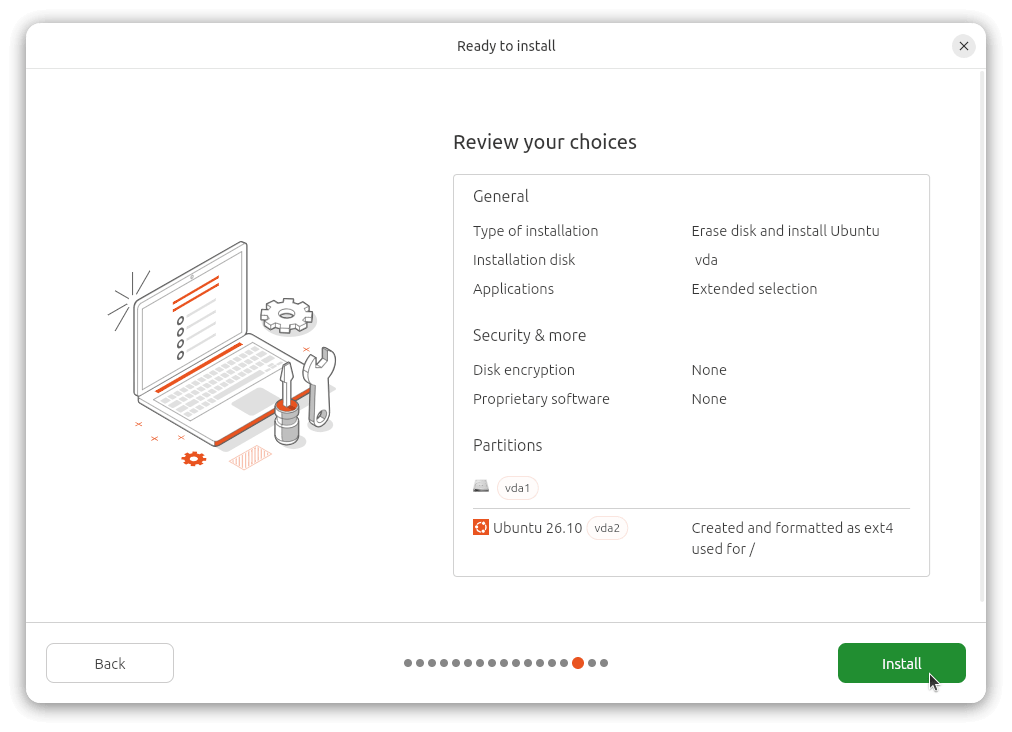
Canonical is redesigning how Ubuntu gets installed, with a sharper focus on cutting down the complexity around partitioning and storage configuration. The new design is set to lean on safe defaults, guided workflows, and will be hiding advanced options behind a button (presumably) instead of throwing everything at you at once.
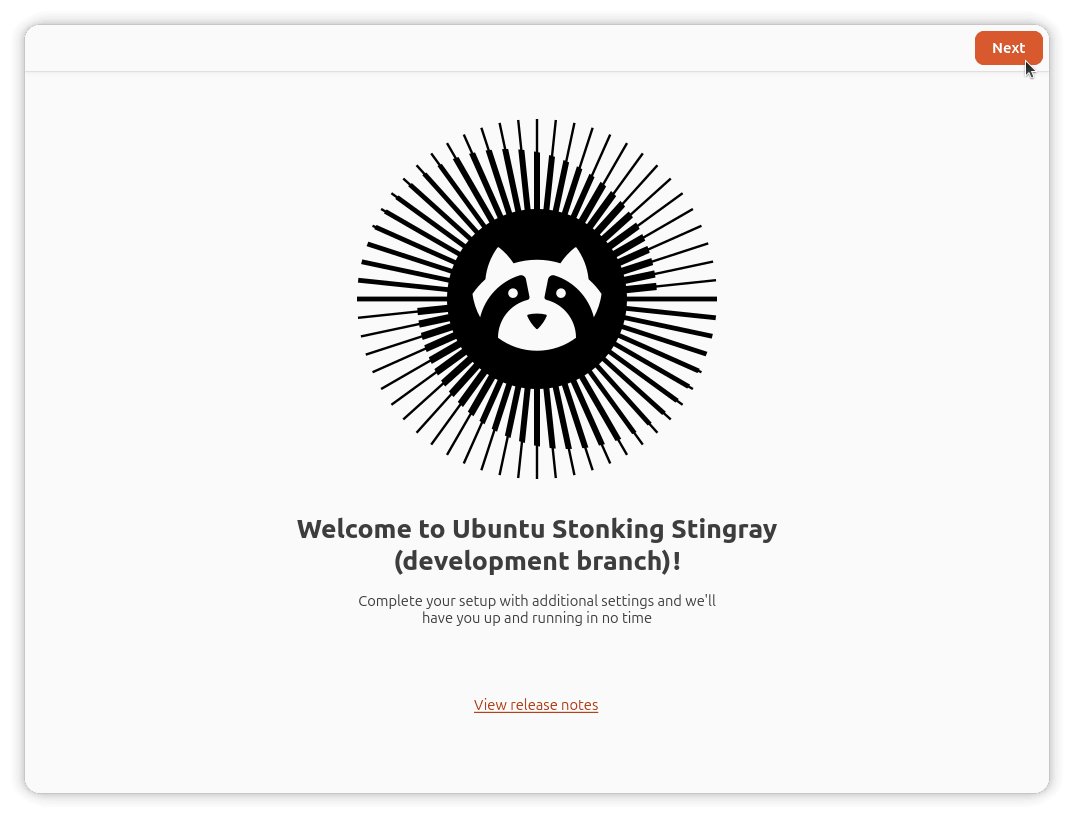
Alongside the installer, a new onboarding flow is in the works too. Instead of asking you to make every decision during setup, Ubuntu will move personalization and configuration into a dedicated first-boot experience after the system is already up and running.
Organizations deploying Ubuntu at scale will still be able to automate and configure these onboarding steps, just like they can with the current installer (pictured above).
Worth noting that both of these are explicitly aimed at Ubuntu 28.04 LTS. The design work is happening during the 26.10 cycle, but don't expect the finished experience to show up fully baked in this release.
Linux Kernel 7.x
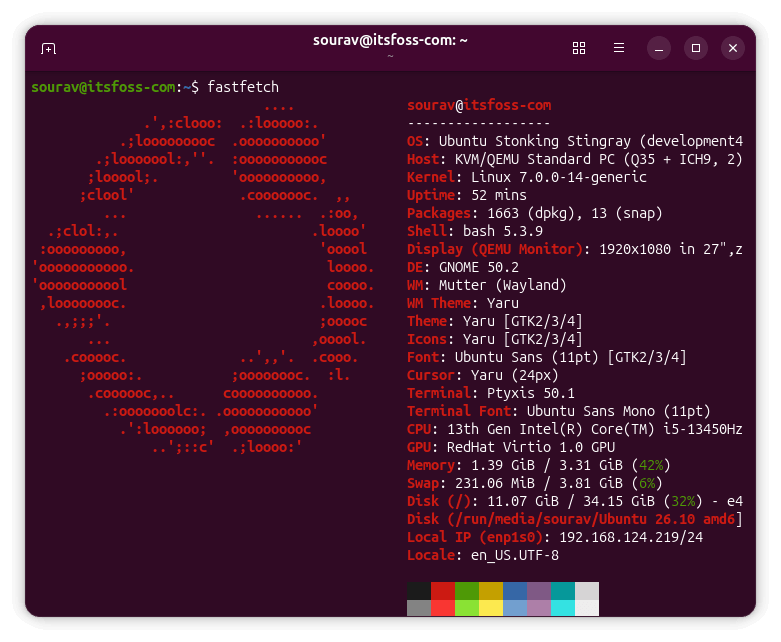
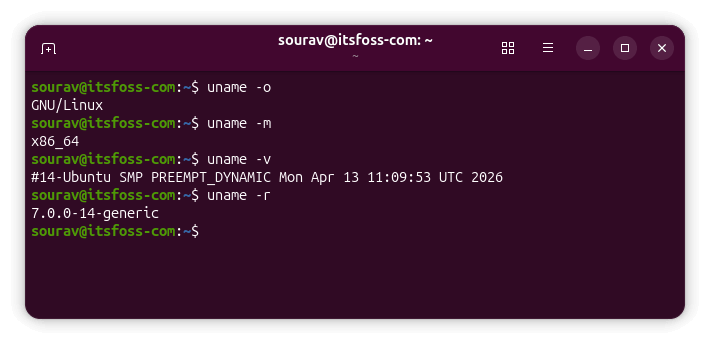
The Snapshot 2 build of Ubuntu 26.10 that I tested came with Linux kernel 7.0.0-14, but treat that as a temporary implementation rather than a final answer. Canonical changed its kernel selection policy back in 2024, opting to ship whatever upstream kernel version is the latest available at release freeze, even if it's still in Release Candidate status.
That policy got extended further in 2025 to also track interim kernel versions during the development cycle itself through monthly snapshots, for better test coverage along the way.
That means the kernel version could easily shift between now and October. We have already covered what Linux kernel 7.0 itself brought to the table, so if you want the full rundown, that's a good place to start.
A Major D-Bus Change
Ubuntu is finally swapping out dbus-daemon, the default D-Bus implementation it's used since its very first release back in 2004, in favor of dbus-broker.
If you didn't know, D-Bus is the messaging system your desktop relies on constantly, letting apps, background services, and the system itself pass messages back and forth. Anything from plugging in a USB drive to updating a notification badge runs through it.
Dbus-daemon has held up fine as the reference implementation for over two decades, but it has limits. Under heavy load, messages can vanish unexpectedly, and it queries message targets sequentially instead of all at once, which adds up to latency as the bus gets busier.
Dbus-broker addresses both by design, built around an asynchronous, event-driven architecture from the ground up, and it's already the default on several other distros.
GNOME 51
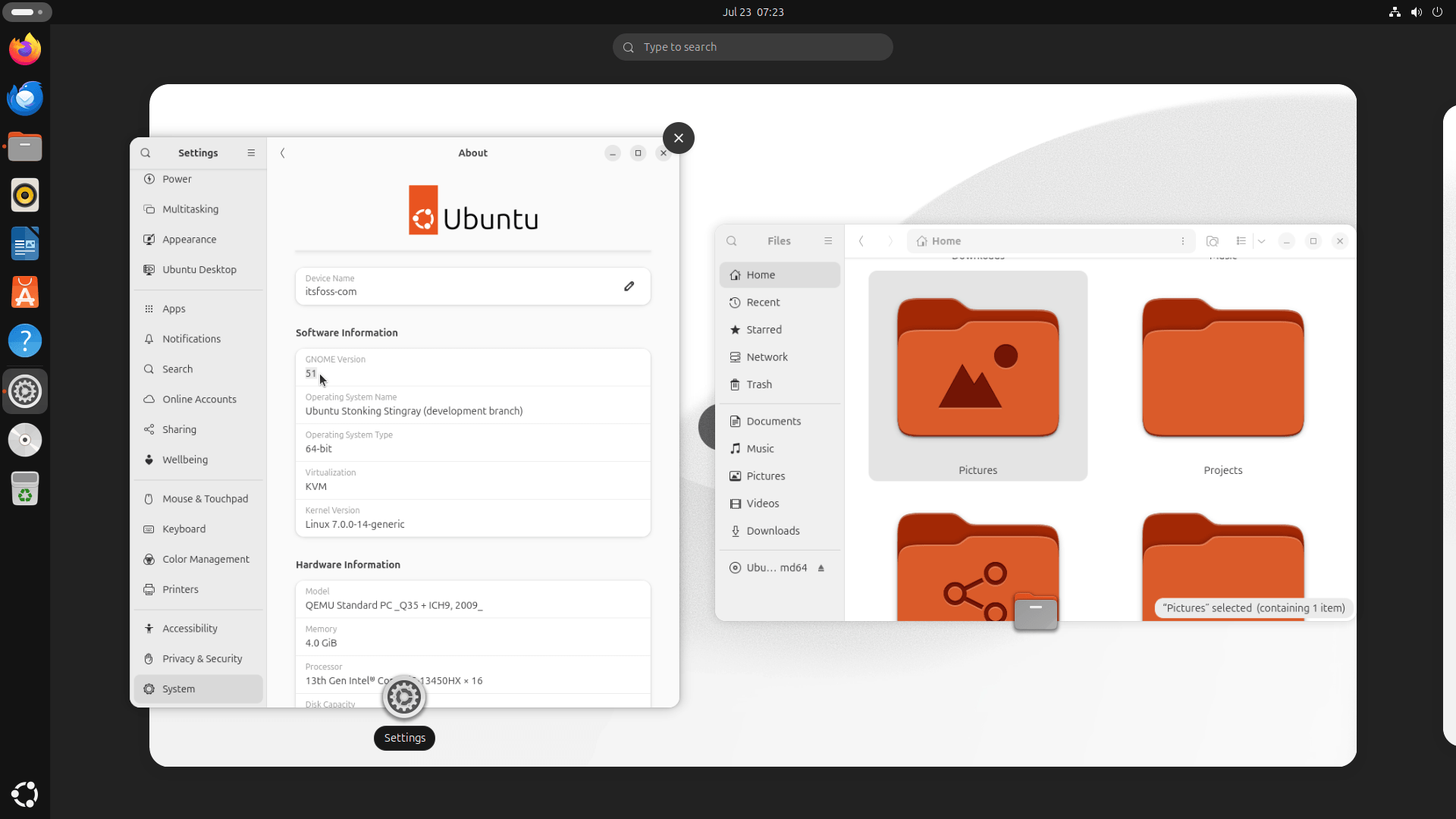
Ubuntu 26.10 is shipping with GNOME 51, the upcoming stable release from the GNOME project that's scheduled to be out sometime in mid-September. We start with the Shell changes first, which has picked up many fixes that you will actually notice during daily use.
Screenshot selections now stretch cleanly to monitor edges instead of stopping short, the power-off dialog properly shows its "Install Updates" checkbox again, and the overview search box stops resetting its loading spinner every time you type a character.
It also swaps in custom sound effects instead of pulling from the system sound theme, saves and restores your monitor brightness across sessions, and only lights up the audio input icon in the top bar while your mic is actually recording.
The rest of the desktop environment picks up smaller but still visible changes.
The Settings app drops the "Windowing System" (Wayland ftw, I guess?) field from the About page and condenses system details into a single page. Similarly, Software now warns you before installing an app that's already reached end-of-life, and Calendar got its internals rebuilt around GListModel for better performance and has picked up support for opening Teams meeting links directly.
Mutter, GNOME's window manager, is dropping support for legacy NVIDIA drivers.
AI is Coming
If you remember, Canonical shared their plans to handle AI on Ubuntu back in April, when Jon Seager split things into two approaches. Implicit AI improves things you already use without you noticing, and explicit AI is the kind you'd actually summon on purpose.
The short version of it all was that everything would be local-first and built around open-weight models rather than forcing a cloud subscription onto users.
One of the earliest features under this new initiative is Myna, a local speech-to-text tool built around a simple push-to-talk flow. Hold a hotkey, speak, and the transcribed text lands wherever your cursor was sitting.
Recognition happens entirely on your machine through a sandboxed component called the Canonical Inference Snap, with different model sizes to match whatever hardware you're running.
Ubuntu Certified Check
If you ever wondered whether your device was officially supported by Ubuntu, then you will like this one. The Settings menu is getting a simple way to check whether your machine is Ubuntu Certified.
Once live, it will show up inside the About page, where it will pull a certification status for your exact hardware model, checked against Canonical's own database.
Results range fromfully certified to certified for a different Ubuntu version, close to a certified model, not certified, or unable to check.
Package-Agnostic Approach
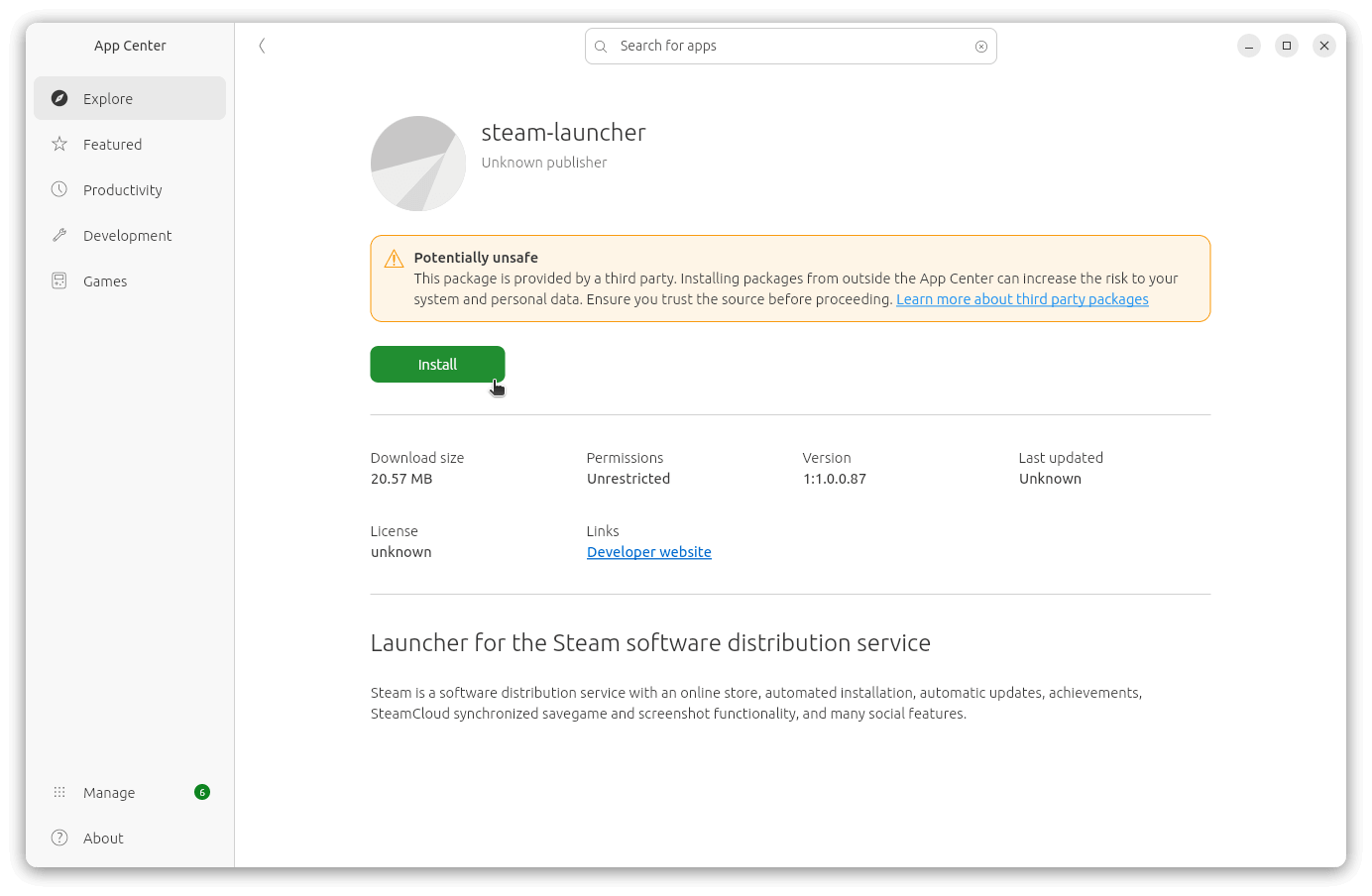
The App Center is getting rebuilt to handle apps consistently no matter which packaging format they come in, with unified search, ratings, categories, and metadata.
Earlier, when Canonical rebuilt Ubuntu's software center into App Center for 23.10, it launched without the ability to install local DEB files at all. Double-clicking one either threw an error or left you staring at a spinner that never resolved.
That got fixed with an update to Ubuntu 24.04's App Center months later.
Continued Rustification
Canonical is putting more weight behind memory-safe Rust rewrites, recently becoming a Gold Sponsor of the Trifecta Tech Foundation with a €40,000 yearly contribution.
Ubuntu's already swapped coreutils, findutils, diffutils, and sudo for their Rust equivalents, with sudo-rs becoming the default in 25.10. Ntpd-rs is next in line, a Rust rewrite of the tools Ubuntu uses to keep system clocks synced.
The Trifecta funding is going toward catching ntpd-rs up to chrony on features like multi-threaded NTP servers and GPSd support, alongside AppArmor and seccomp hardening.
Although ntpd-rs is arriving in the testing archives for 26.10, it becoming the default is planned for next year, when Ubuntu 27.04 is introduced.
Miscellaneous Additions
And here are a bunch of smaller but important changes that deserve your attention now that you have scrolled so far. ☠️
Continued push toward WCAG 2.2 AA accessibility compliance.
New wallpapers, chosen through the usual community wallpaper contest, though Canonical hasn't announced it yet.
The full desktop experience for RISC-V, targeting RVA23-compliant hardware.
Better driver management controls, with clearer metadata and maturity indicators for available drivers.
Microsoft password and MFA authentication support through authd, with approval requests routed through Microsoft Authenticator.
An experimental amd64v3 (x86-64-v3) package archive for testing performance gains on newer Intel and AMD CPUs.
A proposed change to strip signed GRUB builds down to bare essentials for Secure Boot, dropping support for filesystems like Btrfs and ZFS in the process.
📥 Download Ubuntu 26.10
While the stable ISOs for this interim Ubuntu release are a few months out, you can take the snapshots for test runs on a virtual machine or a spare machine.
We don't recommend installing such images on computers that are used daily or on production-sensitive deployments because these contain components that might break at any time.
Zentral verteilte Software hat Vorteile und im Unternehmen führt oft kein Weg daran vorbei. Canonical stellt dafür den in Ubuntu Pro integrierten Enterprise Store vor.
Wondering if your laptop or desktop PC is Ubuntu Certified? Ubuntu 26.10 is adding a new way to check from the Settings app. A new row in Settings > System > About reads “check if this computer is Ubuntu Certified”. Clicking it opens a new page that will read the local/cached status from the com.ubuntu.hwctl service (the Canonical hardware API introduced in 2025). Ubuntu’s has had a command-line way to check certification for a while, using hwlib. In 26.10 (Stonking Stingray), you’ll be able to check it via Settings rather than through terminal command. The statuses which can be shown: There’s also an […]
Ubuntu maker Canonical announced today the general availability of Enterprise Store as a new way to manage software behind firewalls and in air-gapped environments.
The Desktop Icons NG (aka DING) GNOME Shell extension Ubuntu uses to put icons on your literal desktop, has been busy – it finished its port to GTK4, patched memory leaks and improved a few of its lesser-known features. The GTK4 port landed in v51.0.0, released this month, alongside early support for GNOME 51 (since that’s the GNOME version Ubuntu 26.10 will ship with in October). Prior to that, there were other, smaller in June with fixes for memory leaks and buffs to usability. DING’s GTK4 port – not to be confused with a separate GTK4 fork I covered back in […]
Die Ubuntu-Kernel-Entwickler warnen vor einer Regression beim kommenden Ubuntu-Kernel 7.0.0-28.28, die starke Leistungseinbußen bei KI-Workloads bringen kann.
Ubuntu 26.04 LTS is getting a fix for Nautilus that restores ‘Delete’ as the focused button in the trash confirmation dialog, undoing an accidental swap that made ‘Cancel’ the focused button instead. That ‘unintentional’ focus flip meant you could no longer hit enter to action file deletion for Trash since it instead cancelled it. I’ve lost count of the times I’ve assumed I emptied the trash since upgrading to Ubuntu 26.04 LTS, only to find I hadn’t. My muscle memory has struggled to adapt to needing to explicitly click (or tab to) the delete button. Annoying, but thankfully not intentional. […]
Ubuntu 26.04 LTS is prepping a bug fix update to Papers, the document viewer that replaced Evince in 25.04, resolving several annoyances – including internal PDF links that jumped to the wrong page. The internal link snafu only occurred in some PDFs, not all, and typically took you to a page one off the actual target. Annoying. The fix stops two separate bits of code that both tried to set the zoom level when links jumped to fit-width or fit-page view. A knock-on quirk also saw the alt + p shortcut (which will jump back to the previous page) wouldn’t […]
Ubuntu 26.10 is replacing its D-Bus implementation for the first time since 2004, swapping dbus-daemon for dbus-broker – a change end-users are unlikely to notice. Processes on your desktop talk to each other and to the host system using D-Bus, a ‘message’ bus. This is what the Ubuntu Dock uses to show unread-count badges for apps, what tells your desktop a USB drive has been plugged in, and so on. Two buses are in play. There’s aa system bus, shared across the whole device, handling hardware and background services, and a user session bus to handle desktop and app integrations […]
Support for Ubuntu 25.10 “Questing Quokka” ends 9 July 2026 – which is this week. If you’re still using it, you can upgrade to Ubuntu 26.04 LTS directly to keep receiving updates. Ubuntu 25.10 was released in October 2025. As an ‘interim release’ the desktop edition it receives only 9 months of ongoing updates. Ubuntu’s Long-Term Support versions get 5 years of updates on desktop, plus a further 5 years through an Ubuntu Pro subscription. Nothing dramatic happens when a release goes end of life. Your install keeps working. What stops is the flow of high-impact security updates and critical bug fixes […]
Canonical wants ntpd-rs, a Rust rewrite of NTP (Network Time Protocol), to become Ubuntu’s default time sync client. To help get there, Canonical has become a Gold Sponsor of the Trifecta Tech Foundation, the non-profit behind ntpd-rs, committing €40,000 a year to help fund its memory-safe software projects. The goal is to make the Rust-based version the default time sync client and server in Ubuntu 27.04, and it will be made it available for testing in Ubuntu 26.10, out in October. Eventually, it’ll also replace chrony, linuxptp and gpsd for time-syncing use cases, according to Jon Seager, Ubuntu VP of Engineering at Canonical. Your Ubuntu system keeps […]
If you installed Ubuntu 26.04 LTS and noticed video and music files weren’t showing image thumbnails in the file manager, a packaging oversight was to blame, not anything you did. It turns out that Ubuntu’s Default install option (aka minimal install) wasn’t pulling in the gst-audio-thumbnailer and gst-video-thumbnailer packages which generate media thumbnails when you open a folder full of compatible files. A metapackage doesn’t contain software itself, just a list of the packages that need to be installed for, in this case, an Ubuntu desktop experience. Confusingly, both thumbnailers were present in the full install’s meta file, so if […]
Ubuntu is working on speech-to-text AI transcription so you can talk to type. It's powered by project Myna. Here's how it'll work and why it's adding it.
Ubuntu 26.10 Snapshot 2 is available to download, the second of four snapshots planned for the ‘Stonking Stingray’ development cycle ahead of a stable release in October. As with the first snapshot, there’s not a lot “new” stuff to see or test out, so unless you’re a developer or an avid bug hunter there’s little reason to rush off and try it. Canonical’s Utkarsh Gupta, announcing the release on Ubuntu’s developer mailing list, warns of a “breaking change” – don’t panic: it’s not in the image itself, but the URL it’s accessed from. Over the past few weeks the Ubuntu […]
Speech-to-Text ist ein wichtiger Teil von Spracherkennung, besonders wenn es um Barrierefreiheit geht. Canonical will mit Ubuntu 26.10 eine lokale Implementierung ausliefern.



 GNOME 51, due out in September, could include a redesigned search experience. Presently, when you trigger a search from the GNOME Shell overview, a dedicated search results screen replaces the one you were looking at, either the workspaces or app picker. But a change targeted for GNOME Shell in v51 plans to change that. Modern GNOME Shell is designed around a ‘semantic’ model, where elements visibly enter and exit from a specific place (with animations providing cues) so you know how one screen relates to the next. Under this model, search results would appear in an overlay that ‘spawns out […]
 Ubuntu is moving hwctl from Deb package to snap-only distribution, a change Canonical says improves security and desktop integration.
 Ubuntu 26.04 LTS’s minimal cloud images have been missing curl – accidentally, it turns out, so Canonical has put it back. Curl is a commonly-used command-line tool for fetching files from remote servers. It’s called on in countless install scripts, CI pipelines and one-liners you’ve no doubt pasted into your terminal without thinking twice about. But the package has been missing from the server-cloud-minimal images of 26.04 to date. That caught those running pared-back cloud installs unawares, breaking expected workflows, has it had been available in previous versions. The manual fix is to install curl from the repos which, in […]

 Wondering if your laptop or desktop PC is Ubuntu Certified? Ubuntu 26.10 is adding a new way to check from the Settings app. A new row in Settings > System > About reads “check if this computer is Ubuntu Certified”. Clicking it opens a new page that will read the local/cached status from the com.ubuntu.hwctl service (the Canonical hardware API introduced in 2025). Ubuntu’s has had a command-line way to check certification for a while, using hwlib. In 26.10 (Stonking Stingray), you’ll be able to check it via Settings rather than through terminal command. The statuses which can be shown: There’s also an […]
 The Desktop Icons NG (aka DING) GNOME Shell extension Ubuntu uses to put icons on your literal desktop, has been busy – it finished its port to GTK4, patched memory leaks and improved a few of its lesser-known features. The GTK4 port landed in v51.0.0, released this month, alongside early support for GNOME 51 (since that’s the GNOME version Ubuntu 26.10 will ship with in October). Prior to that, there were other, smaller in June with fixes for memory leaks and buffs to usability. DING’s GTK4 port – not to be confused with a separate GTK4 fork I covered back in […]
 Ubuntu 26.04 LTS is getting a fix for Nautilus that restores ‘Delete’ as the focused button in the trash confirmation dialog, undoing an accidental swap that made ‘Cancel’ the focused button instead. That ‘unintentional’ focus flip meant you could no longer hit enter to action file deletion for Trash since it instead cancelled it. I’ve lost count of the times I’ve assumed I emptied the trash since upgrading to Ubuntu 26.04 LTS, only to find I hadn’t. My muscle memory has struggled to adapt to needing to explicitly click (or tab to) the delete button. Annoying, but thankfully not intentional. […]
 Ubuntu 26.04 LTS is prepping a bug fix update to Papers, the document viewer that replaced Evince in 25.04, resolving several annoyances – including internal PDF links that jumped to the wrong page. The internal link snafu only occurred in some PDFs, not all, and typically took you to a page one off the actual target. Annoying. The fix stops two separate bits of code that both tried to set the zoom level when links jumped to fit-width or fit-page view. A knock-on quirk also saw the alt + p shortcut (which will jump back to the previous page) wouldn’t […]
 Ubuntu 26.10 is replacing its D-Bus implementation for the first time since 2004, swapping dbus-daemon for dbus-broker – a change end-users are unlikely to notice. Processes on your desktop talk to each other and to the host system using D-Bus, a ‘message’ bus. This is what the Ubuntu Dock uses to show unread-count badges for apps, what tells your desktop a USB drive has been plugged in, and so on. Two buses are in play. There’s aa system bus, shared across the whole device, handling hardware and background services, and a user session bus to handle desktop and app integrations […]
 Support for Ubuntu 25.10 “Questing Quokka” ends 9 July 2026 – which is this week. If you’re still using it, you can upgrade to Ubuntu 26.04 LTS directly to keep receiving updates. Ubuntu 25.10 was released in October 2025. As an ‘interim release’ the desktop edition it receives only 9 months of ongoing updates. Ubuntu’s Long-Term Support versions get 5 years of updates on desktop, plus a further 5 years through an Ubuntu Pro subscription. Nothing dramatic happens when a release goes end of life. Your install keeps working. What stops is the flow of high-impact security updates and critical bug fixes […]
 Canonical wants ntpd-rs, a Rust rewrite of NTP (Network Time Protocol), to become Ubuntu’s default time sync client. To help get there, Canonical has become a Gold Sponsor of the Trifecta Tech Foundation, the non-profit behind ntpd-rs, committing €40,000 a year to help fund its memory-safe software projects. The goal is to make the Rust-based version the default time sync client and server in Ubuntu 27.04, and it will be made it available for testing in Ubuntu 26.10, out in October. Eventually, it’ll also replace chrony, linuxptp and gpsd for time-syncing use cases, according to Jon Seager, Ubuntu VP of Engineering at Canonical. Your Ubuntu system keeps […]
 If you installed Ubuntu 26.04 LTS and noticed video and music files weren’t showing image thumbnails in the file manager, a packaging oversight was to blame, not anything you did. It turns out that Ubuntu’s Default install option (aka minimal install) wasn’t pulling in the gst-audio-thumbnailer and gst-video-thumbnailer packages which generate media thumbnails when you open a folder full of compatible files. A metapackage doesn’t contain software itself, just a list of the packages that need to be installed for, in this case, an Ubuntu desktop experience. Confusingly, both thumbnailers were present in the full install’s meta file, so if […]
 Ubuntu is working on speech-to-text AI transcription so you can talk to type. It's powered by project Myna. Here's how it'll work and why it's adding it.
 Ubuntu 26.10 Snapshot 2 is available to download, the second of four snapshots planned for the ‘Stonking Stingray’ development cycle ahead of a stable release in October. As with the first snapshot, there’s not a lot “new” stuff to see or test out, so unless you’re a developer or an avid bug hunter there’s little reason to rush off and try it. Canonical’s Utkarsh Gupta, announcing the release on Ubuntu’s developer mailing list, warns of a “breaking change” – don’t panic: it’s not in the image itself, but the URL it’s accessed from. Over the past few weeks the Ubuntu […]