
🔒
Es gibt neue verfügbare Artikel. Klicken Sie, um die Seite zu aktualisieren.
Ältere BeiträgeHaupt-Feeds

How To Turn Your Current System To An Installable ISO (For Debian, Ubuntu, Arch Linux and Manjaro)

13. März 2023 um 22:09
Von: Logix

penguins-eggs is a command line tool to turn your current Debian, Ubuntu, Arch Linux or Manjaro system to a redistributable live ISO image. Debian / Ubuntu flavors are also supported (so you can also use this for Xubuntu, Kubuntu, etc.), as well as Linux distributions based on these, like Devuan, Linux Mint and elementary OS.

Using this, you can create an installable live ISO with your Debian / Devuan / Ubuntu-based, Arch Linux or Manjaro system, and include all installed applications as well as your home folder (personal files, configurations, etc.). If you're not creating the ISO for you, but instead you want to redistribute it, Eggs can completely remove the user and system data from the generated ISO.
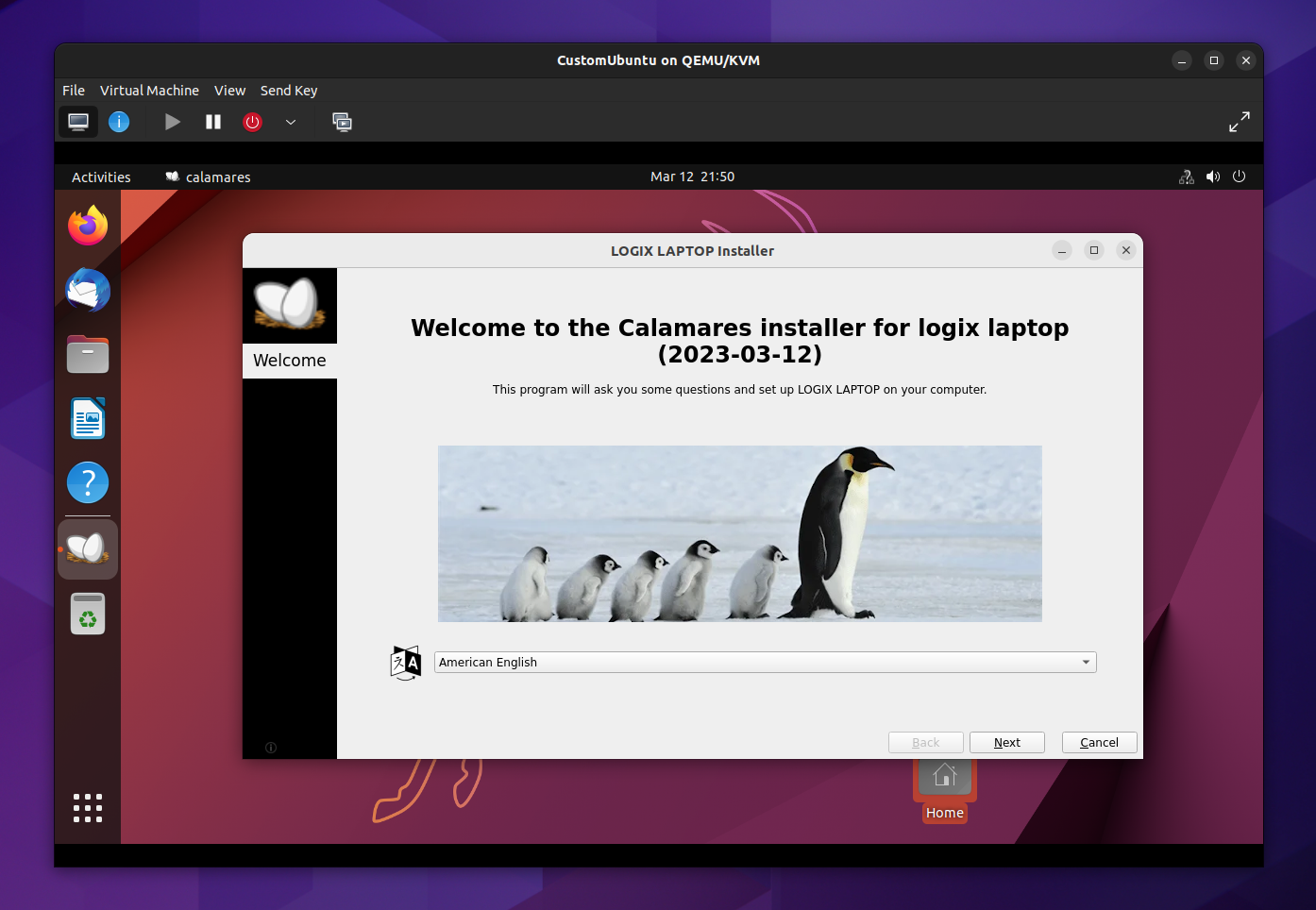
penguins-eggs custom Linux iso
A live ISO generated from my laptop using penguins-eggs; in the screenshot you can see the Calamares graphical installer

The live ISO image created by Eggs can be installed using a graphical user interface (Calamares) or from the command line, using a TUI tool especially created for penguins-eggs, called krill. This command line installer includes support for unattended installations.


[[ This is a content summary only. Please visit Linux Uprising for the full article ]]

--------------------------------------------------------------------------
Originally posted on Linux Uprising Blog.

Translate Selected Text With A Keyboard Shortcut Using Crow Translate (X11 + GNOME Wayland)

13. Februar 2023 um 21:03
Von: Logix

I was looking for a way to easily translate selected text that works under GNOME with Wayland, and find out that Crow Translate provides just this, but with some tweaking.

Highlight some text on your Linux or Microsoft Windows desktop (web browser, text editor, etc.), press the assigned keyboard shortcut, and the text is instantly translated (using Google Translate, Yandex, Bing, LibreTranslate and Lingva) and shown in a new window that disappears when losing focus. It can also speak the selected text or the translation of the selected text. There are some browser extensions that can also do this, but Crow Translate can translate the text from any desktop application that lets you select text.

This feature works out of the box on any X11 desktop. Under GNOME with Wayland, the Crow Translate feature to translate selected text with a keyboard shortcut only works with XWayland applications by default, but manually setting up the keyboard shortcuts gets this to work with any application, including pure Wayland applications, so I thought I'd write about how to do this. This does not work on KDE Plasma with Wayland, and I'm not sure about other Wayland DEs, that's why this article only covers GNOME.

Crow Translate isn't just about using a keyboard shortcut to translate the selected text, but that's what I was interested in, and thought I'd share this with you. Crow Translate also includes a regular window where you can enter the text to translate, etc., as well as a tray icon.

Using Crow Translate to translate selected text is pretty straightforward. Select some text and press the global shortcut key, Ctrl + Alt + E by default (it can be changed from the application settings), and you'll be presented with a window that shows the translation of the text you've selected:

Crow translate popup


[[ This is a content summary only. Please visit Linux Uprising for the full article ]]

--------------------------------------------------------------------------
Originally posted on Linux Uprising Blog.
How To Add Desktop Icons On elementary OS 7 Horus

04. Februar 2023 um 18:46
Von: Logix
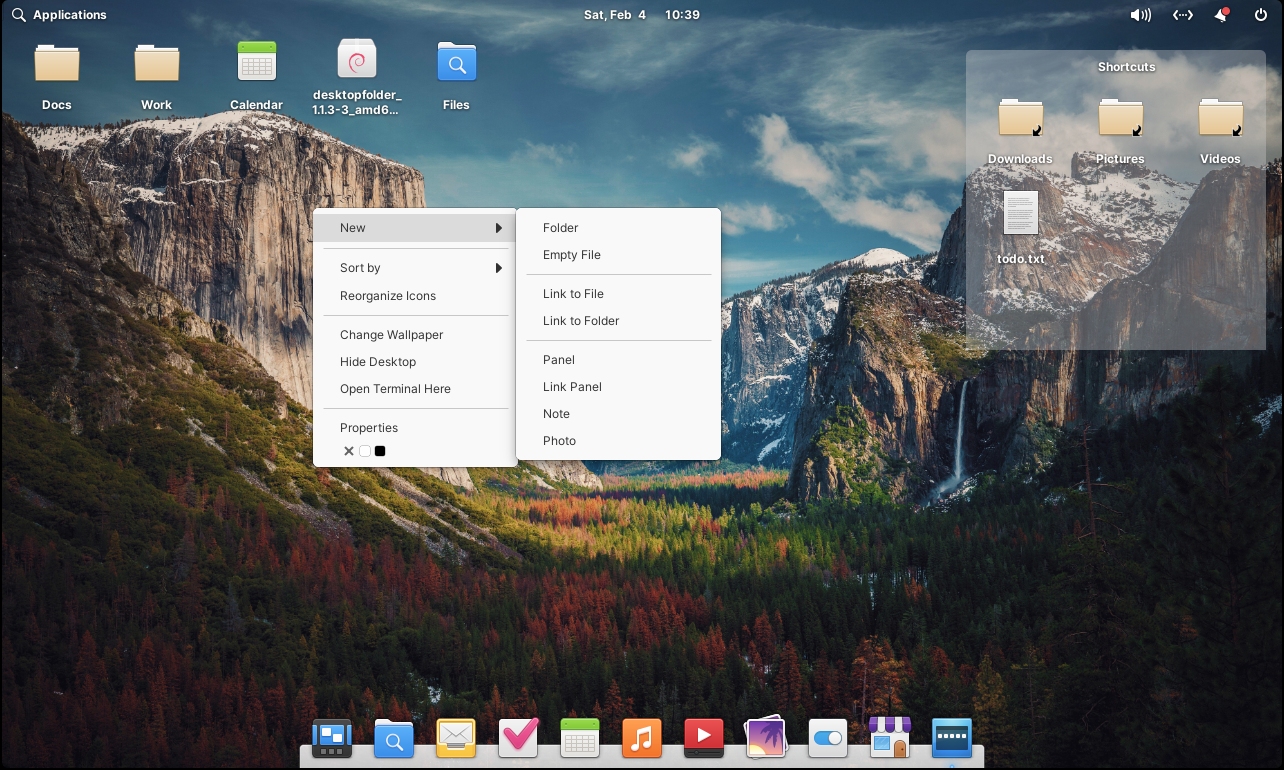
Desktop Icons elementary OS 7 Horus

Users wanting to add desktop icons on their elementary OS 7 Horus desktop can do it using the Desktop Folder tool. This should also work with other X11 desktop environments, but it's especially designed for elementary OS.

The software has not been updated to support the latest elementary OS 7 Horus. But luckily, since it's free and open source software, it was forked and the issue that prevented it from building on the latest elementary OS has been fixed.

Desktop Folder allows accessing folders, files, and application shortcuts from the desktop. You can add these using drag'n'drop, and there's also support to create files, folders, and links from the right click menu.

The tool can also organize icons on your desktop into panels, which can be resized and moved anywhere on the desktop, have different colors, etc.:


[[ This is a content summary only. Please visit Linux Uprising for the full article ]]

--------------------------------------------------------------------------
Originally posted on Linux Uprising Blog.

Set The Currently Playing Spotify Song Title And Album Cover As Your GNOME Wallpaper With This Script

17. Dezember 2021 um 14:04
Von: Logix
Blueberry currently playing Spotify song and GNOME desktop wallpaper

Blueberry is a new Python scripts that sets your currently playing Spotify song title and album cover as your GNOME desktop wallpaper. To use it, you need Spotify Premium.

The wallpaper includes the album cover in the center, while also using the 2 main colors from the cover to paint the rest of the wallpaper. The artist and song title are also displayed on the wallpaper.

Read more »

[[ This is a content summary only. Please visit Linux Uprising for the full article ]]

--------------------------------------------------------------------------
Originally posted on Linux Uprising Blog.

How To Run A Command Or Script As Root On Startup / Boot Using systemd or A Cron Job

16. Dezember 2021 um 12:28
Von: Logix
Linux run command or script as root (sudo) on startup / boot

This article explains how to run a command or script at startup / boot as root on Linux, in two ways: using systemd or a cron job.

Read more »

[[ This is a content summary only. Please visit Linux Uprising for the full article ]]

--------------------------------------------------------------------------
Originally posted on Linux Uprising Blog.
  • Es gibt keine weiteren Artikel
❌